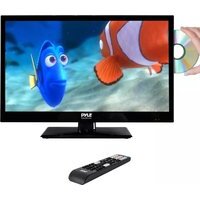
PTVDLED22 - Television Pyle - Free user manual and instructions
Find the device manual for free PTVDLED22 Pyle in PDF.


Pick your language and provide your email: we'll send you a specifically translated version.
| Product Type | LED Television |
| Screen Size | 22 inches |
| Display Resolution | 1920 x 1080 (Full HD) |
| Brightness | 250 cd/m² |
| Contrast Ratio | 1000:1 |
| Viewing Angle | 178° horizontal / 178° vertical |
| Refresh Rate | 60 Hz |
| Video Inputs | HDMI (1), VGA (1), Composite (1) |
| Audio Inputs | 3.5mm headphone jack, RCA L/R |
| USB Port | USB 2.0 for media playback |
| Tuner | ATSC (digital) / NTSC (analog) |
| Speakers | Built-in 2 x 5W |
| Power Supply | AC 100-240V, 50/60Hz |
| Power Consumption | 45W (typical), <0.5W standby |
| Dimensions (with stand) | 20.6 x 14.4 x 7.5 inches (52.3 x 36.6 x 19 cm) |
| Weight (with stand) | 9.2 lbs (4.2 kg) |
| Wall Mount Pattern | VESA 100 x 100 mm |
| Remote Control | Infrared, included |
| Networking | None (no Wi-Fi/Ethernet) |
| Cleaning Instructions | Wipe with soft, dry cloth; avoid harsh chemicals |
| Safety Features | Ventilation slots, anti-tip strap included |
| Spare Parts Availability | Remote control, stand, power cord available from Pyle |
| General Information | User manual includes setup, operation, and troubleshooting |
Frequently Asked Questions - PTVDLED22 Pyle
How do I connect an external device like a DVD player or game console?
Use the HDMI port for best quality. Plug one end into the TV and the other into your device, then select the corresponding HDMI input using the Source button on the remote.
Can I mount this TV on a wall?
Yes, the PTVDLED22 supports VESA 100x100 mm mounting. Use a compatible wall mount kit and follow the instructions in the manual for proper installation.
What should I do if the remote control stops working?
First, check the batteries and replace them if needed. Ensure nothing is blocking the IR sensor on the TV. If still not working, try resetting the remote by removing batteries and pressing any button for 5 seconds.
How do I perform a channel scan?
Press the Menu button, go to Channel Setup, then select Auto Scan. The TV will search for available channels. Make sure an antenna is connected.
Why is there no sound from the TV?
Check if the volume is muted or too low. Verify that audio cables are properly connected. If using external speakers, ensure they are powered on. Try a different input source to isolate the issue.
Can I play media files from a USB drive?
Yes, insert a USB drive into the USB port and press the USB button on the remote. The TV supports common formats like MP4, AVI, JPEG, and MP3.
How do I clean the TV screen?
Turn off the TV and unplug it. Use a soft, dry microfiber cloth to gently wipe the screen. Do not spray liquids directly; dampen the cloth slightly if needed. Avoid ammonia or alcohol based cleaners.
What does the 'No Signal' message mean?
This means the TV is not receiving a signal from the selected input. Ensure the connected device is turned on and cables are secure. Try another input or perform a channel scan for over-the-air TV.
Is there a sleep timer?
Yes, press the Menu button, navigate to Timer Settings, and set the Sleep Timer to your desired duration (off, 30, 60, 90, or 120 minutes).
How can I get the user manual in another language?
Visit notice-facile.com and select your desired language from the dropdown. Provide your email to receive a translated version of the manual.
User questions about PTVDLED22 Pyle
0 question about this device. Answer the ones you know or ask your own.
Ask a new question about this device
No questions yet. Be the first to ask one.
Download the instructions for your Television in PDF format for free! Find your manual PTVDLED22 - Pyle and take your electronic device back in hand. On this page are published all the documents necessary for the use of your device. PTVDLED22 by Pyle.
USER MANUAL PTVDLED22 Pyle
Manual assistant
Powered by Anthropic
Waiting for your message
Product information
Brand : Pyle
Model : PTVDLED22
Category : Television