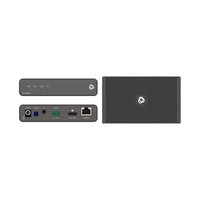
EXT3-H-R - Audio/video extension Kramer - Free user manual and instructions
Find the device manual for free EXT3-H-R Kramer in PDF.


Pick your language and provide your email: we'll send you a specifically translated version.
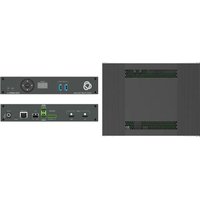
| Product Type | HDMI Extender over HDBaseT |
| Model | EXT3-H-R |
| Brand | Kramer |
| Dimensions (W x D x H) | 10.0 cm x 7.0 cm x 2.5 cm |
| Weight | 0.45 kg |
| Power Supply | 5V DC, 2A (included) |
| Max Video Resolution | 4K@60Hz (4:2:0) / 1080p@60Hz |
| Max Extension Distance | 100 m (330 ft) over Cat6a |
| Input Connector | 1 x HDMI (Type A female) |
| Output Connector | 1 x RJ-45 (HDBaseT) and 1 x HDMI loop-out |
| HDCP Support | HDCP 2.2 and 1.4 |
| Audio Support | PCM, Dolby Digital, DTS (up to 7.1) |
| Operating Temperature | 0°C to 40°C |
| Storage Temperature | -20°C to 60°C |
| Humidity | 10% to 90%, non-condensing |
| Maintenance | Clean with a soft, dry cloth; avoid liquids |
| Safety | Use in dry indoor environment only; do not expose to moisture |
| Spare Parts & Repairability | No user-serviceable parts inside; contact Kramer support for service |
| Warranty | Limited 3-year warranty |
Frequently Asked Questions - EXT3-H-R Kramer
What is the maximum distance the EXT3-H-R can extend HDMI?
The EXT3-H-R can extend HDMI signals up to 100 meters (330 feet) over a single Cat6a cable.
What video resolutions does the EXT3-H-R support?
It supports resolutions up to 4K@60Hz (4:2:0) and 1080p@60Hz with full HDCP 2.2 compliance.
Does the EXT3-H-R require an external power supply?
Yes, it includes a 5V DC power adapter. Alternatively, it can be powered via PoE from a compatible Kramer transmitter.
What type of cable is recommended for use with the EXT3-H-R?
Use shielded Cat6a or higher cable for optimal performance and maximum distance.
Can I connect a local display using the EXT3-H-R?
Yes, the unit features an HDMI loop-out port for a local monitor or daisy-chaining.
How do I clean and maintain the EXT3-H-R?
Disconnect power and wipe the enclosure with a soft dry cloth. Do not use solvents or abrasive cleaners.
What do the LED indicators on the EXT3-H-R mean?
A green LED indicates power is on. A flashing amber LED shows active link and data transmission.
Is the EXT3-H-R compatible with HDBaseT Class A devices?
Yes, it follows the HDBaseT 3.0 standard and is interoperable with other HDBaseT Class A equipment.
What is the warranty period for the EXT3-H-R?
Kramer provides a 3-year limited warranty against defects in materials and workmanship.
Can I use the EXT3-H-R for audio-only transmission?
Yes, it supports audio formats up to 7.1 channels including PCM, Dolby Digital, and DTS. The video can be omitted if not needed.
User questions about EXT3-H-R Kramer
0 question about this device. Answer the ones you know or ask your own.
Ask a new question about this device
No questions yet. Be the first to ask one.
Download the instructions for your Audio/video extension in PDF format for free! Find your manual EXT3-H-R - Kramer and take your electronic device back in hand. On this page are published all the documents necessary for the use of your device. EXT3-H-R by Kramer.
USER MANUAL EXT3-H-R Kramer

Manual assistant
Powered by Anthropic
Waiting for your message
Product information
Brand : Kramer
Model : EXT3-H-R
Category : Audio/video extension