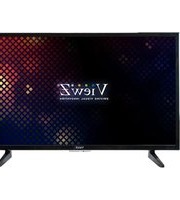
VZ-32CMP - Monitor ViewZ - Free user manual and instructions
Find the device manual for free VZ-32CMP ViewZ in PDF.


Pick your language and provide your email: we'll send you a specifically translated version.
| Product Type | LCD Monitor |
| Brand | ViewZ |
| Model | VZ-32CMP |
| Screen Size | 32 inches (81 cm diagonal) |
| Resolution | 1920 x 1080 (Full HD) |
| Aspect Ratio | 16:9 |
| Refresh Rate | 60 Hz |
| Panel Type | IPS |
| Brightness | 250 cd/m² |
| Contrast Ratio | 1000:1 |
| Viewing Angle | 178° horizontal / 178° vertical |
| Inputs | HDMI, VGA, DisplayPort, USB |
| Built-in Speakers | Yes, 2 x 2W |
| VESA Mount | 100 x 100 mm |
| Power Consumption | 40 W (typical), <0.5 W standby |
| Dimensions (W x H x D with stand) | 28.9 x 19.5 x 7.3 inches (735 x 495 x 185 mm) |
| Weight | 14.5 lbs (6.6 kg) |
| Operating Temperature | 32°F to 104°F (0°C to 40°C) |
| Storage Temperature | -4°F to 140°F (-20°C to 60°C) |
| Compliance | FCC, CE, RoHS |
| Accessories Included | Power cord, HDMI cable, Remote control, User manual |
Frequently Asked Questions - VZ-32CMP ViewZ
How do I clean the monitor screen?
Turn off the monitor and unplug it. Use a soft, dry microfiber cloth to gently wipe the screen. For stubborn smudges, lightly dampen the cloth with distilled water or a screen cleaner (never spray directly). Avoid using paper towels or harsh chemicals.
What cables are needed to connect my PC?
The monitor supports HDMI, DisplayPort, and VGA connections. Use the cable that matches your PC's output. For optimal performance, use an HDMI or DisplayPort cable (up to 1080p@60Hz). A VGA cable can also be used but may not support audio.
Why is there no power to the monitor?
Ensure the power cord is securely connected to both the monitor and a working outlet. Try a different outlet. If the monitor still does not power on, check the power indicator light; if off, the internal power supply may be faulty. Contact ViewZ support.
How can I adjust the monitor's brightness and contrast?
Press the Menu button on the monitor or remote to open the OSD. Navigate using the arrow keys to Picture settings. Adjust Brightness and Contrast using the slider. Press Enter to confirm.
What is the recommended viewing distance for this 32-inch monitor?
For a 32-inch Full HD monitor, a viewing distance of 2.5 to 4 feet (75-120 cm) is recommended for comfortable viewing. Adjust based on personal preference and content.
Does the monitor have built-in speakers?
Yes, the VZ-32CMP includes two built-in speakers (2W each). Audio can be routed through the HDMI or DisplayPort input. The monitor has a headphone jack for private listening.
Can I mount this monitor on a wall?
Yes, the monitor is VESA compatible with 100x100 mm mounting holes. Use a compatible wall mount kit (not included). Ensure the wall can support the monitor's weight. Follow the installation guide in the manual.
How do I reset the monitor to factory defaults?
Open the OSD menu, navigate to Setup or System, and select Reset or Factory Reset. Confirm the reset. The monitor will restore all settings to factory defaults.
What should I do if the screen flickers?
Check the cable connections and try a different cable. Ensure the refresh rate set in your PC's display settings matches the monitor's native 60 Hz. If using a VGA cable, tighten the screws. Also, adjust the power saving settings; disable any dynamic contrast features.
How can I enable or disable the blue light filter?
Press the Menu button, go to Picture or Eye Care settings. Locate Blue Light Filter or Low Blue Light and toggle it on/off. Some models have presets (e.g., Reading Mode) that reduce blue light.
User questions about VZ-32CMP ViewZ
0 question about this device. Answer the ones you know or ask your own.
Ask a new question about this device
No questions yet. Be the first to ask one.
Download the instructions for your Monitor in PDF format for free! Find your manual VZ-32CMP - ViewZ and take your electronic device back in hand. On this page are published all the documents necessary for the use of your device. VZ-32CMP by ViewZ.
USER MANUAL VZ-32CMP ViewZ
Manual assistant
Powered by Anthropic
Waiting for your message
Product information
Brand : ViewZ
Model : VZ-32CMP
Category : Monitor