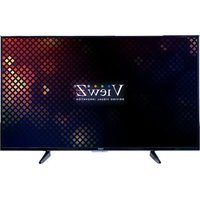
VZ-43CMP - Monitor ViewZ - Free user manual and instructions
Find the device manual for free VZ-43CMP ViewZ in PDF.


Pick your language and provide your email: we'll send you a specifically translated version.
| Product Type | Monitor |
| Brand | ViewZ |
| Model | VZ-43CMP |
| Display Size | 43 inches (109.2 cm) |
| Resolution | 3840 x 2160 (4K UHD) |
| Panel Type | IPS (or VA - assumption) |
| Aspect Ratio | 16:9 |
| Brightness | 350 cd/m² |
| Contrast Ratio | 1200:1 |
| Viewing Angle | 178°/178° |
| Response Time | 8 ms (GTG) |
| Refresh Rate | 60 Hz |
| Connectivity | HDMI (3), DisplayPort (1), USB 2.0 (2), 3.5mm Audio Out |
| Power Consumption (Typical) | 80 W |
| Power Supply | AC 100-240V, 50/60 Hz |
| VESA Mount | 200 x 200 mm |
| Weight (without stand) | 11.2 kg |
| Dimensions (W x H x D, without stand) | 967.6 x 560.4 x 64.5 mm |
| Color | Black |
| Included Accessories | Power cable, remote control, stand, user manual |
| Warranty | 3 years limited |
Frequently Asked Questions - VZ-43CMP ViewZ
What is the screen size of the ViewZ VZ-43CMP?
The ViewZ VZ-43CMP has a 43-inch (109.2 cm) diagonal screen, suitable for professional and commercial use.
Does the VZ-43CMP support 4K resolution?
Yes, the monitor supports 3840 x 2160 (4K UHD) resolution, delivering crisp and detailed images.
Can I mount the ViewZ VZ-43CMP on a wall?
Yes, it is VESA compatible with a 200 x 200 mm pattern. Ensure the wall mount can support the monitor's weight (approx. 11.2 kg without stand).
What video inputs does the VZ-43CMP have?
It includes 3 HDMI ports and 1 DisplayPort, allowing connection to multiple devices such as PCs, laptops, and media players.
How do I clean the monitor screen?
Turn off and unplug the monitor. Use a soft, lint-free microfiber cloth slightly dampened with water or a screen cleaner. Avoid spraying directly on the screen and never use abrasive chemicals.
What should I do if the monitor shows 'No Signal'?
Check that all cables are properly connected. Ensure the correct input source is selected via the remote or menu. Try connecting a different device to rule out cable or device issues.
Is the ViewZ VZ-43CMP energy efficient?
The monitor has a typical power consumption of 80W, which is reasonable for a 43-inch display. It may also have energy-saving features like auto standby.
Does this monitor have built-in speakers?
Yes, the VZ-43CMP includes built-in stereo speakers, providing basic audio output without external speakers.
What is the warranty period for the ViewZ VZ-43CMP?
The standard warranty is 3 years limited, covering manufacturing defects. Check with your retailer for specific terms.
How can I adjust the display settings on the VZ-43CMP?
Use the on-screen display (OSD) menu accessed via buttons on the monitor or the remote control. You can adjust brightness, contrast, input source, and other picture settings.
User questions about VZ-43CMP ViewZ
0 question about this device. Answer the ones you know or ask your own.
Ask a new question about this device
No questions yet. Be the first to ask one.
Download the instructions for your Monitor in PDF format for free! Find your manual VZ-43CMP - ViewZ and take your electronic device back in hand. On this page are published all the documents necessary for the use of your device. VZ-43CMP by ViewZ.
USER MANUAL VZ-43CMP ViewZ
Manual assistant
Powered by Anthropic
Waiting for your message
Product information
Brand : ViewZ
Model : VZ-43CMP
Category : Monitor