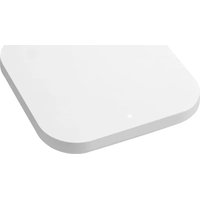
PAX5400 - Wi-Fi Access Point Plasma Cloud - Free user manual and instructions
Find the device manual for free PAX5400 Plasma Cloud in PDF.


Pick your language and provide your email: we'll send you a specifically translated version.
| Product Type | Wireless Access Point |
| Model | PAX5400 |
| Brand | Plasma Cloud |
| Wi-Fi Standard | 802.11ax (Wi-Fi 6) |
| Frequency Bands | 2.4 GHz and 5 GHz |
| Maximum Data Rate | Up to 5400 Mbps |
| MIMO Configuration | 4x4 MU-MIMO |
| Ethernet Ports | 1x 10/100/1000 Mbps (PoE In) |
| Power Supply | PoE (802.3af/at) or 12V DC adapter |
| Power Consumption | Approximately 18W |
| Dimensions (W x D x H) | 200 x 200 x 40 mm |
| Weight | 500 g |
| Mounting | Ceiling or wall mount (bracket included) |
| Operating Temperature | 0°C to 45°C |
| Operating Humidity | 5% to 95% (non-condensing) |
| LED Indicators | Power, LAN, 2.4G, 5G |
| Security | WPA3, WPA2, 802.1X, MAC filter |
| Management | Cloud-based via Plasma Cloud platform |
| Reset Button | Yes (factory reset) |
| Included Accessories | Mounting bracket, screws, quick start guide |
| Compliance | FCC, CE, RoHS |
Frequently Asked Questions - PAX5400 Plasma Cloud
How do I mount the PAX5400 access point?
The PAX5400 can be mounted on a ceiling or wall using the included bracket. Secure the bracket with the provided screws, then attach the access point and rotate until it clicks.
Does the PAX5400 support PoE?
Yes, it supports PoE (802.3af/at) via the Ethernet port. You can also use the optional 12V DC power adapter.
How do I reset the PAX5400 to factory defaults?
Press and hold the reset button on the device for about 10 seconds until the LEDs flash. Release the button; the device will reboot with factory settings.
What is the maximum number of clients supported by the PAX5400?
The PAX5400 can support over 100 simultaneous clients depending on traffic, thanks to its 4x4 MU-MIMO and OFDMA technology.
How do I configure the PAX5400?
Configuration is done via the Plasma Cloud cloud platform. Connect the device to your network, log in to your cloud account, and follow the onboarding wizard.
What is the range of the PAX5400?
Indoor range is approximately 30-50 meters depending on obstacles and interference. Use multiple units for larger areas.
Can the PAX5400 be used as a mesh node?
Yes, it can be part of a Plasma Cloud mesh network. Enable mesh mode in the cloud settings for seamless roaming.
What security protocols does the PAX5400 support?
It supports WPA3, WPA2, 802.1X with RADIUS, and MAC address filtering for enterprise-grade security.
How do I update the firmware?
Firmware updates are automatically managed via the cloud. You can also manually upload a firmware file in the device settings.
Is the PAX5400 wall-mountable?
Yes, the included bracket supports both ceiling and wall mounting. Ensure the surface is stable and cables are routed properly.
User questions about PAX5400 Plasma Cloud
0 question about this device. Answer the ones you know or ask your own.
Ask a new question about this device
No questions yet. Be the first to ask one.
Download the instructions for your Wi-Fi Access Point in PDF format for free! Find your manual PAX5400 - Plasma Cloud and take your electronic device back in hand. On this page are published all the documents necessary for the use of your device. PAX5400 by Plasma Cloud.
USER MANUAL PAX5400 Plasma Cloud
Manual assistant
Powered by Anthropic
Waiting for your message
Product information
Brand : Plasma Cloud
Model : PAX5400
Category : Wi-Fi Access Point