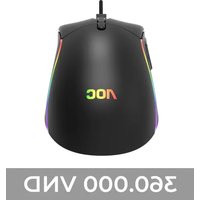
GM310 - Mouse AOC - Free user manual and instructions
Find the device manual for free GM310 AOC in PDF.


Pick your language and provide your email: we'll send you a specifically translated version.
| Product Type | Mouse |
| Brand | AOC |
| Model | GM310 |
| Connection Type | USB Wired |
| Sensor Type | Optical |
| DPI Range | 800 - 4000 (adjustable via button) |
| Number of Buttons | 6 (left, right, scroll, DPI, forward, back) |
| Scroll Wheel | Yes, with click function |
| Cable Length | 1.8 m |
| Dimensions (LxWxH) | 125 x 65 x 40 mm |
| Weight | 100 g |
| Operating System Compatibility | Windows, macOS, Linux |
| Power Source | USB |
| Software | AOC G-Tools (optional download) |
| Features | Adjustable DPI, ergonomic design, LED lighting |
| Maintenance | Clean with soft dry cloth |
| Cleaning | Use mild cleaning solution if needed; avoid liquids on device |
| Safety | Do not disassemble; avoid extreme temperatures |
| Spare Parts | Not available separately |
| Repairability | Not user-serviceable; contact support for issues |
Frequently Asked Questions - GM310 AOC
How do I clean my AOC GM310 mouse?
Use a soft dry cloth. For stubborn dirt, lightly dampen cloth with water or a mild cleaning solution. Avoid getting moisture into the openings.
How do I adjust the DPI settings?
Press the DPI button on top of the mouse to cycle through presets. Default settings: 800, 1600, 2400, 3200, 4000. Use AOC G-Tools software for custom DPI values.
Is the AOC GM310 compatible with Mac?
Yes, it works with Windows, macOS, and Linux via plug-and-play. No additional drivers are required for basic functions.
How do I install drivers for the mouse?
Simply plug the mouse into a USB port; basic functions work immediately. For advanced features like button remapping, download AOC G-Tools from the official AOC website.
What operating systems are supported?
Windows 7/8/10/11, macOS 10.12 and later, and Linux. Always check the AOC website for the latest compatibility information.
How can I change the LED lighting?
The GM310 may have fixed or software-adjustable lighting. If supported, use AOC G-Tools to customize lighting effects. Otherwise, the mouse has a default LED color.
The mouse cursor is jumping or lagging. What should I do?
First, clean the sensor with a dry cloth. Ensure the mouse is on a non-reflective surface. Update your USB drivers and try a different USB port. If the issue persists, restart your computer.
How long is the cable?
The USB cable is 1.8 meters (approximately 6 feet) long.
Does the mouse come with a warranty?
Yes, it typically comes with a 1-year limited warranty. For warranty claims, contact AOC support or refer to your local retailer.
Can I replace the mouse feet?
The mouse feet are not user-replaceable. If they are worn, please contact AOC customer support for assistance.
User questions about GM310 AOC
0 question about this device. Answer the ones you know or ask your own.
Ask a new question about this device
No questions yet. Be the first to ask one.
Download the instructions for your Mouse in PDF format for free! Find your manual GM310 - AOC and take your electronic device back in hand. On this page are published all the documents necessary for the use of your device. GM310 by AOC.
USER MANUAL GM310 AOC
Manual assistant
Powered by Anthropic
Waiting for your message
Product information
Brand : AOC
Model : GM310
Category : Mouse