
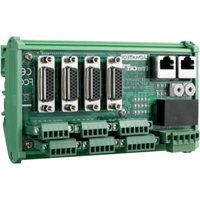
ROM-DB5900 - Electronic board Advantech - Free user manual and instructions
Find the device manual for free ROM-DB5900 Advantech in PDF.


Pick your language and provide your email: we'll send you a specifically translated version.
| Product Type | Single Board Computer |
| Form Factor | 5.25-inch SBC |
| Dimensions (W x D) | 203 mm x 146 mm |
| Weight | Approx. 500 g |
| Power Supply | 12 V DC, 3 A |
| Power Consumption | Typ. 15 W |
| Processor | Intel Atom or Celeron (varies by SKU) |
| Memory | Up to 8 GB DDR3L |
| Storage | mSATA, SATA 2.5" HDD/SSD |
| Display Interfaces | VGA, LVDS, HDMI |
| I/O Interfaces | 2x Gigabit LAN, 4x USB 2.0, 4x COM, Audio |
| Expansion | Mini PCIe, PCIe x1, SIM slot |
| Operating Temperature | 0°C to 60°C |
| Storage Temperature | -20°C to 80°C |
| Humidity | 5% to 95% (non-condensing) |
| Certifications | CE, FCC |
| Operating System Support | Windows 10 IoT, Linux |
| Maintenance | Clean with dry cloth; avoid liquids |
| Safety | Use only approved power adapter; disconnect before servicing |
| Spare Parts & Repairability | Contact Advantech support for replacement parts |
Frequently Asked Questions - ROM-DB5900 Advantech
How do I install the ROM-DB5900?
Mount the board using the provided standoffs in your chassis, connect power (12V DC), and attach peripherals. Refer to the manual for jumper settings and BIOS configuration.
What power supply do I need?
A 12V DC power supply with at least 3A output is recommended. Use a regulated supply to avoid damage.
Can I use DDR4 memory?
No, the ROM-DB5900 requires DDR3L (low voltage) SODIMM modules.
How do I enable the LVDS display?
Set the jumper on JLVDS to match your panel voltage (3.3V/5V) and configure the BIOS under Chipset > LVDS Configuration.
Is the ROM-DB5900 compatible with Windows 10?
Yes, it supports Windows 10 IoT Enterprise. Install the appropriate drivers from the Advantech support page.
How do I connect multiple serial devices?
The board has 4 COM ports (RS-232/422/485). Configure the mode via jumpers and BIOS, then connect your devices.
What is the maximum memory supported?
Up to 8 GB DDR3L in a single SODIMM slot.
How do I update the BIOS?
Download the latest BIOS from Advantech, copy to a FAT32 USB drive, and boot into the EFI Shell to run the update utility.
Why is my board not booting?
Check power LED, ensure RAM is seated, and clear CMOS by shorting the jumper. If still failing, test with minimal peripherals.
Where can I find the user manual?
Download the manual from notice-facile.com or the official Advantech website for detailed instructions.
User questions about ROM-DB5900 Advantech
0 question about this device. Answer the ones you know or ask your own.
Ask a new question about this device
No questions yet. Be the first to ask one.
Download the instructions for your Electronic board in PDF format for free! Find your manual ROM-DB5900 - Advantech and take your electronic device back in hand. On this page are published all the documents necessary for the use of your device. ROM-DB5900 by Advantech.
USER MANUAL ROM-DB5900 Advantech




Manual assistant
Powered by Anthropic
Waiting for your message
Product information
Brand : Advantech
Model : ROM-DB5900
Category : Electronic board