
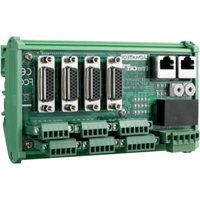
SOM-DB5800 - Electronic board Advantech - Free user manual and instructions
Find the device manual for free SOM-DB5800 Advantech in PDF.


Pick your language and provide your email: we'll send you a specifically translated version.
| Product Type | Carrier Board for COM Express Modules |
| Form Factor | Standard COM Express Type 6 Carrier |
| Dimensions (W x D) | 200 mm x 160 mm |
| Weight | 0.5 kg (approx.) |
| Input Voltage | 12V DC |
| Power Connector | 4-pin ATX or DC jack |
| Expansion Slots | PCIe, SATA, USB, LAN |
| Display Interfaces | VGA, HDMI, LVDS (depends on module) |
| Storage Interfaces | SATA 3.0, mSATA |
| Operating Temperature | 0°C to 60°C |
| Storage Temperature | -20°C to 80°C |
| Humidity | 10% to 90% non-condensing |
| Care and Cleaning | Wipe with dry soft cloth; do not use liquids |
| Safety Precautions | Disconnect power before servicing; avoid static discharge |
| Spare Parts Availability | Contact Advantech support for accessories |
| Repairability | Non-user serviceable; professional repair recommended |
| General Information | Designed for Advantech SOM-xxxx series modules |
Frequently Asked Questions - SOM-DB5800 Advantech
What type of SOM modules are compatible with the SOM-DB5800?
The SOM-DB5800 carrier board is designed for Advantech COM Express Type 6 modules, specifically the SOM-xxxx series. Always check the compatibility list before installation.
Can I use a standard ATX power supply with this board?
Yes, the board typically accepts a 12V DC input via a 4-pin ATX connector or a DC jack. Ensure the power supply provides sufficient current for the module and peripherals.
How do I update the BIOS on the SOM-DB5800?
BIOS updates are performed on the SOM module itself, not the carrier board. Refer to your SOM module's manual for BIOS update procedures using a USB flash drive.
What operating systems are supported?
Operating system support depends on the SOM module. Common choices include Windows 10/11, Linux distributions (Ubuntu, Fedora), and embedded OS like Wind River VxWorks.
Does the board support multiple displays?
Yes, the carrier board provides multiple display outputs such as VGA, HDMI, and LVDS, but the actual number of independent displays depends on the SOM module's capabilities.
Can I install additional RAM on the carrier board?
No, RAM is mounted directly on the SOM module. The carrier board does not have memory slots. Choose a SOM module with sufficient RAM for your application.
What is the maximum operating temperature?
The recommended operating temperature range is 0°C to 60°C. For industrial applications, consider a rugged SOM module with wider temperature support.
How do I connect storage devices?
The carrier board provides SATA 3.0 ports and sometimes an mSATA slot. Connect SSDs or HDDs using standard SATA cables. Ensure the SOM module supports the storage interface.
Is the board RoHS compliant?
Yes, Advantech products are RoHS compliant. The SOM-DB5800 meets environmental standards for hazardous substance restrictions.
Where can I find the latest drivers?
Drivers are provided by Advantech for specific SOM modules. Visit the Advantech support website and download drivers for your exact SOM model.
User questions about SOM-DB5800 Advantech
0 question about this device. Answer the ones you know or ask your own.
Ask a new question about this device
No questions yet. Be the first to ask one.
Download the instructions for your Electronic board in PDF format for free! Find your manual SOM-DB5800 - Advantech and take your electronic device back in hand. On this page are published all the documents necessary for the use of your device. SOM-DB5800 by Advantech.
USER MANUAL SOM-DB5800 Advantech




Manual assistant
Powered by Anthropic
Waiting for your message
Product information
Brand : Advantech
Model : SOM-DB5800
Category : Electronic board