
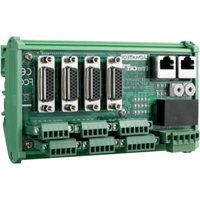
SOM-DB2510 - Electronic board Advantech - Free user manual and instructions
Find the device manual for free SOM-DB2510 Advantech in PDF.


Pick your language and provide your email: we'll send you a specifically translated version.
| Product Type | SOM Carrier Board |
| Brand | Advantech |
| Model | SOM-DB2510 |
| Dimensions | 200 mm x 200 mm x 30 mm |
| Weight | 200 g |
| Power Input | 12 V DC, 2 A |
| Power Connector | DC Jack, 5.5 mm x 2.1 mm |
| Supported SOM Modules | Advantech SOM-xxxx series |
| Expansion Interfaces | PCIe, USB 3.0, HDMI, Gigabit Ethernet, SATA |
| Operating Temperature | 0 °C to 60 °C |
| Storage Temperature | -20 °C to 80 °C |
| Humidity | 10% to 90% non-condensing |
| Form Factor | Mini-ITX compatible |
| Main Functions | Carrier board for SOM, provides I/O and power management |
| Maintenance | Clean with a soft dry cloth; avoid liquids |
| Safety Precautions | Disconnect power before handling; use anti-static wrist strap |
| Spare Parts | None user-serviceable; contact support for replacement |
| Repairability | Not user-repairable; return to manufacturer for service |
| Mounting | Standoffs and screws included; mount on non-conductive surface |
| Included Accessories | Power adapter, SATA cable, I/O shield |
Frequently Asked Questions - SOM-DB2510 Advantech
What is the SOM-DB2510?
The SOM-DB2510 is a development carrier board from Advantech designed to host System-on-Modules (SOMs) for prototyping and evaluation.
Which SOM modules are compatible?
It supports Advantech SOM-xxxx series modules, typically those with the same form factor and connector, such as SOM-6760 or SOM-5780.
What power supply is needed?
A 12V DC power adapter with at least 2A output is required. The board uses a standard 5.5mm x 2.1mm DC jack.
How do I connect peripherals?
The board provides multiple interfaces: USB 3.0, HDMI, Gigabit Ethernet, SATA, PCIe slots, and GPIO headers. Refer to the manual for pinouts.
Can I use this board for industrial applications?
Yes, it is designed for embedded and industrial use with a temperature range of 0-60°C and robust build quality.
How do I install a SOM module?
Align the module's edge connector with the slot on the carrier board and gently press down until it clicks. Secure with screws if provided.
What operating systems are supported?
This depends on the SOM module. Common OS include Windows 10/11, Linux distributions, and Android, provided the SOM's drivers are available.
How do I clean the board?
Use a soft, dry cloth to remove dust. Avoid using any liquids or solvents. Disconnect power before cleaning.
Is the board RoHS compliant?
Yes, Advantech products are RoHS compliant, ensuring environmental safety and restriction of hazardous substances.
Where can I find the user manual?
The user manual is available for free download on notice-facile.com and from the Advantech support website.
User questions about SOM-DB2510 Advantech
0 question about this device. Answer the ones you know or ask your own.
Ask a new question about this device
No questions yet. Be the first to ask one.
Download the instructions for your Electronic board in PDF format for free! Find your manual SOM-DB2510 - Advantech and take your electronic device back in hand. On this page are published all the documents necessary for the use of your device. SOM-DB2510 by Advantech.
USER MANUAL SOM-DB2510 Advantech




Manual assistant
Powered by Anthropic
Waiting for your message
Product information
Brand : Advantech
Model : SOM-DB2510
Category : Electronic board