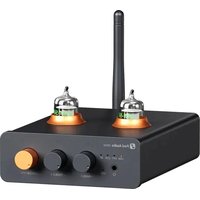
GR40 - Audio Amplifier Fosi Audio - Free user manual and instructions
Find the device manual for free GR40 Fosi Audio in PDF.


| Product Type | Bluetooth Audio Receiver |
| Brand | Fosi Audio |
| Model | GR40 |
| Bluetooth Version | 5.0 |
| Bluetooth Codecs | aptX HD, aptX, SBC, AAC |
| Audio Output | RCA (L/R) and 3.5mm jack |
| Power Supply | 5V DC via Micro USB |
| Dimensions (approx) | 4.3 x 3.5 x 0.9 inches (110 x 90 x 23 mm) |
| Weight (approx) | 4.9 oz (140 g) |
| Range | Up to 33 ft (10 m) in open space |
| Compatibility | TVs, stereos, speakers with AUX or RCA input |
| Features | Wireless music streaming, hands-free calling, low latency |
| LED Indicator | Blue for connected, flashing for pairing |
| Controls | Power/Multi-function button |
| Cleaning | Wipe with dry soft cloth |
| Safety | Do not expose to moisture or extreme temperatures |
Frequently Asked Questions - GR40 Fosi Audio
User questions about GR40 Fosi Audio
0 question about this device. Answer the ones you know or ask your own.
Ask a new question about this device
Download the instructions for your Audio Amplifier in PDF format for free! Find your manual GR40 - Fosi Audio and take your electronic device back in hand. On this page are published all the documents necessary for the use of your device. GR40 by Fosi Audio.
USER MANUAL GR40 Fosi Audio
GR40 User Manual
Introduction
Thank you for purchasing the GR40 DAC Tube Preamp and Headphone Amplifier.
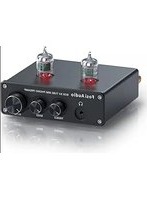
The GR40 is a powerful and well-designed preamp and headphone amplifier, integrating tube amplification with DAC functionality. It supports multiple input modes, including USB, optical, coaxial, and Bluetooth, making it compatible with a wide range of audio sources. The device features an input mode indicator for easy mode identification. Supporting DSD format with high resolution, it delivers a premium audio experience. The GR40 also includes a 3.5mm headphone jack, enhancing your desktop listening options for more convenient music enjoyment. The tubes are user-replaceable, and with the bass and treble knobs, you can customize sound effects, making your listening experience more diverse and personalized.
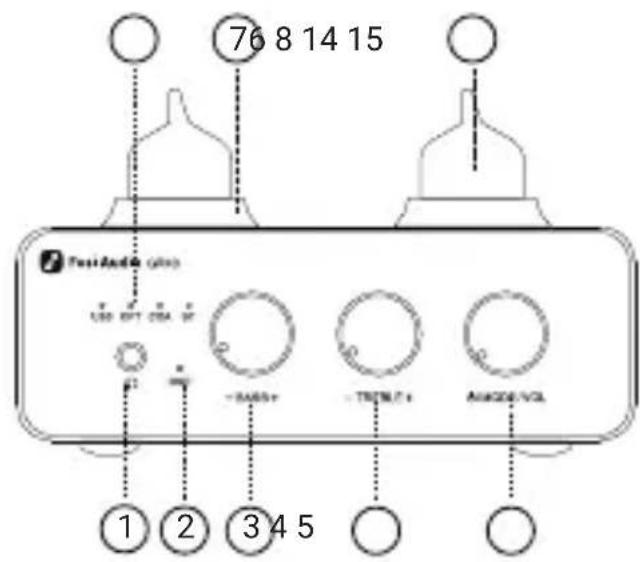
① 3.5mm Headphone Output
③ Bass Control
⑤ Power Switch/Mode Selector/Volume Control
⑥ Input Mode Indicator Light
⑧ 5654W Tubes
⑩ USB Input
⑫ Coaxial Input
⑭Bluetooth Antenna Connector

② DSD Indicator Light
④ Treble Control
⑦ Tube Decorative Rings
⑨ DC 12V Input
⑪ Optical Input
⑬ RCA Output
⑮ Bluetooth Reset Button
Specifications
| Input Bluetooth, USB, Optical, Coaxial | |
| Output | RCA, 3.5mm Headphone Output |
| Channel | 2.0 |
| SNR | ≥103dB |
| Dynamic Range | 104dB |
| Headphone Impedance | 32Ω-300Ω |
| Headphone Outout Power | 300mW@16Ω 250mW@32Ω50mW@250Ω 40mW@300Ω |
| Frequency Response | 20Hz-20kHz(±1dB) |
| Sampling Rtae | 32bit/384kHz; DSD256 |
| Bluetooth Version | 5.1 |
| Bluetooth Connection Distance | ≥10m |
| Bluetooth Transmission Format | SBC, AAC, aptX, aptX HD, aptX LL |
| Voltage Range | DC 12V |
Package Contents

GR40

5654W Vacuum Tube*2
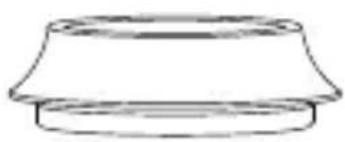
Decorative Ring*2 Power Adapter
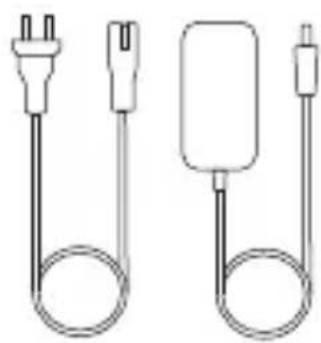
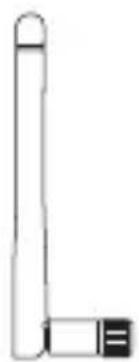
Bluetooth Antenna User Manual

Operation Guide
- Connect the Bluetooth antenna to the GR40;
- Insert the 5654W tubes into the GR40, ensuring the pins are aligned, then attach the tube decorative rings;
-
Choose the appropriate cable (such as USB, optical, or coaxial) to connect the audio source to the GR40's audio input interface. Skip this step if using a Bluetooth audio source;
-
Use RCA cables to connect powered speakers. If using passive speakers, connect the preamp and power amplifier with RCA cables, then connect the speakers. If using headphones, connect them to the GR40's headphone output jack;
-
Power the GR40, press and hold the main knob for 3 seconds to turn on, then press once to switch to the desired input mode (connect to the Bluetooth now if using a Bluetooth device as the source), and set the volume to a low level.;
-
Play music, gradually adjust the volume to a suitable level, and use the bass and treble controls to fine-tune the sound to your preference.
Important Notes:
- Since the GR40 is a tube preamplifier, please ensure to allow about 15 seconds for the tubes to warm up before playing audio;
- The USB port is only for data transfer and cannot be used as a power connector;
- Avoid plugging or unplugging cables while the device is powered on to prevent noise that could damage the product and impact your hearing.
Frequently Asked Questions
1. Bluetooth connection by others, what to do?
Long press the Bluetooth reset button for 3 seconds; the Bluetooth indicator will flash, and the GR40 will enter pairing mode. Simply re-pair your device.
2. Using a smartphone as a source in USB mode, why does sound only come from the phone even when connections are correct?
Check if the phone has data transfer enabled. Some models transfer data directly, while others require manual activation of this feature.
3. Can headphones and RCA outputs be used simultaneously?
The GR40 defaults to headphone priority output. To use RCA output, disconnect the headphones.
4. What are suitable tube models for replacement?
Tubes such as EF95, 6Ak5, 6AK5W, 403A/403B, 6J1, 6J1P, 6J2, 6J3, 6J4, 6J5 are compatible. You can test and choose according to your personal preference.
Note: When replacing tubes, ensure the GR40 is turned off and the tubes have cooled down to prevent burns or damage to the product.
If you have any further questions, please contact our support team at support@fosiaudio.com.
Warranty and Maintenance
Fosi Audio pledges to give a 24-month limited warranty and support from the date of purchase. If you encounter any problem when using our product, please contact our support team at support@fosiaudio.com.
About Us
Fosi Audio designs and builds innovative audio products with all your music in mind. Great sound, simple but elegant designs, high-quality components, and truly useful features are what Fosi Audio pursues. We sincerely hope you can get as much enjoyment from our products as we've had to create them!
Our Website: www.fosiaudio.com
Amazon Store: www.amazon.com/fosiaudio
Facebook Page: www.facebook.com/fosiaudioglobal
Youtube Channel: www.youtube.com/@fosiaudio
Official Forum: https://community.fosiaudio.com
Whatsapp: +86 13716612254
After-Sales Service and Technical Support Email: support@fosiaudio.com
产品简介

GR40 5654W电子管 x2

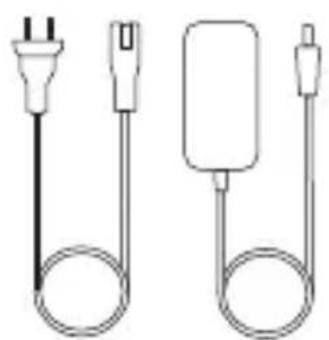
电子管装饰圈 x2 电源适配器
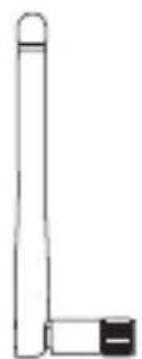
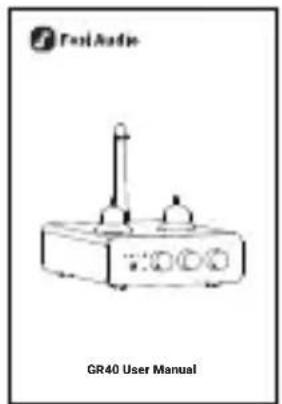
蓝牙天线 用户手册
使用说明
扫码查看在线帮助

- INTRODUCTION
- SPECIFICATIONS
- PACKAGE CONTENTS
- OPERATION GUIDE
- IMPORTANT NOTES
- FREQUENTLY ASKED QUESTIONS
- BLUETOOTH CONNECTION BY OTHERS, WHAT TO DO
- USING A SMARTPHONE AS A SOURCE IN USB MODE, WHY DOES SOUND ONLY COME FROM THE PHONE EVEN WHEN CONNECTIONS ARE CORRECT
- CAN HEADPHONES AND RCA OUTPUTS BE USED SIMULTANEOUSLY
- WHAT ARE SUITABLE TUBE MODELS FOR REPLACEMENT
- WARRANTY AND MAINTENANCE
- ABOUT US
- 产品简介
- 使用说明
Brand : Fosi Audio
Model : GR40
Category : Audio Amplifier