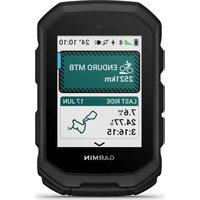
Edge MTB - Meter GARMIN - Free user manual and instructions
Find the device manual for free Edge MTB GARMIN in PDF.


Pick your language and provide your email: we'll send you a specifically translated version.
| Product Type | GPS Bike Computer |
| Brand | Garmin |
| Model | Edge MTB |
| Dimensions (W x H x D) | 5.5 cm x 10.0 cm x 2.5 cm |
| Weight | 80 g |
| Battery Type | Rechargeable Lithium-Ion |
| Battery Life | Up to 15 hours |
| Display | 2.6-inch Color Display |
| GPS | GPS + GLONASS + Galileo |
| Altimeter | Barometric Altimeter |
| Speed Sensor | Built-in (requires external sensor) |
| Navigation | Turn-by-Turn Directions |
| Connectivity | Bluetooth, ANT+, Wi-Fi |
| Water Rating | IPX7 (Waterproof to 1m) |
| Memory | 8 GB Internal Storage |
| Main Functions | GPS Tracking, Altitude, Speed, Cadence, Heart Rate (via sensor), Navigation, Trail Forks Integration |
| Maintenance | Clean with mild soap, dry cloth; avoid solvents |
| Safety | Use sturdy mount; ensure secure attachment |
| Spare Parts | Mounts, cables, chargers available from Garmin |
| Repairability | Battery replaceable by service center |
Frequently Asked Questions - Edge MTB GARMIN
How do I pair my Edge MTB with a heart rate monitor?
Go to Sensors in settings, select Add Sensor, and follow the on-screen prompts. Ensure the HR monitor is in pairing mode.
Can I use the Edge MTB without a smartphone?
Yes, the device works standalone with GPS. However, for live tracking and notifications, pairing with the Garmin Connect app is recommended.
How do I update the maps?
Connect to Wi-Fi or use Garmin Express on your computer. Navigate to Map Updates in the device settings.
What is the battery life in normal use?
Battery life lasts up to 15 hours in GPS mode. Battery saver mode can extend it further.
How do I reset the device?
Press and hold the Power button for 10 seconds until the device restarts. For a factory reset, go to System > Reset.
Can I load third-party routes?
Yes, you can import GPX files via Garmin Connect or by connecting to a computer and copying files to the NewFiles folder.
Is the Edge MTB compatible with electronic shifting?
Yes, it supports Shimano Di2, SRAM eTap, and Campagnolo EPS via ANT+.
How do I clean the device?
Use a soft damp cloth with mild soap. Avoid abrasive cleaners and submerging in water. Dry thoroughly before charging.
Where can I find spare parts?
Spare parts like mounts and chargers are available on the Garmin website or authorized retailers.
What does the Trail Forks integration do?
It provides trail difficulty ratings, offline maps, and turn-by-turn navigation for mountain bike trails.
User questions about Edge MTB GARMIN
0 question about this device. Answer the ones you know or ask your own.
Ask a new question about this device
No questions yet. Be the first to ask one.
Download the instructions for your Meter in PDF format for free! Find your manual Edge MTB - GARMIN and take your electronic device back in hand. On this page are published all the documents necessary for the use of your device. Edge MTB by GARMIN.
USER MANUAL Edge MTB GARMIN


Manual assistant
Powered by Anthropic
Waiting for your message
Product information
Brand : GARMIN
Model : Edge MTB
Category : Meter