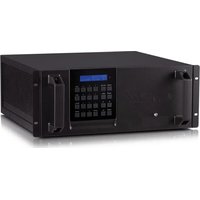
MODX-1616 - Professional audiovisual equipment CYP - Free user manual and instructions
Find the device manual for free MODX-1616 CYP in PDF.


Pick your language and provide your email: we'll send you a specifically translated version.
| Product Type | HDMI Matrix Switcher |
| Model | MODX-1616 |
| Brand | CYP |
| Number of Inputs | 16 HDMI |
| Number of Outputs | 16 HDMI |
| Max Resolution | 4K@60Hz (4:4:4) |
| HDMI Version | 2.0b |
| HDCP Support | HDCP 2.2 |
| Audio Support | PCM, Dolby TrueHD, DTS-HD |
| Control Interface | RS-232, IR, LAN, Web GUI |
| Power Supply | 100-240V AC, 50/60Hz |
| Power Consumption | ≤ 50W |
| Dimensions (W x D x H) | 19 x 11.8 x 1.75 inches (1U rack) |
| Weight | 7.5 lbs (3.4 kg) |
| Operating Temperature | 0°C to 50°C |
| Storage Temperature | -20°C to 60°C |
| Humidity | 10% to 90% (non-condensing) |
| Maintenance | Keep dust-free; use compressed air for vents. |
| Safety | Disconnect power before cleaning. |
| Spare Parts | Contact CYP support or authorized distributors. |
| Warranty | 2 years limited |
Frequently Asked Questions - MODX-1616 CYP
How do I set up the CYP MODX-1616?
Connect HDMI sources to inputs and displays to outputs. Ensure power is applied and use the IR remote or web interface to route signals.
What is the maximum resolution supported?
The MODX-1616 supports up to 4K@60Hz 4:4:4 and HDR10, Dolby Vision.
How do I control the matrix via RS-232?
Use a null modem cable with settings 115200 baud, 8 data bits, no parity, 1 stop bit. Send ASCII commands documented in the manual.
Can I use it with HDCP 2.2 content?
Yes, the matrix is HDCP 2.2 compliant and can pass protected content.
What do the LED indicators mean?
Power LED (green) indicates unit on. Input/output LEDs (blue) show active connections. Blinking may indicate HDCP handshake issues.
How do I update the firmware?
Download the latest firmware from the CYP website. Use the USB Micro-B port and a PC to update via the provided tool.
Why is there no picture on my display?
Check HDMI cables, input source, and output selection. Ensure HDCP compatibility. Try a power cycle of the matrix.
Can I extend the control via LAN?
Yes, connect the matrix to your network and use the web GUI by entering its IP address in a browser.
What is the rack mount size?
It is a 1U rackmount unit with included brackets. Dimensions: 19 inches wide.
How do I reset to factory defaults?
Press and hold the RESET button on the front panel for 10 seconds using a paperclip.
User questions about MODX-1616 CYP
0 question about this device. Answer the ones you know or ask your own.
Ask a new question about this device
No questions yet. Be the first to ask one.
Download the instructions for your Professional audiovisual equipment in PDF format for free! Find your manual MODX-1616 - CYP and take your electronic device back in hand. On this page are published all the documents necessary for the use of your device. MODX-1616 by CYP.
USER MANUAL MODX-1616 CYP


Manual assistant
Powered by Anthropic
Waiting for your message
Product information
Brand : CYP
Model : MODX-1616
Category : Professional audiovisual equipment