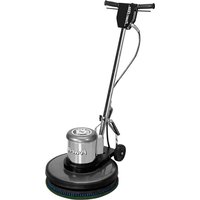
C201HD - Floor cleaner Powr-Flite - Free user manual and instructions
Find the device manual for free C201HD Powr-Flite in PDF.


Pick your language and provide your email: we'll send you a specifically translated version.
| Product Type | Floor Cleaner / Scrubber |
| Brand | Powr-Flite |
| Model | C201HD |
| Dimensions (L x W x H) | 44 x 22 x 38 inches (approx.) |
| Weight | 75 lbs (approx.) |
| Power Supply | 120V AC, 60Hz |
| Amperage | 12 A |
| Cord Length | 50 ft |
| Solution Tank Capacity | 5 gallons |
| Recovery Tank Capacity | 5 gallons |
| Cleaning Path Width | 20 inches |
| Brush Type | Dual cylindrical brushes |
| Brush Speed | 1500 RPM |
| Noise Level | 70 dB (approx.) |
| Warranty | 1 year limited |
| Manual Language | English |
| Manual Pages | 9 |
Frequently Asked Questions - C201HD Powr-Flite
How do I start the Powr-Flite C201HD floor cleaner?
Ensure the solution tank is filled and the recovery tank is empty. Plug the unit into a grounded outlet. Press the power switch (usually located on the handle) and squeeze the solution trigger to start cleaning.
What cleaning solution should I use?
Use a neutral pH floor cleaner specifically formulated for automatic scrubbers. Avoid acidic or abrasive cleaners to prevent damage to the machine or floor.
How do I drain the recovery tank?
Turn off the machine and unplug it. Locate the drain hose at the back of the recovery tank. Remove the cap and tilt the machine to empty the tank into a suitable drain or bucket.
The machine is not picking up water properly.
Check the squeegee blades for wear or damage. Ensure the recovery tank is not full and the vacuum hose is not clogged. Also verify the float shut-off is functioning.
How often should I change the brushes?
Inspect brushes after every 50 hours of operation. Replace them when bristles are worn down to less than 1/4 inch or if they are frayed.
What is the recommended storage procedure?
Empty both the solution and recovery tanks. Clean the squeegee and brushes. Store the machine in a dry area with the brush deck raised to prevent deformation.
Where can I find replacement parts for the C201HD?
Contact Powr-Flite customer service or visit their website. Common parts include brushes, squeegee blades, and vacuum motors. Use only genuine parts.
How do I clean the solution filter?
Remove the filter from the solution tank inlet. Rinse it under running water to remove debris. Allow to dry before reinstalling. Replace if torn or clogged.
The machine vibrates excessively.
Stop immediately and check the brushes for obstructions or damage. Ensure the brush screws are tight. If vibration persists, inspect the brush motor mount.
What does the 'HD' stand for in C201HD?
'HD' stands for Heavy Duty, indicating that this model is built for commercial use with robust components and higher capacity.
User questions about C201HD Powr-Flite
0 question about this device. Answer the ones you know or ask your own.
Ask a new question about this device
No questions yet. Be the first to ask one.
Download the instructions for your Floor cleaner in PDF format for free! Find your manual C201HD - Powr-Flite and take your electronic device back in hand. On this page are published all the documents necessary for the use of your device. C201HD by Powr-Flite.
USER MANUAL C201HD Powr-Flite

Manual assistant
Powered by Anthropic
Waiting for your message
Product information
Brand : Powr-Flite
Model : C201HD
Category : Floor cleaner