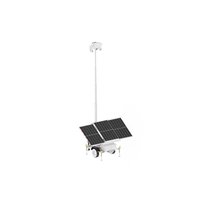
ST1101 - Vehicle accessory Lorex - Free user manual and instructions
Find the device manual for free ST1101 Lorex in PDF.


Pick your language and provide your email: we'll send you a specifically translated version.
| Product Type | Security Camera |
| Brand | Lorex |
| Model | ST1101 |
| Resolution | 1080p Full HD |
| Field of View | 90° |
| Night Vision | Up to 30m (IR LEDs) |
| Motion Detection | Yes, adjustable sensitivity |
| Audio | Built-in microphone |
| Weather Rating | IP66 (outdoor use) |
| Power Supply | 12V DC, 1A (adapter included) |
| Power Consumption | 5W |
| Dimensions (W x H x D) | 67 x 67 x 115 mm |
| Weight | 250 g |
| Mounting Type | Wall or ceiling mount |
| Connection | BNC (analog) or RJ45 (IP) |
| Compatibility | Lorex NVRs and DVRs |
| Maintenance | Clean lens with soft cloth; avoid moisture |
| Safety | Indoor use only if not weatherproof; secure cable |
| Spare Parts | Available from Lorex support |
| Warranty | 1 year limited |
Frequently Asked Questions - ST1101 Lorex
How do I reset the Lorex ST1101 camera to factory defaults?
Locate the reset button on the camera (usually under the mount). Press and hold for 10 seconds using a paperclip. The camera will reboot and restore factory settings.
Can the ST1101 be used outdoors?
Yes, the ST1101 has an IP66 weather rating, making it suitable for outdoor use. Ensure all connections are sealed to prevent moisture ingress.
What power supply is required for the ST1101?
The camera requires a 12V DC, 1A power supply. Use only the provided adapter to avoid damage.
Does the ST1101 support night vision?
Yes, it includes built-in IR LEDs providing night vision up to 30 meters in complete darkness.
How do I connect the ST1101 to my recorder?
The ST1101 uses a BNC connector for analog video or an RJ45 for IP connection. Connect to a compatible Lorex NVR or DVR using the appropriate cable.
What is the resolution of the Lorex ST1101?
The camera records in 1080p Full HD (1920x1080 pixels) for clear and detailed images.
How do I clean the camera lens?
Use a microfiber cloth slightly dampened with water or lens cleaner. Gently wipe the lens. Avoid abrasive materials that may scratch the glass.
Can I view the ST1101 remotely?
Yes, if connected to a Lorex NVR with network access, you can view live footage via the Lorex app or web interface. Ensure the recorder is connected to the internet.
Is the ST1101 compatible with third-party software?
The ST1101 is designed primarily for Lorex systems. For IP models, it may support ONVIF, allowing compatibility with select third-party software. Check specifications.
What should I do if the camera has no video signal?
First, check all cable connections. Ensure the power adapter is working and the camera is powered on. Try a different port on the recorder. If still no signal, reset the camera.
User questions about ST1101 Lorex
0 question about this device. Answer the ones you know or ask your own.
Ask a new question about this device
No questions yet. Be the first to ask one.
Download the instructions for your Vehicle accessory in PDF format for free! Find your manual ST1101 - Lorex and take your electronic device back in hand. On this page are published all the documents necessary for the use of your device. ST1101 by Lorex.
USER MANUAL ST1101 Lorex
Manual assistant
Powered by Anthropic
Waiting for your message
Product information
Brand : Lorex
Model : ST1101
Category : Vehicle accessory