
LED Beam Scan - Light projector American Audio - Free user manual and instructions
Find the device manual for free LED Beam Scan American Audio in PDF.


Pick your language and provide your email: we'll send you a specifically translated version.
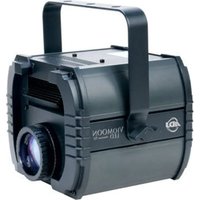
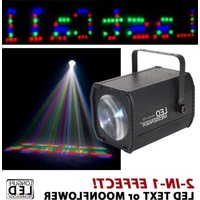
| Product Type | LED Beam Scan Light |
| Brand | American Audio |
| Model | LED Beam Scan |
| Dimensions (approx.) | 380 x 250 x 250 mm |
| Weight (approx.) | 4.5 kg |
| Power Supply | AC 100-240V, 50/60Hz |
| Power Consumption | 200 W |
| Light Source | 100W LED (white) |
| Beam Angle | 2° |
| Pan Range | 540° |
| Tilt Range | 270° |
| Control Modes | DMX, Sound Active, Master/Slave, Auto |
| DMX Channels | 13 or 17 channels (selectable) |
| Effects | Color wheel, gobo wheel, prism, frost, strobe, dimmer |
| Color Wheel | 14 colors + open |
| Gobo Wheel | 12 fixed gobos + open |
| Connectivity | 3-pin XLR DMX in/out, IEC power in |
| Housing Material | Metal, ABS plastic |
| Cooling | Fan cooled |
| IP Rating | IP20 (indoor use only) |
| Safety Features | Safety cable attachment, overheating protection |
| Maintenance | Clean lens with a soft, dry cloth. Check ventilation slots. |
| Spare Parts & Repairability | Replacement LED module, power supply, and fans available from authorized service centers. |
| General Information | Designed for professional stage, club, and event lighting. |
Frequently Asked Questions - LED Beam Scan American Audio
How do I set the DMX address on the LED Beam Scan?
Use the menu buttons on the rear panel. Press Menu to enter settings, then navigate to DMX Address. Set the desired address using the up/down buttons, then press Enter to confirm.
Can I use the fixture without a DMX controller?
Yes, switch to Sound Active or Auto mode via the menu. In Sound Active mode, the light reacts to music via the built-in microphone. Auto mode runs built-in programs.
Why is the beam not moving?
Ensure the fixture is receiving power and the DMX cable (if used) is properly connected. Check that the DMX controller is transmitting on the correct address. Also verify that pan/tilt lock is not engaged.
How do I clean the lens?
Disconnect the power first. Use a soft, lint-free cloth slightly dampened with water or a mild glass cleaner. Wipe gently in circular motions. Do not use abrasive cleaners or solvents.
What is the maximum number of fixtures I can daisy-chain?
You can chain up to 32 fixtures on a single DMX line. Use a DMX terminator on the last fixture to avoid signal reflections.
The fan is noisy. Is that normal?
The fan operates automatically to cool the LED and electronics. Some noise is normal, especially at high ambient temperatures. If the noise is excessive, check for obstructions or contact support.
Can I replace the LED module myself?
LED module replacement should be done by a qualified technician to avoid damage or electric shock. Contact an authorized service center for replacement parts and installation.
How do I reset the fixture to factory defaults?
Go to the menu and select Factory Reset (or Default). Confirm by pressing Enter. The fixture will restart with default settings.
What safety precautions should I take?
Always mount the fixture securely with a safety cable. Keep away from flammable materials. Ensure ventilation is not blocked. Disconnect power before servicing. Do not expose to rain or moisture.
The light does not respond to DMX. What should I check?
Verify the DMX cable is plugged into the DMX In connector. Check that the DMX address matches the controller. Ensure the fixture is in DMX mode. Test with a different cable or controller to isolate the issue.
User questions about LED Beam Scan American Audio
0 question about this device. Answer the ones you know or ask your own.
Ask a new question about this device
No questions yet. Be the first to ask one.
Download the instructions for your Light projector in PDF format for free! Find your manual LED Beam Scan - American Audio and take your electronic device back in hand. On this page are published all the documents necessary for the use of your device. LED Beam Scan by American Audio.
USER MANUAL LED Beam Scan American Audio



Manual assistant
Powered by Anthropic
Waiting for your message
Product information
Brand : American Audio
Model : LED Beam Scan
Category : Light projector