
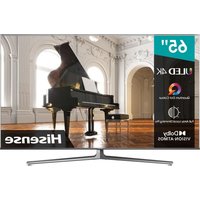
55Q6NAU - Television HISENSE - Free user manual and instructions
Find the device manual for free 55Q6NAU HISENSE in PDF.


Pick your language and provide your email: we'll send you a specifically translated version.
| Product Type | Television |
| Brand | Hisense |
| Model | 55Q6NAU |
| Screen Size | 55 inches (139 cm) |
| Resolution | 4K UHD (3840 x 2160) |
| Refresh Rate | 60 Hz |
| Smart Platform | VIDAA U |
| Audio Features | Dolby Audio, 2 x 12W speakers |
| Connectivity | 3x HDMI, 2x USB, Ethernet, Wi-Fi 5, Bluetooth 5.0 |
| Dimensions (without stand) | 1232 x 710 x 79 mm |
| Dimensions (with stand) | 1232 x 770 x 222 mm |
| Weight (without stand) | 16.1 kg |
| Weight (with stand) | 16.5 kg |
| Power Consumption (typical) | 150 W |
| Power Consumption (standby) | < 0.5 W |
| VESA Mount | 400 x 200 mm |
| Cleaning Instructions | Wipe with a soft, dry cloth. Do not use liquids or harsh chemicals. |
| Safety Precautions | Keep away from moisture, heat sources. Ensure proper ventilation. Do not insert objects into vents. |
| Spare Parts | Contact Hisense support for replacement parts and accessories. |
| Repairability | Refer to professional technician for repairs. User-replaceable items: batteries in remote. |
Frequently Asked Questions - 55Q6NAU HISENSE
How do I turn on the TV for the first time?
Plug in the power cord and press the power button on the remote or the TV. Follow the on-screen setup wizard to configure language, network, and channel scanning.
Why is there no picture but sound is working?
Ensure the TV is set to the correct input source. Try dimming the room lights to check for faint image. If issue persists, reset picture settings to default or contact support.
How do I connect to Wi-Fi?
Go to Settings > Network > Wireless. Select your Wi-Fi network and enter the password. Ensure the TV is within range of the router.
How can I update the TV software?
Navigate to Settings > System > System Update. If an update is available, follow the prompts to download and install. Keep the TV connected to the internet.
Can I mount this TV on the wall?
Yes, the TV supports VESA 400 x 200 mm wall mounts. Use a compatible mount and consult the installation guide. Ensure the wall can support the TV's weight.
Why is the remote not working?
Check if batteries are inserted correctly and have charge. Ensure there are no obstacles between remote and TV. Try pairing the remote again via Bluetooth (if applicable).
How do I enable screen mirroring?
Enable Screen Mirroring in settings. On your smartphone, activate the cast function and select the TV. Ensure both devices are on the same Wi-Fi network.
How can I improve sound quality?
Adjust Sound Mode in settings (e.g., Movie, Music). Connect external audio via HDMI ARC or optical. Check that the TV's speakers are not muted.
What is the warranty period?
The standard warranty is typically 1 year from the purchase date, covering manufacturing defects. Keep your receipt. Extended warranties may be available.
How do I reset the TV to factory settings?
Go to Settings > System > Advanced > Factory Reset. Confirm and enter the PIN if prompted. This will erase all personal data.
User questions about 55Q6NAU HISENSE
0 question about this device. Answer the ones you know or ask your own.
Ask a new question about this device
No questions yet. Be the first to ask one.
Download the instructions for your Television in PDF format for free! Find your manual 55Q6NAU - HISENSE and take your electronic device back in hand. On this page are published all the documents necessary for the use of your device. 55Q6NAU by HISENSE.
USER MANUAL 55Q6NAU HISENSE


Manual assistant
Powered by Anthropic
Waiting for your message
Product information
Brand : HISENSE
Model : 55Q6NAU
Category : Television