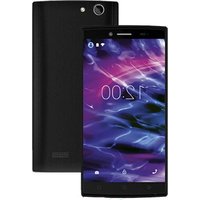
LIFE E5005 (MD 99915) - Smartphone MEDION - Free user manual and instructions
Find the device manual for free LIFE E5005 (MD 99915) MEDION in PDF.


Pick your language and provide your email: we'll send you a specifically translated version.
| Product Type | Smartphone |
| Model | LIFE E5005 (MD 99915) |
| Display Size | 6.5 inches |
| Resolution | 1600 x 720 pixels |
| Processor | Octa-core 1.6 GHz |
| RAM | 3 GB |
| Internal Storage | 32 GB |
| Battery Capacity | 4000 mAh |
| Operating System | Android 11 |
| Dimensions | 162 x 75 x 8.9 mm |
| Weight | 190 g |
| Main Camera | 13 MP + 2 MP + 2 MP |
| Front Camera | 5 MP |
| Connectivity | Wi-Fi, Bluetooth 5.0, GPS, LTE |
| SIM | Dual SIM (Nano-SIM) |
| Charging Port | USB-C |
| Headphone Jack | 3.5 mm |
| Care & Cleaning | Use soft cloth; avoid liquids and abrasives |
| Safety | Do not expose to high temperatures; use certified charger |
| Spare Parts & Repairability | Battery and screen replaceable by qualified service |
Frequently Asked Questions - LIFE E5005 (MD 99915) MEDION
How can I insert the SIM and memory cards?
Use the ejector tool to open the tray on the left side. Place the Nano-SIM and microSD card in the respective slots with gold contacts facing down.
How do I turn on the device for the first time?
Press and hold the power button on the right edge until the screen lights up. Follow the on-screen setup wizard.
The battery drains quickly. What can I do?
Reduce screen brightness, disable background apps, and turn off unused connections (Wi-Fi, Bluetooth). Also check for power-hungry apps in Settings > Battery.
How do I take a screenshot?
Press and hold the power button and volume down button simultaneously until you hear a shutter sound.
Can I expand the storage?
Yes, the device supports a microSD card up to 256 GB. Insert it into the same tray as the SIM card.
How do I reset to factory settings?
Go to Settings > System > Reset options > Erase all data (factory reset). This will delete all your data, so back up first.
The touch screen is not responding properly. What should I do?
Clean the screen with a soft cloth, remove any screen protector, and restart the device. If the issue persists, perform a factory reset.
How can I connect to a Wi-Fi network?
Swipe down from the top of the screen, hold the Wi-Fi icon, select your network, and enter the password.
Is the device water resistant?
No, the LIFE E5005 does not have an official water resistance rating. Keep it away from liquids.
Where can I find the user manual in PDF?
On notice-facile.com, you can download the manual for free by selecting your language and providing your email.
User questions about LIFE E5005 (MD 99915) MEDION
0 question about this device. Answer the ones you know or ask your own.
Ask a new question about this device
No questions yet. Be the first to ask one.
Download the instructions for your Smartphone in PDF format for free! Find your manual LIFE E5005 (MD 99915) - MEDION and take your electronic device back in hand. On this page are published all the documents necessary for the use of your device. LIFE E5005 (MD 99915) by MEDION.
USER MANUAL LIFE E5005 (MD 99915) MEDION

Manual assistant
Powered by Anthropic
Waiting for your message
Product information
Brand : MEDION
Model : LIFE E5005 (MD 99915)
Category : Smartphone