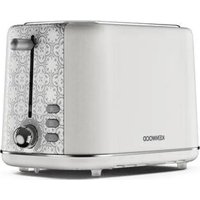
Abbey TCP05 - Toaster KENWOOD - Free user manual and instructions
Find the device manual for free Abbey TCP05 KENWOOD in PDF.


Pick your language and provide your email: we'll send you a specifically translated version.
| Product Type | 2-Slice Toaster |
| Brand | Kenwood |
| Model | Abbey TCP05 |
| Dimensions (Approx.) | 28 x 16 x 20 cm |
| Weight (Approx.) | 1.2 kg |
| Power Rating | 800 W |
| Voltage | 220-240 V, 50/60 Hz |
| Cord Length | 0.85 m |
| Browning Control | Variable 6-position dial |
| Functions | Cancel, defrost, reheat |
| Self-Centering Racks | Yes |
| Removable Crumb Tray | Yes |
| High Lift Lever | Yes |
| Cool-Touch Exterior | Yes |
| Safety Features | Automatic shut-off, overheating protection |
| Cleaning | Wipe with damp cloth; empty crumb tray regularly |
| Spare Parts Availability | Crumb tray, lever, heating elements (authorized service) |
| Repairability | Repairable by qualified technician |
| Warranty | 2 years (check local terms) |
Frequently Asked Questions - Abbey TCP05 KENWOOD
How do I adjust the browning level?
Turn the browning control dial to your desired setting (1 for light, 6 for dark).
Can I toast frozen bread?
Yes, press the defrost button before lowering the lever. The toaster will adjust the cycle accordingly.
What does the reheat function do?
The reheat function warms previously toasted bread without further browning. Press the reheat button.
How do I cancel toasting mid-cycle?
Press the cancel button to stop the cycle and raise the toast.
Why is my toast not browning evenly?
Check that the crumb tray is empty and the slots are clean. Also, use similar-sized bread slices.
How do I clean the toaster?
Unplug and let cool. Remove and empty the crumb tray. Wipe the exterior with a damp cloth. Do not immerse in water.
Can I use the toaster for bagels?
Yes, but only toast the cut side. Use a bagel setting if available; otherwise, monitor carefully.
What does the high lift lever do?
The high lift lever raises smaller items like crumpets closer to the top for easy removal.
The toaster won't stay down. What's wrong?
Ensure the toaster is plugged in and the lever is pushed down firmly. If it still pops up, the bread carriage mechanism may be jammed.
How do I obtain spare parts?
Contact Kenwood authorized service centers or visit the official website for spare parts such as crumb trays and heating elements.
User questions about Abbey TCP05 KENWOOD
0 question about this device. Answer the ones you know or ask your own.
Ask a new question about this device
No questions yet. Be the first to ask one.
Download the instructions for your Toaster in PDF format for free! Find your manual Abbey TCP05 - KENWOOD and take your electronic device back in hand. On this page are published all the documents necessary for the use of your device. Abbey TCP05 by KENWOOD.
USER MANUAL Abbey TCP05 KENWOOD
Manual assistant
Powered by Anthropic
Waiting for your message
Product information
Brand : KENWOOD
Model : Abbey TCP05
Category : Toaster