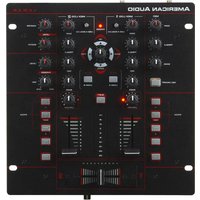
10MXR - Audio Mixer American Audio - Free user manual and instructions
Find the device manual for free 10MXR American Audio in PDF.


Pick your language and provide your email: we'll send you a specifically translated version.
| Product Type | DJ/Audio Mixer |
| Brand | American Audio |
| Model | 10MXR |
| Number of Channels | 10 |
| Equalization | 3-band EQ per channel (High, Mid, Low) |
| Built-in Effects | Digital effects (echo, reverb, flanger, etc.) |
| Power Supply | AC 100-240V, 50/60Hz |
| Power Consumption | 30W |
| Dimensions (W x D x H) | 19 x 12 x 3.5 inches |
| Weight | 12 lbs |
| Rack Mountable | Yes (19-inch rack) |
| Input Connectors | XLR, RCA, 1/4" TRS |
| Output Connectors | XLR, RCA, 1/4" TRS |
| Headphone Output | 1/4" stereo jack |
| Phantom Power | Yes (for condenser microphones) |
| Maintenance | Clean with a dry, soft cloth; avoid solvents |
| Safety Precautions | Use grounded outlet; do not expose to moisture |
| Spare Parts Availability | Contact authorized service center |
| Repair Service | Refer to manual for troubleshooting and service info |
| Warranty | Check manufacturer website for details |
Frequently Asked Questions - 10MXR American Audio
How do I connect speakers to the 10MXR mixer?
Connect your speakers to the main output jacks (XLR or 1/4" TRS) on the back panel. Ensure the mixer is turned off before making connections.
How can I reset the mixer to factory settings?
There is no factory reset button. To clear all settings, power off the mixer, then hold down the "FX" button while powering on. Release after 3 seconds.
Why is there no sound from my microphone?
Check that the microphone is connected to a channel with input gain turned up. Ensure phantom power is on if using a condenser mic. Also verify the channel mute button is off.
How do I use the built-in effects?
Press the "FX" button for the desired channel, then rotate the FX control knob to adjust effect level. Select effect type using the FX select buttons.
What is the proper way to clean the mixer?
Use a dry, lint-free cloth to wipe the surface. Do not use liquids or abrasive cleaners, as they may damage the controls.
Can I use the mixer with a laptop?
Yes, connect your laptop's audio output to an RCA or 1/4" input on the mixer. You may need a 3.5mm to RCA adapter.
How do I prevent feedback during performances?
Position monitors away from microphones, reduce master volume, and use the EQ to cut problematic frequencies. Also lower the gain on microphone channels.
The mixer is not powering on. What should I do?
Check that the power cord is securely connected to both the mixer and a working outlet. Verify the power switch is on. If still no power, contact support.
Can I expand the number of inputs with additional units?
Yes, you can connect another mixer via the tape or aux outputs, but the 10MXR does not have a dedicated expansion port.
How do I record a performance using the mixer?
Use the record output (RCA) on the back panel to connect to a recording device or computer audio interface. Adjust the recording level with the master output volume.
User questions about 10MXR American Audio
0 question about this device. Answer the ones you know or ask your own.
Ask a new question about this device
No questions yet. Be the first to ask one.
Download the instructions for your Audio Mixer in PDF format for free! Find your manual 10MXR - American Audio and take your electronic device back in hand. On this page are published all the documents necessary for the use of your device. 10MXR by American Audio.
USER MANUAL 10MXR American Audio


Manual assistant
Powered by Anthropic
Waiting for your message
Product information
Brand : American Audio
Model : 10MXR
Category : Audio Mixer