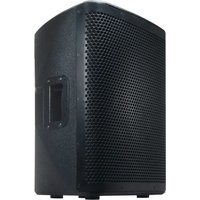
CPX 10A - Speaker American Audio - Free user manual and instructions
Find the device manual for free CPX 10A American Audio in PDF.


Pick your language and provide your email: we'll send you a specifically translated version.
| Product Type | Powered Speaker |
| Brand | American Audio |
| Model | CPX 10A |
| Woofer Size | 10 inches |
| Amplifier Power | 200W RMS |
| Frequency Response | 60 Hz - 20 kHz |
| Impedance | 8 ohms |
| Inputs | XLR, 1/4" TRS, RCA |
| Outputs | XLR pass-through |
| Dimensions (H x W x D) | 12.6 x 10.2 x 10.0 inches |
| Weight | 15.4 lbs |
| Power Supply | AC 110-120V, 60Hz |
| Controls | Volume, EQ, Bass, Treble |
| Protection Features | Overload, short circuit, thermal |
| Enclosure Material | Wooden cabinet with carpet |
| Mounting | Pole mount socket, floor monitor angle |
| Cooling | Convection cooled |
| Cleaning | Wipe with dry cloth only |
| Safety | Read manual before use; keep away from moisture |
| Spare Parts | Contact American Audio support |
Frequently Asked Questions - CPX 10A American Audio
How do I connect my microphone to the CPX 10A?
Connect your microphone to an XLR input on the rear panel. Ensure the speaker is turned off during connection. Adjust the volume and EQ as needed.
Can I use this speaker as a floor monitor?
Yes, the CPX 10A can be used as a floor monitor by placing it on its side. It has a dedicated monitor angle for this purpose.
What is the maximum power output?
The amplifier provides 200W RMS, which is sufficient for small to medium venues.
How do I reduce feedback?
To reduce feedback, position the speaker away from microphones, reduce volume, and adjust the EQ (lower high frequencies).
Can I daisy-chain multiple CPX 10A speakers?
Yes, use the XLR pass-through output to connect to another speaker. Impedance and power load must be considered.
What type of cable do I need for a line-level input?
Use a 1/4" TRS or RCA cable for line-level inputs. Ensure the cable is balanced for long runs to reduce noise.
How do I clean the speaker cabinet?
Wipe the cabinet with a dry, soft cloth. Do not use water or cleaning solvents, as they may damage the carpet or wood.
The speaker is not turning on. What should I check?
Check the power cord connection, ensure the outlet is live, and verify the power switch is on. If the issue persists, consult a technician.
Is the CPX 10A compatible with Bluetooth?
No, the CPX 10A does not have built-in Bluetooth. Use an external Bluetooth receiver connected to the aux input.
What is the warranty period?
American Audio typically offers a 1-year limited warranty. Check your purchase documentation for details.
User questions about CPX 10A American Audio
0 question about this device. Answer the ones you know or ask your own.
Ask a new question about this device
No questions yet. Be the first to ask one.
Download the instructions for your Speaker in PDF format for free! Find your manual CPX 10A - American Audio and take your electronic device back in hand. On this page are published all the documents necessary for the use of your device. CPX 10A by American Audio.
USER MANUAL CPX 10A American Audio


Manual assistant
Powered by Anthropic
Waiting for your message
Product information
Brand : American Audio
Model : CPX 10A
Category : Speaker