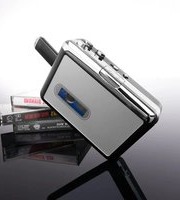
Cassette to MP3 Converter - Audio converter Sharper Image - Free user manual and instructions
Find the device manual for free Cassette to MP3 Converter Sharper Image in PDF.


| Product Type | Cassette to MP3 Converter |
| Brand | Sharper Image |
| Model | Cassette to MP3 Converter |
| Dimensions (approx.) | 5 x 3 x 1 inches (12.7 x 7.6 x 2.5 cm) |
| Weight (approx.) | 0.5 lbs (227 g) |
| Power Source | 2 AA batteries or USB power (5V DC) |
| Input | Audio cassette tape |
| Output | MP3 digital audio via USB flash drive or SD card |
| Recording Format | MP3 (128 kbps bitrate) |
| Transfer Speed | 2x normal playback speed |
| Built-in Speaker | Yes, for monitoring |
| Headphone Jack | 3.5 mm stereo |
| USB Port | USB 2.0 Type-A for flash drive |
| Memory Card Slot | SD/SDHC up to 32 GB |
| Control Buttons | Play, Stop, Record, Forward, Rewind |
| Indicator Lights | Power, Recording, Battery low |
| Cleaning | Wipe with a dry, soft cloth. No liquids. |
| Safety | Keep away from water and heat sources. Use specified batteries only. |
| Spare Parts / Repairability | Not user-serviceable. Contact Sharper Image support. |
| Included Accessories | USB cable, user manual |
Frequently Asked Questions - Cassette to MP3 Converter Sharper Image
User questions about Cassette to MP3 Converter Sharper Image
0 question about this device. Answer the ones you know or ask your own.
Ask a new question about this device
Download the instructions for your Audio converter in PDF format for free! Find your manual Cassette to MP3 Converter - Sharper Image and take your electronic device back in hand. On this page are published all the documents necessary for the use of your device. Cassette to MP3 Converter by Sharper Image.
USER MANUAL Cassette to MP3 Converter Sharper Image
Brand : Sharper Image
Model : Cassette to MP3 Converter
Category : Audio converter