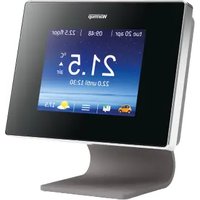
5iE - Thermostat Warmup - Free user manual and instructions
Find the device manual for free 5iE Warmup in PDF.


Pick your language and provide your email: we'll send you a specifically translated version.
| Product Type | Programmable Thermostat |
| Brand | Warmup |
| Model | 5iE |
| Display | LCD Screen with Backlight |
| Dimensions (H x W x D) | 125 mm x 80 mm x 30 mm |
| Weight | 180 g (including batteries) |
| Power Supply | 2 x AA Alkaline Batteries (included) |
| Battery Life | Approximately 1 year |
| Temperature Setting Range | 5 °C to 35 °C |
| Temperature Accuracy | ±0.5 °C |
| Programmable Schedules | 7-day, 4 periods per day |
| Heating Modes | Comfort, Economy, Frost Protection |
| Compatible Systems | Electric, Gas, Oil, Heat Pump (24V) |
| Control Type | Push Button with Rotary Dial |
| Installation | Wall Mounted, Requires Screws and Anchors |
| Wiring | 2-wire (24V) or battery only |
| Maintenance | Wipe with a soft, dry cloth. Do not use liquids. |
| Safety Features | Frost Protection, Overheat Protection, Low Battery Indicator |
| Spare Parts | Battery compartment cover, mounting plate, screws |
| Repairability | Battery replacement and cleaning only; contact service for other issues |
| Certifications | CE, RoHS |
| Warranty | 2 years (subject to terms) |
Frequently Asked Questions - 5iE Warmup
How do I install the Warmup 5iE thermostat?
Installation is straightforward. First, turn off power to your heating system. Remove the old thermostat, then mount the new base plate using the provided screws. Connect the wires (usually two for 24V systems) to the terminals labeled 'COM' and 'NO' or 'C' and 'H'. Insert batteries, attach the thermostat body, and turn power back on.
How do I program the 5iE thermostat?
Press the 'Menu' button, select 'Schedule'. You can set 4 periods per day (Morning, Day, Evening, Night) with desired temperatures for each. Use the arrow keys to adjust times and temperatures, then press 'Save'.
What does the 'Frost Protection' mode do?
Frost Protection keeps the temperature at a minimum of 5 °C to prevent pipes from freezing. It activates automatically when the temperature drops too low, even if the thermostat is in 'Off' mode.
How do I change the batteries?
Gently pull the thermostat body away from the base. Open the battery compartment on the back and replace the two AA batteries with new ones. Reattach the body to the base. A low battery symbol will appear on the display when replacement is needed.
Can I use the 5iE thermostat with a heat pump?
Yes, the 5iE is compatible with heat pumps, as well as electric, gas, and oil systems. It supports 24V control signals. Ensure your system uses a two-wire connection.
My thermostat display is blank. What should I do?
First, check if the batteries are installed correctly or need replacement. If using wired power, verify that the circuit breaker is on. If the display remains off, remove and reinsert the batteries or check the wiring connections.
How do I reset the thermostat to factory settings?
Press and hold the 'Menu' button for 10 seconds until the screen resets. Release the button. The thermostat will restart with default schedules and settings.
Can I lock the thermostat to prevent tampering?
Yes. Go to 'Settings' > 'Keypad Lock' and set a PIN code. Once locked, the buttons will be inactive except for unlocking. To unlock, press the arrow keys simultaneously and enter the PIN.
What is the temperature accuracy of the 5iE?
The thermostat has an accuracy of ±0.5 °C, ensuring precise temperature control for comfort and energy savings.
How do I clean the thermostat?
Use a soft, dry cloth to wipe the surface. Do not use water, solvents, or abrasive cleaners. Avoid spraying liquids directly onto the device to prevent damage.
User questions about 5iE Warmup
0 question about this device. Answer the ones you know or ask your own.
Ask a new question about this device
No questions yet. Be the first to ask one.
Download the instructions for your Thermostat in PDF format for free! Find your manual 5iE - Warmup and take your electronic device back in hand. On this page are published all the documents necessary for the use of your device. 5iE by Warmup.
USER MANUAL 5iE Warmup
Manual assistant
Powered by Anthropic
Waiting for your message
Product information
Brand : Warmup
Model : 5iE
Category : Thermostat