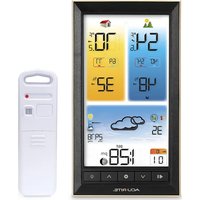
01201 - Weather Station AcuRite - Free user manual and instructions
Find the device manual for free 01201 AcuRite in PDF.


Pick your language and provide your email: we'll send you a specifically translated version.
| Product Type | Digital Thermometer / Hygrometer |
| Brand | AcuRite |
| Model | 01201 |
| Dimensions (H x W x D) | 2.4 x 1.5 x 1.2 inches (61 x 38 x 30 mm) |
| Weight | 1.6 oz (45 g) |
| Power Source | 1 x CR2032 battery (included) |
| Battery Life | Approximately 12 months |
| Temperature Range | -4°F to 158°F (-20°C to 70°C) |
| Temperature Accuracy | ±2°F (±1°C) |
| Humidity Range | 1% to 99% RH |
| Humidity Accuracy | ±5% RH |
| Display Type | LCD with large digits |
| Key Features | Indoor/outdoor thermometer & hygrometer, min/max memory, magnetic back, foldable stand |
| Mounting Options | Magnetic back, table stand, or wall mount |
| Cleaning Instructions | Wipe with a soft, damp cloth. Do not use harsh chemicals. |
| Safety Precautions | Keep away from water and extreme heat. Dispose of battery properly. |
| Spare Parts / Repair | Replacement battery only. Device is not user-serviceable. |
| Warranty | 1-year limited warranty |
Frequently Asked Questions - 01201 AcuRite
How do I install the battery in my AcuRite 01201?
Remove the battery compartment cover on the back, insert one CR2032 battery with the positive side facing up, and replace the cover. The device will power on automatically.
Why is my thermometer displaying incorrect temperature?
Ensure the device is away from direct sunlight, heat sources, or drafts. Check that the battery is fresh. If the issue persists, try resetting the device by removing and reinstalling the battery.
How do I switch between Fahrenheit and Celsius?
Locate the small button (often marked °C/°F) on the side or back of the device. Press it once to toggle between units.
Can I use the AcuRite 01201 outdoors?
The device is designed for indoor use. Exposure to rain or extreme temperatures may damage it. Use it indoors or in a protected outdoor area.
What does the humidity reading mean?
It indicates the relative humidity (RH) in percentage. Ideal indoor humidity is between 30% and 50%.
How do I read the min/max memory?
Press the MEM button to cycle through the stored minimum and maximum temperature and humidity readings. Press and hold to clear the memory.
My device shows 'HH' or 'LL' on the display. What does that mean?
HH indicates the temperature is above the measurement range, and LL indicates it is below. Move the device to a more moderate environment.
How do I mount the device on a wall?
Use the integrated magnetic back to attach to a metal surface, or use the included stand. For wall mounting, a small screw or adhesive strip can be used (not included).
How long does the battery last?
A CR2032 battery typically lasts about 12 months with normal use. Replace it when the display becomes dim or erratic.
Is the AcuRite 01201 waterproof?
No, it is not waterproof. Keep it away from water and moisture to prevent damage.
User questions about 01201 AcuRite
0 question about this device. Answer the ones you know or ask your own.
Ask a new question about this device
No questions yet. Be the first to ask one.
Download the instructions for your Weather Station in PDF format for free! Find your manual 01201 - AcuRite and take your electronic device back in hand. On this page are published all the documents necessary for the use of your device. 01201 by AcuRite.
USER MANUAL 01201 AcuRite

Manual assistant
Powered by Anthropic
Waiting for your message
Product information
Brand : AcuRite
Model : 01201
Category : Weather Station