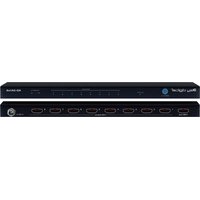
KD-DA1X8 - Receiver Key Digital - Free user manual and instructions
Find the device manual for free KD-DA1X8 Key Digital in PDF.


Pick your language and provide your email: we'll send you a specifically translated version.
| Product Type | HDMI Audio Extractor / Receiver |
| Brand | Key Digital |
| Model | KD-DA1X8 |
| Dimensions (W x D x H) | 17.0 x 4.5 x 1.7 in (432 x 114 x 43 mm) |
| Weight | 2.2 lbs (1.0 kg) |
| Power Supply | 12V DC, 1A (adapter included) |
| Inputs | 1x HDMI (female) |
| Outputs | 8x HDMI (female) |
| Supported Resolutions | Up to 4K@60Hz 4:4:4 |
| HDCP Support | HDCP 2.2 compliant |
| Audio Formats | PCM, Dolby Digital, DTS, Dolby TrueHD, DTS-HD Master Audio |
| Main Function | Distributes one HDMI source to eight displays simultaneously |
| Additional Features | EDID management, IR remote control, rack-mountable |
| Care and Cleaning | Wipe with a dry, soft cloth. Do not use liquids or solvents. |
| Safety Precautions | Do not expose to moisture. Use only with supplied power adapter. |
| Spare Parts Availability | Contact Key Digital support for replacement power supplies. |
| Repairability | No user-serviceable parts inside. Refer to qualified service personnel. |
| Operating Temperature | 32°F to 104°F (0°C to 40°C) |
| Compliance | FCC, CE, RoHS |
Frequently Asked Questions - KD-DA1X8 Key Digital
How do I connect the KD-DA1X8 to my devices?
Connect your HDMI source (e.g., cable box, streaming device) to the Input port. Then connect up to eight displays to the Output ports. Ensure all devices are powered off during connection.
What resolutions does the KD-DA1X8 support?
It supports resolutions up to 4K at 60Hz with 4:4:4 chroma subsampling. It is backward compatible with lower resolutions.
Why is there no picture on one of my displays?
Check the HDMI cable connection at both ends. Ensure the display is set to the correct input. If using a long cable, it may cause signal loss; try a shorter or higher-quality cable. Also, verify EDID settings if available.
Does the KD-DA1X8 support HDCP?
Yes, it is HDCP 2.2 compliant, which allows playback of protected content from sources like Blu-ray players and streaming devices.
Can I use the KD-DA1X8 to split audio only?
This unit is designed for HDMI video and audio distribution. It does not have separate audio outputs. Use an HDMI audio extractor if you need analog or optical audio.
How do I perform an EDID reset?
Press and hold the EDID button on the front panel for 5 seconds. The unit will reset to default EDID settings. Refer to the manual for advanced EDID management.
Is the KD-DA1X8 rack-mountable?
Yes, it comes with rack-mounting ears and can be installed in a standard 19-inch rack. The unit is 1U high.
What is the maximum cable length for best performance?
For 4K@60Hz, use HDMI cables up to 15 feet (5 meters). For 1080p, cables up to 50 feet (15 meters) may work. Active cables or extenders can be used for longer distances.
Can I control the KD-DA1X8 with a remote?
Yes, it includes an IR remote control for functions like input switching and EDID presets. The IR sensor is on the front panel.
Does the KD-DA1X8 support HDR?
Yes, it supports HDR10 and Dolby Vision pass-through when used with compatible sources and displays.
User questions about KD-DA1X8 Key Digital
0 question about this device. Answer the ones you know or ask your own.
Ask a new question about this device
No questions yet. Be the first to ask one.
Download the instructions for your Receiver in PDF format for free! Find your manual KD-DA1X8 - Key Digital and take your electronic device back in hand. On this page are published all the documents necessary for the use of your device. KD-DA1X8 by Key Digital.
USER MANUAL KD-DA1X8 Key Digital

Manual assistant
Powered by Anthropic
Waiting for your message
Product information
Brand : Key Digital
Model : KD-DA1X8
Category : Receiver