
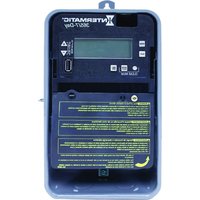
ET1705CM - Electric timer INTERMATIC - Free user manual and instructions
Find the device manual for free ET1705CM INTERMATIC in PDF.


Pick your language and provide your email: we'll send you a specifically translated version.
| Product Type | 24-Hour Programmable Timer |
| Brand | Intermatic |
| Model | ET1705CM |
| Power Supply | 120V AC, 60Hz |
| Maximum Load | 15 Amps Resistive, 1/2 HP Motor |
| Number of ON/OFF Cycles | Up to 8 per day |
| Display Type | LCD with backlight |
| Mounting Type | Surface mount or wall box |
| Operating Temperature | 32°F to 104°F (0°C to 40°C) |
| Dimensions (H x W x D) | 4.5 x 2.8 x 1.5 in (11.4 x 7.1 x 3.8 cm) |
| Weight | 0.6 lb (0.27 kg) |
| Battery Backup | Yes (CR2032, included) |
| Program Storage | Non-volatile memory |
| Warranty | 1 year limited |
| Certifications | UL Listed, CSA Certified |
| Color | White |
| Indoor/Outdoor Use | Indoor only |
| Cleaning | Wipe with dry cloth, avoid liquids |
Frequently Asked Questions - ET1705CM INTERMATIC
How do I set the current time on my Intermatic ET1705CM timer?
Press and hold the Clock button, then use the Hour and Min buttons to set the time. Ensure AM/PM is correct. Release the Clock button to save.
How do I program ON and OFF times?
Press Set Program to enter programming mode. Use Hour and Min to set the ON time, then press Set Program again to set the OFF time. Repeat for each cycle. Press Clock to exit.
What does the battery backup do?
The CR2032 battery preserves your settings and time during a power outage. Replace it approximately every 2 years with a new battery.
Can I use this timer for outdoor lights?
The ET1705CM is designed for indoor use only. For outdoor applications, consider an Intermatic model rated for wet locations.
How do I reset the timer to factory defaults?
Press and hold the Reset button (located on the side) for 5 seconds. All programs and clock settings will be erased.
Why is my timer not turning on/off at the set times?
Check that the timer is correctly programmed, the clock is set accurately, and the mode switch is in Auto position. Also ensure the load does not exceed the timer's rating.
What is the maximum load for the timer?
The timer can handle up to 15 Amps resistive (e.g., incandescent lighting) or 1/2 HP motor (e.g., fans). Do not exceed these limits.
How do I override the timer temporarily?
Press the Manual button to turn the load ON or OFF manually. The timer will resume its programmed schedule at the next event.
Does the timer work with LED lights?
Yes, but ensure the total LED load is within the timer's rating. Some LED drivers may have inrush currents that could affect performance.
How do I clean and maintain the timer?
Unplug the timer before cleaning. Use a soft, dry cloth to wipe the surface. Do not use water or solvents. Regularly check for dust accumulation.
User questions about ET1705CM INTERMATIC
0 question about this device. Answer the ones you know or ask your own.
Ask a new question about this device
No questions yet. Be the first to ask one.
Download the instructions for your Electric timer in PDF format for free! Find your manual ET1705CM - INTERMATIC and take your electronic device back in hand. On this page are published all the documents necessary for the use of your device. ET1705CM by INTERMATIC.
USER MANUAL ET1705CM INTERMATIC


Manual assistant
Powered by Anthropic
Waiting for your message
Product information
Brand : INTERMATIC
Model : ET1705CM
Category : Electric timer