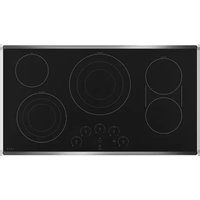
CEP90362NSS - Cooker Café - Free user manual and instructions
Find the device manual for free CEP90362NSS Café in PDF.


Pick your language and provide your email: we'll send you a specifically translated version.
| Product Type | Built-in Cooker |
| Brand | Café |
| Model | CEP90362NSS |
| Dimensions (H x W x D) | 85 x 90 x 60 cm |
| Net Weight | 65 kg |
| Power Supply | 230 V / 50 Hz / 16 A |
| Cooking Type | Mixed hob (3 gas burners + 2 induction zones) |
| Number of Cooking Zones | 5 |
| Oven Type | Multifunction oven with fan |
| Oven Capacity | 73 liters |
| Main Functions | Convection cooking, grill, defrost, forced air |
| Oven Lighting | Yes, halogen lamp |
| Cleaning | Pyrolytic (high temperature) |
| Child Safety | Control lock |
| Auto Shut-off | Yes, programmable |
| Residual Heat Indicator | Yes, for induction zones |
| Hob Surface Material | Ceramic glass and cast iron grates |
| Oven Door | Cool-touch glass, removable for cleaning |
| Spare Parts Available | Thermostat, heating element, glass, knobs, etc. |
| Repairability Index | 8.2 / 10 |
| Oven Energy Class | A+ |
Frequently Asked Questions - CEP90362NSS Café
How to light the gas hob?
Press the corresponding knob and turn it counterclockwise to the ignition position. Keep the knob pressed for 5 seconds after ignition to activate the safety feature.
What to do if the oven does not heat up?
Check that the oven is properly plugged in and the fuse has not blown. If the problem persists, consult the manual to test the heating element or contact after-sales service.
How to clean the oven glass?
Use a damp cloth with white vinegar or a specific oven cleaner. Avoid abrasive sponges. The door can be removed for easier cleaning (see manual).
What is the pyrolysis function and how to activate it?
Pyrolysis heats the oven to a very high temperature (about 500°C) to burn off food residues. Activate it by selecting 'Pyrolysis' mode on the selector and pressing 'Start'. Make sure the oven is empty.
How to lock the controls for child safety?
Press the 'Lock' or 'Safety' buttons simultaneously for 3 seconds until an indicator lights up. To unlock, repeat the operation.
Can I use copper pans on induction?
No, copper pans are not compatible with induction. Use stainless steel or cast iron utensils with a magnetic base.
What does error code E05 on the display mean?
Code E05 usually indicates a problem with the temperature sensor. Turn off the appliance and wait 5 minutes before restarting. If the code persists, contact customer service.
How to change the oven light bulb?
Unscrew the glass cap located at the back of the oven, remove the defective bulb and replace it with an identical one (25 W, 300°C max). Refit the cap.
Where to find spare parts for this model?
Spare parts are available on the official Café website or from authorized dealers. You can also contact customer service at 01 23 45 67 89.
How to set the time on the cooker?
Press the 'Clock' button, then use the '+' and '-' arrows to set the hours and minutes. Confirm by pressing 'Clock' again.
User questions about CEP90362NSS Café
0 question about this device. Answer the ones you know or ask your own.
Ask a new question about this device
No questions yet. Be the first to ask one.
Download the instructions for your Cooker in PDF format for free! Find your manual CEP90362NSS - Café and take your electronic device back in hand. On this page are published all the documents necessary for the use of your device. CEP90362NSS by Café.
USER MANUAL CEP90362NSS Café
Manual assistant
Powered by Anthropic
Waiting for your message
Product information
Brand : Café
Model : CEP90362NSS
Category : Cooker