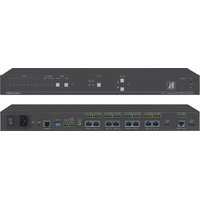
VM-218DT - Audio/video extension Kramer - Free user manual and instructions
Find the device manual for free VM-218DT Kramer in PDF.


Pick your language and provide your email: we'll send you a specifically translated version.
| Product Type | Audio/Video Extension / Distribution Amplifier |
| Model | VM-218DT |
| Brand | Kramer |
| Inputs | 2x DVI (or HDMI via adapter) |
| Outputs | 8x DVI over RJ-45 (Twisted Pair) up to 100m |
| Video Resolution | Up to 1920x1200 @ 60Hz (1080p) |
| Audio Support | Embedded audio via DVI/HDMI |
| Bandwidth | 6.75 Gbps (2.25 Gbps per channel) |
| Equalization | Automatic signal equalization and cable compensation |
| EDID | EDID pass-through and default EDID settings |
| Controls | Front panel buttons, RS-232, optional IR remote |
| Power Supply | 100-240V AC, 50/60Hz, internal |
| Power Consumption | 30W (max) |
| Dimensions (WxDxH) | 19 x 7.3 x 1.75 inches (48.3 x 18.5 x 4.4 cm) |
| Weight | 2.5 kg (5.5 lbs) |
| Enclosure | Metal, rackmountable (1U) |
| Temperature Range | 0° to 40°C (32° to 104°F) |
| Humidity | 10% to 90%, non-condensing |
| Included Accessories | Power cord, mounting brackets, DVI to HDMI adapter (optional) |
| Warranty | 5 years (Kramer standard) |
| Maintenance | Keep dry, clean with soft cloth, avoid solvents |
| Safety | Use grounded outlet, disconnect during thunderstorms |
| Spare Parts / Repairability | Contact Kramer support for replacement parts; unit is serviceable |
Frequently Asked Questions - VM-218DT Kramer
What is the maximum cable length for twisted pair outputs?
The VM-218DT supports twisted pair extension up to 100 meters (328 feet) at 1080p resolution using Kramer's recommended cables.
Can I use HDMI sources with this device?
Yes, you can use an HDMI to DVI adapter (or cable) for HDMI sources. The device will pass the video signal, but audio may be limited depending on the adapter.
How do I set up the EDID?
The VM-218DT has default EDID settings. You can use the front panel or RS-232 to select EDID pass-through or a built-in EDID profile. Refer to the manual for commands.
Does the unit support 4K resolution?
No, the VM-218DT is designed for resolutions up to 1920x1200 @ 60Hz (including 1080p). For 4K, consider Kramer's HDBaseT models.
How do I mount the device in a rack?
Use the included rack-mount brackets. Attach them to the sides of the unit and secure with screws. The device occupies 1U of rack space.
What type of cable is required for the outputs?
Use shielded twisted pair cable (STP) with RJ-45 connectors, preferably Kramer's BC-STP series or equivalent, for optimal performance.
Why is there no video on some outputs?
Check cable connections, ensure the source is active, and verify that the output cables are not damaged. Also confirm that the EDID setting matches your display.
Can I control the device via RS-232?
Yes, the VM-218DT has an RS-232 port for serial control. Use a PC with terminal software or a Kramer control system. Default baud rate is 9600 bps.
Is the device hot-swappable?
It is recommended to connect or disconnect cables while the device is powered off to avoid signal issues. However, the unit is designed to tolerate hot-plugging within limits.
How do I reset the device to factory defaults?
Press and hold the Menu button on the front panel for 10 seconds until the LEDs flash. Alternatively, use the RS-232 command 'FACTORY_RESET'.
User questions about VM-218DT Kramer
0 question about this device. Answer the ones you know or ask your own.
Ask a new question about this device
No questions yet. Be the first to ask one.
Download the instructions for your Audio/video extension in PDF format for free! Find your manual VM-218DT - Kramer and take your electronic device back in hand. On this page are published all the documents necessary for the use of your device. VM-218DT by Kramer.
USER MANUAL VM-218DT Kramer
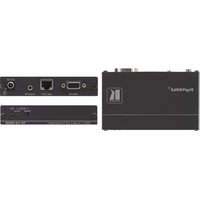
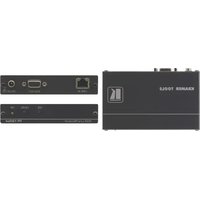
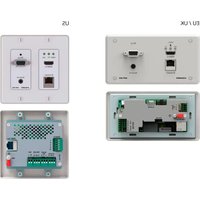

Manual assistant
Powered by Anthropic
Waiting for your message
Product information
Brand : Kramer
Model : VM-218DT
Category : Audio/video extension