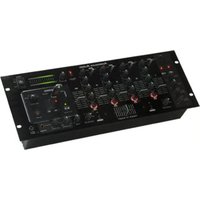
Q-Record - Audio Mixer American Audio - Free user manual and instructions
Find the device manual for free Q-Record American Audio in PDF.


Pick your language and provide your email: we'll send you a specifically translated version.
| Product Type | Portable Audio Recorder |
| Dimensions (H x W x D) | 5.5 x 2.5 x 0.8 inches |
| Weight | 0.5 lbs |
| Power Source | USB or 2 AAA batteries |
| Recording Format | MP3, WAV |
| Recording Quality | Up to 48 kHz / 16-bit |
| Built-in Microphone | Omnidirectional electret condenser |
| External Microphone Input | 3.5 mm stereo jack |
| Headphone Output | 3.5 mm stereo jack |
| Internal Memory | Not specified; supports microSD card up to 32 GB |
| USB Connectivity | USB 2.0 for data transfer and charging |
| Battery Life | Approximately 10 hours (AAA batteries) |
| Display | LCD with backlight |
| Controls | Play, Record, Stop, Volume, Menu |
| Maintenance & Cleaning | Wipe with a soft, dry cloth. Avoid liquids and solvents. |
| Safety Precautions | Do not expose to moisture, heat, or direct sunlight. Keep away from children. |
| Spare Parts & Repairability | No user-serviceable parts. Contact American Audio support for repairs. |
| General Information | Model Q-Record by American Audio. User manual available in PDF format. |
Frequently Asked Questions - Q-Record American Audio
How do I start recording on the Q-Record?
Press the Record button to begin recording. Press again to pause and hold to stop. The recording is saved automatically.
What file format does the Q-Record use?
It records in MP3 and WAV formats. You can choose the format in the settings menu.
How do I transfer recordings to a computer?
Connect the Q-Record to your computer via USB. It will appear as a removable drive. Drag and drop the audio files to your computer.
Can I use an external microphone?
Yes, plug a 3.5mm external microphone into the MIC IN jack. The built-in mic will be disabled automatically.
How do I set the date and time?
Go to the Menu and select Date/Time Settings. Use the arrow keys to adjust and press Record to confirm.
What type of batteries does the Q-Record use?
It uses two AAA batteries (not included). You can also power it via USB.
How do I format the microSD card?
Insert the card into the slot. Go to Menu > Card Format. Select Yes to confirm. All data will be erased.
The device does not turn on. What should I do?
Check the batteries are inserted correctly or connect to USB power. If still not working, try a reset by inserting a paperclip into the reset hole.
Can I use the Q-Record as a voice recorder for meetings?
Yes, it is ideal for meetings, lectures, and interviews. Use the built-in mic or an external lavalier for better audio.
Where can I find the user manual?
The user manual is available for free download on notice-facile.com. Enter your model and language to receive it.
User questions about Q-Record American Audio
0 question about this device. Answer the ones you know or ask your own.
Ask a new question about this device
No questions yet. Be the first to ask one.
Download the instructions for your Audio Mixer in PDF format for free! Find your manual Q-Record - American Audio and take your electronic device back in hand. On this page are published all the documents necessary for the use of your device. Q-Record by American Audio.
USER MANUAL Q-Record American Audio


Manual assistant
Powered by Anthropic
Waiting for your message
Product information
Brand : American Audio
Model : Q-Record
Category : Audio Mixer