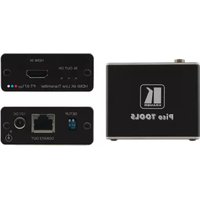
PT-871XR - Audio/video extension Kramer - Free user manual and instructions
Find the device manual for free PT-871XR Kramer in PDF.


Pick your language and provide your email: we'll send you a specifically translated version.
| Type | Audio/video extender |
| Model | PT-871XR |
| Brand | Kramer |
| Input Ports | 1x HDMI, 1x VGA, 1x Audio (3.5mm) |
| Output Ports | 1x HDMI, 1x VGA, 1x Audio (3.5mm) |
| Max Resolution | 1080p (1920x1080) @ 60Hz |
| Supported Audio | Stereo analog, LPCM 2.0 |
| Transmission Distance | Up to 50m (164 ft) via CAT5e/6 |
| Power Supply | 5V DC, 2A (external power adapter) |
| Power Consumption | 5W typical |
| Dimensions (WxDxH) | 12.0 x 8.0 x 2.5 cm (4.7 x 3.1 x 1.0 in) |
| Weight | 0.3 kg (0.66 lbs) |
| Enclosure Material | Metal (aluminum) |
| Mounting | Desktop or wall-mountable (bracket not included) |
| Operating Temperature | 0°C to 40°C (32°F to 104°F) |
| Storage Temperature | -20°C to 60°C (-4°F to 140°F) |
| Humidity | 10% to 90%, non-condensing |
| LED Indicators | Power, Signal, Link |
| Included Accessories | Power adapter, user manual |
| Warranty | 3 years |
| Reparability | User-serviceable parts: none; contact authorized service center |
| Safety Compliance | CE, FCC, RoHS |
| Operation | Plug-and-Play, no software required |
Frequently Asked Questions - PT-871XR Kramer
How do I connect the PT-871XR to my devices?
Connect the source (e.g., laptop) to the Input ports (HDMI or VGA). Connect the display to the Output ports. Use a CAT5e/6 cable to transmit up to 50m. Power the unit with the included 5V adapter.
What is the maximum supported resolution?
The PT-871XR supports up to 1080p (1920x1080) at 60Hz for both HDMI and VGA inputs.
Can I extend both video and audio?
Yes. The extender transmits both video and stereo audio (via 3.5mm jack) over a single CAT cable. Audio is supported for both HDMI and VGA sources.
What type of network cable is required?
Use CAT5e or CAT6 straight-through cable for best performance. Shielded cable is recommended for long distances to reduce interference.
Does the extender require external power?
Yes. The unit must be powered via the included 5V DC, 2A power adapter. Both the transmitter and receiver units need power.
How do I clean the device?
Disconnect power before cleaning. Use a soft, dry cloth. Do not use liquid cleaners or solvents. Keep vents free of dust.
What should I do if there is no signal?
Check that all cables are securely connected. Verify the source and display are powered on. Ensure the CAT cable is less than 50m and not damaged. Try a different input port.
Can I mount the PT-871XR on a wall?
Yes. The device has mounting holes (4x M3) on the bottom for wall or under-desk mounting. Use appropriate screws (not included).
Is the unit repairable?
The PT-871XR contains no user-serviceable parts. For repairs, contact Kramer authorized service centers. Opening the unit voids warranty.
What is the warranty period?
Kramer provides a 3-year limited warranty against defects in materials and workmanship. Register your product on Kramer's website for support.
User questions about PT-871XR Kramer
0 question about this device. Answer the ones you know or ask your own.
Ask a new question about this device
No questions yet. Be the first to ask one.
Download the instructions for your Audio/video extension in PDF format for free! Find your manual PT-871XR - Kramer and take your electronic device back in hand. On this page are published all the documents necessary for the use of your device. PT-871XR by Kramer.
USER MANUAL PT-871XR Kramer

Manual assistant
Powered by Anthropic
Waiting for your message
Product information
Brand : Kramer
Model : PT-871XR
Category : Audio/video extension