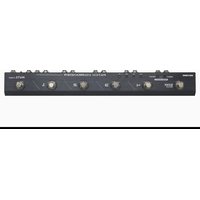
Patch Kommander - Controller Hotone - Free user manual and instructions
Find the device manual for free Patch Kommander Hotone in PDF.


Pick your language and provide your email: we'll send you a specifically translated version.
| Product Type | MIDI Foot Controller |
| Brand | Hotone |
| Model | Patch Kommander |
| Dimensions (approx.) | 12 x 6 x 2 inches (30 x 15 x 5 cm) |
| Weight (approx.) | 2.5 lbs (1.1 kg) |
| Power Supply | 9V DC center negative, 300 mA |
| Power Source | External adapter or battery (not included) |
| Connectivity | MIDI In, MIDI Out, Expression Pedal Input |
| Primary Function | Patch switching and preset control |
| Expression Pedal Support | Yes, via TRS jack |
| Programmable Buttons | 4 footswitches with LED indicators |
| Display | LED status indicators |
| Chassis Material | Aluminum alloy |
| Compatibility | Standard MIDI devices |
| Included Accessories | User manual, power adapter (may vary by region) |
| Maintenance | Wipe with a soft, dry cloth. Avoid water or solvents. |
| Safety | Use only specified power supply. Do not expose to moisture. |
| Reparability | No user-serviceable parts. Contact Hotone support. |
| Country of Origin | China |
Frequently Asked Questions - Patch Kommander Hotone
How do I connect the Patch Kommander to my amp or pedalboard?
Connect the MIDI Out from the Patch Kommander to the MIDI In of your device using a standard 5-pin DIN cable. For expression pedal, use a TRS cable.
What power supply does the Patch Kommander require?
It requires a 9V DC center negative power supply with at least 300 mA current. A compatible adapter is often included, but verify polarity.
Can I use the Patch Kommander with non-Hotone devices?
Yes, it works with any device that accepts standard MIDI commands, such as multi-effects processors, amp switchers, or modelers.
How do I program the footswitches?
Refer to the manual for detailed programming. Generally, you assign MIDI Program Change or Control Change messages to each footswitch via the unit's menu.
Does the Patch Kommander have a built-in expression pedal?
No, but it has an Expression Pedal Input (TRS) for connecting an external expression pedal.
What do the LED indicators mean?
Each footswitch has an LED that lights up when the preset is active. Some units may have additional status LEDs for power or MIDI activity.
How do I clean the Patch Kommander?
Use a soft, dry cloth to wipe the surface. Do not use water, solvents, or abrasive cleaners.
Can I daisy-chain multiple Patch Kommanders?
Yes, you can connect the MIDI Thru (if available) or use a MIDI splitter to control multiple units.
What is the warranty period?
Hotone typically offers a 1-year limited warranty. Check your local dealer or Hotone official site for details.
Where can I download the user manual?
The manual is available for free on notice-facile.com and the official Hotone website. Use the download link on this page.
User questions about Patch Kommander Hotone
0 question about this device. Answer the ones you know or ask your own.
Ask a new question about this device
No questions yet. Be the first to ask one.
Download the instructions for your Controller in PDF format for free! Find your manual Patch Kommander - Hotone and take your electronic device back in hand. On this page are published all the documents necessary for the use of your device. Patch Kommander by Hotone.
USER MANUAL Patch Kommander Hotone

Manual assistant
Powered by Anthropic
Waiting for your message
Product information
Brand : Hotone
Model : Patch Kommander
Category : Controller