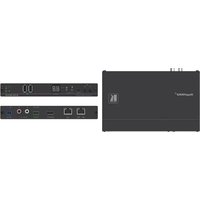
KDS-DEC6 - Audio/video extension Kramer - Free user manual and instructions
Find the device manual for free KDS-DEC6 Kramer in PDF.


Pick your language and provide your email: we'll send you a specifically translated version.
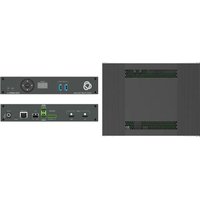
| Product Type | Audio/Video Extension Decoder |
| Model | KDS-DEC6 |
| Brand | Kramer |
| Video Input | 1x HDMI, 1x VGA (via adapter) |
| Video Output | 1x HDMI |
| Max Resolution | 4K@60Hz (3840x2160) |
| Audio Support | HDMI audio pass-through, stereo analog output |
| Extension Range | Up to 100m over CAT6 cable |
| Power Supply | 12V DC, 1A |
| Power Consumption | 6W |
| Dimensions (W x D x H) | 14.5 cm x 10.5 cm x 3.0 cm |
| Weight | 0.4 kg |
| Operating Temperature | 0°C to 40°C |
| Storage Temperature | -20°C to 60°C |
| Controls | Reset button, DIP switches for EDID |
| Connectivity | RJ-45 for extension, USB for firmware |
| Enclosure Type | Metal casing |
| Mounting | Rack-mountable (optional kit) |
| Certifications | CE, FCC, RoHS |
| Included Accessories | Power adapter, mounting brackets, user manual |
Frequently Asked Questions - KDS-DEC6 Kramer
What is the maximum resolution supported by the KDS-DEC6?
The KDS-DEC6 supports resolutions up to 4K@60Hz (3840x2160) over HDMI.
How far can I extend the video signal using the KDS-DEC6?
Using CAT6 cable, you can extend video up to 100 meters.
Does the KDS-DEC6 support audio?
Yes, it supports HDMI audio pass-through and provides a stereo analog audio output.
Can I use the KDS-DEC6 with a VGA source?
Yes, with an optional HDMI-to-VGA adapter, you can connect VGA sources to the input.
What type of power supply does the KDS-DEC6 require?
It requires a 12V DC, 1A power adapter (included).
How do I reset the KDS-DEC6 to factory settings?
Press and hold the Reset button on the device for 5 seconds until the LED flashes.
Can I mount the KDS-DEC6 in a rack?
Yes, it is rack-mountable using an optional rack mount kit.
What is the operating temperature range?
The device operates between 0°C and 40°C.
Does the KDS-DEC6 support EDID management?
Yes, it has DIP switches for EDID configuration to ensure compatibility with displays.
How do I update the firmware on the KDS-DEC6?
Connect the device via USB to a computer and use the Kramer firmware update tool.
User questions about KDS-DEC6 Kramer
0 question about this device. Answer the ones you know or ask your own.
Ask a new question about this device
No questions yet. Be the first to ask one.
Download the instructions for your Audio/video extension in PDF format for free! Find your manual KDS-DEC6 - Kramer and take your electronic device back in hand. On this page are published all the documents necessary for the use of your device. KDS-DEC6 by Kramer.
USER MANUAL KDS-DEC6 Kramer

Manual assistant
Powered by Anthropic
Waiting for your message
Product information
Brand : Kramer
Model : KDS-DEC6
Category : Audio/video extension