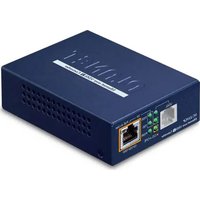
VC-231GP - Network card / adapter Planet - Free user manual and instructions
Find the device manual for free VC-231GP Planet in PDF.


Pick your language and provide your email: we'll send you a specifically translated version.
| Product Type | Network Adapter / Network Card |
| Brand | Planet |
| Model | VC-231GP |
| Interface | PCI Express 2.0 x1 |
| Data Transfer Rate | 10/100/1000 Mbps (Gigabit Ethernet) |
| Network Standards | IEEE 802.3, IEEE 802.3u, IEEE 802.3ab, IEEE 802.3x |
| Ports | 1 x RJ-45 |
| Chipset | Realtek RTL8111H |
| Operating Temperature | 0°C to 50°C (32°F to 122°F) |
| Storage Temperature | -10°C to 70°C (14°F to 158°F) |
| Operating Humidity | 10% to 90% non-condensing |
| Power Consumption | Less than 2W |
| Dimensions (W x D x H) | 120 x 80 x 20 mm (4.72 x 3.15 x 0.79 in) |
| Weight | 50 g (1.76 oz) |
| Supported Operating Systems | Windows 10/11, Linux, macOS |
| LED Indicators | Link/Activity (green), Speed (1000Mbps: green, 100Mbps: orange) |
| Compliance | FCC, CE, RoHS |
| Package Contents | VC-231GP network card, low-profile bracket, quick installation guide |
| Warranty | 1 year limited |
| Maintenance & Cleaning | Use a dry, soft cloth. Avoid liquids and abrasive cleaners. Disconnect power before cleaning. |
| Safety Precautions | Handle with anti-static precautions. Do not expose to moisture. Install in a well-ventilated slot. |
| Repairability | No user-serviceable parts. If faulty, replace the card. |
Frequently Asked Questions - VC-231GP Planet
How do I install the Planet VC-231GP network card?
Turn off your computer and unplug it. Open the case, insert the VC-231GP into an available PCI Express x1 slot, secure it with a screw, and close the case. Then power on and install the driver from the included CD or download the latest from Planet's website.
Which operating systems are compatible with the VC-231GP?
The VC-231GP is compatible with Windows 10/11, Linux (kernel 3.x+), and macOS (10.12+). For older systems, check Planet's driver support.
What should I do if the network card is not detected by my system?
Ensure the card is firmly seated in the PCIe slot. Check if the LED lights up when connected to a network. Update the chipset drivers and the VC-231GP driver. Try reseating the card or testing it in another slot.
Does the VC-231GP support Wake-on-LAN (WoL)?
Yes, the VC-231GP supports Wake-on-LAN via the Magic Packet feature. Enable it in the device driver's power management settings and configure your router to forward the packet.
Can I use this card in a low-profile (small form factor) case?
Yes, the package includes a low-profile bracket. Replace the standard bracket with the low-profile one before installation.
What do the LED indicators on the VC-231GP mean?
The Link/Activity LED glows solid when connected and blinks with activity. The Speed LED is green for 1000 Mbps, orange for 100 Mbps, and off for 10 Mbps.
How do I update the driver for my VC-231GP?
Download the latest driver from Planet's official support page for the VC-231GP model. Uninstall the old driver, restart, install the new one, and reboot again.
Is the VC-231GP compatible with Gigabit switches?
Yes, it supports 10/100/1000 Mbps auto-negotiation, so it works with any Gigabit Ethernet switch or router.
Can I use multiple VC-231GP cards in one computer?
Yes, you can install multiple cards as long as you have available PCIe slots. Each card will appear as a separate network interface.
How to clean the VC-231GP network card?
Disconnect power. Use a can of compressed air to remove dust from the PCB and connector. Do not use liquids or abrasive materials.
User questions about VC-231GP Planet
0 question about this device. Answer the ones you know or ask your own.
Ask a new question about this device
No questions yet. Be the first to ask one.
Download the instructions for your Network card / adapter in PDF format for free! Find your manual VC-231GP - Planet and take your electronic device back in hand. On this page are published all the documents necessary for the use of your device. VC-231GP by Planet.
USER MANUAL VC-231GP Planet


Manual assistant
Powered by Anthropic
Waiting for your message
Product information
Brand : Planet
Model : VC-231GP
Category : Network card / adapter