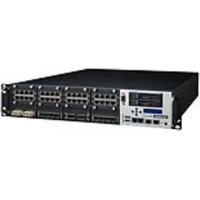
FWA-6172 - Network Equipment Advantech - Free user manual and instructions
Find the device manual for free FWA-6172 Advantech in PDF.


Pick your language and provide your email: we'll send you a specifically translated version.
| Product Type | Network Security Appliance |
| Form Factor | 1U Rackmount |
| Dimensions (W x D x H) | 440 x 300 x 44 mm (17.3 x 11.8 x 1.7 in) |
| Weight | Approximately 5 kg (11 lbs) |
| Power Supply | AC 100-240 V, 50/60 Hz, 300W redundant |
| Processor | Intel Xeon D or Core i5/i7 (actual config varies) |
| Memory | Up to 64 GB DDR4 |
| Storage | 2x SATA HDD/SSD trays; optional mSATA |
| Network Ports | Up to 8x GbE RJ45 + optional 10G SFP+ |
| Cooling | 2x hot-swappable fans, front-to-back airflow |
| Operating Temperature | 0 to 40 °C (32 to 104 °F) |
| Humidity | 10% to 85% non-condensing |
| Main Functions | Firewall, VPN, UTM, intrusion detection, routing |
| Maintenance & Cleaning | Use a soft dry cloth; avoid liquids; keep vents clear |
| Safety | CE, FCC Class A; ground properly; use in dry environment |
| Spare Parts & Repairability | Customer-replaceable: HDD, fan, PSU, RAM. Service by qualified personnel for mainboard. |
| General Info | Intel-based platform; supports multiple OS (pfSense, OPNsense, etc.) |
Frequently Asked Questions - FWA-6172 Advantech
What is the default IP address to access the web interface?
The default IP address is usually 192.168.1.1. Check the quick start guide or label on the device.
How to reset the device to factory defaults?
Use the reset pinhole located near the power button. Press and hold for 5 seconds while powered on. The device will reboot to factory settings.
What type of RAM is compatible?
The device supports DDR4 ECC or non-ECC SODIMM modules. Refer to the manual for supported speeds and capacities.
Can I install a different operating system?
Yes, the FWA-6172 supports multiple x86-based OS such as pfSense, OPNsense, Untangle, or Linux. Ensure correct drivers.
How to replace a failed power supply?
The power supply is hot-swappable (if using redundant modules). Press the latch, slide out the old unit, and insert a new one with the same specifications.
What is the maximum power consumption?
Maximum power consumption is approximately 200W depending on CPU and peripheral loading.
How to upgrade or add storage?
Open the top cover; you can install 2.5-inch SATA HDD/SSD in the bays. Secure them with screws.
Is the device fan noise loud?
In normal operation, it produces audible fan noise (approx. 40-50 dB). It is typical for 1U rackmount appliances.
What warranty does Advantech offer?
Standard warranty is 2 years from date of purchase. Extended warranties are available through Advantech.
How to clean the device?
Turn off and unplug. Use a soft dry cloth to wipe the exterior. Do not use liquids or compressed air near openings.
User questions about FWA-6172 Advantech
0 question about this device. Answer the ones you know or ask your own.
Ask a new question about this device
No questions yet. Be the first to ask one.
Download the instructions for your Network Equipment in PDF format for free! Find your manual FWA-6172 - Advantech and take your electronic device back in hand. On this page are published all the documents necessary for the use of your device. FWA-6172 by Advantech.
USER MANUAL FWA-6172 Advantech


Manual assistant
Powered by Anthropic
Waiting for your message
Product information
Brand : Advantech
Model : FWA-6172
Category : Network Equipment