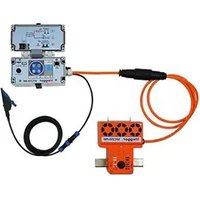
SmartFuse 250 - Measuring equipment Megger - Free user manual and instructions
Find the device manual for free SmartFuse 250 Megger in PDF.


Pick your language and provide your email: we'll send you a specifically translated version.
| Product Type | Fuse Tester / Multifunction Measuring Instrument |
| Brand | Megger |
| Model | SmartFuse 250 |
| Application | Testing and analyzing fuses, circuit breakers, and protective devices |
| Measuring Functions | Continuity, resistance, voltage, current, time-current curve analysis |
| Display | Backlit LCD with graphical capabilities |
| Power Supply | Rechargeable Li-ion battery, 7.4V, 4400 mAh |
| Battery Life | Up to 8 hours continuous use |
| Dimensions (H x W x D) | 265 x 110 x 60 mm |
| Weight | 1.2 kg (including battery) |
| Operating Temperature Range | -10°C to +50°C |
| Storage Temperature Range | -20°C to +60°C |
| Safety Rating | CAT IV 300 V / CAT III 600 V |
| Memory | Internal storage for up to 1000 records |
| Connectivity | USB for data transfer and firmware updates |
| Maintenance | Periodic calibration recommended every 12 months; clean with dry cloth |
| Spare Parts & Repairability | Replacement fuses, test leads, battery. Service by authorized Megger centers. |
| Standards Compliance | EN 61010-1, EN 61557 |
| Accessories Included | Test leads, alligator clips, carrying case, charging adapter, user manual |
Frequently Asked Questions - SmartFuse 250 Megger
How do I perform a basic continuity test on a fuse?
Connect the test leads to the COM and INPUT terminals. Select the continuity mode using the rotary switch. Touch the probes to the fuse ends. An audible tone indicates continuity (fuse is good).
What is the maximum input voltage for the SmartFuse 250?
The device is rated for CAT IV 300 V or CAT III 600 V to ground. Do not exceed these limits to avoid damage or injury.
Can I use this device to test HRC fuses?
Yes, the SmartFuse 250 can test a wide range of fuses including HRC, cartridge, blade, and resettable fuses (PTC).
How do I perform a time-current curve test?
Select the Time-Current mode. Set the test current and duration. The device will display the trip time and can plot the curve on the graphical display. Results can be saved to memory.
What should I do if the battery does not charge?
Ensure the charging adapter is connected properly. If the battery icon does not animate, try a different outlet. If the issue persists, the battery may need replacement. Contact Megger support.
How often should the device be calibrated?
Megger recommends calibration every 12 months to maintain accuracy. Calibration should be performed by a certified service center.
Can I replace the test leads with non-Megger leads?
For safety and accuracy, use only Megger-approved test leads rated for the same category (CAT IV 300 V / CAT III 600 V). Third-party leads may not meet specifications.
What is the purpose of the USB port?
The USB port allows data transfer of stored measurements to a PC and firmware updates to keep the device up-to-date.
How do I clean the SmartFuse 250?
Use a soft, dry cloth to clean the exterior. Do not use solvents or abrasives. For the test leads, wipe with a damp cloth and dry thoroughly.
What is the warranty period for this device?
The Megger SmartFuse 250 typically comes with a 3-year warranty against defects in materials and workmanship. Battery and accessories may have a shorter warranty.
User questions about SmartFuse 250 Megger
0 question about this device. Answer the ones you know or ask your own.
Ask a new question about this device
No questions yet. Be the first to ask one.
Download the instructions for your Measuring equipment in PDF format for free! Find your manual SmartFuse 250 - Megger and take your electronic device back in hand. On this page are published all the documents necessary for the use of your device. SmartFuse 250 by Megger.
USER MANUAL SmartFuse 250 Megger
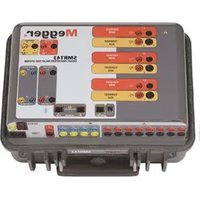
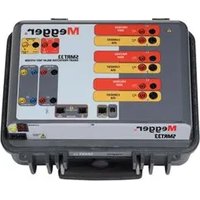
Manual assistant
Powered by Anthropic
Waiting for your message
Product information
Brand : Megger
Model : SmartFuse 250
Category : Measuring equipment