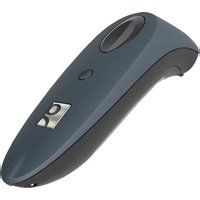
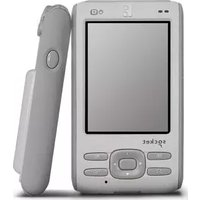
CHS 7Ci - Barcode Reader Socket Mobile - Free user manual and instructions
Find the device manual for free CHS 7Ci Socket Mobile in PDF.


Pick your language and provide your email: we'll send you a specifically translated version.
| Product Type | Barcode Reader |
| Model | CHS 7Ci |
| Brand | Socket Mobile |
| Dimensions (L x W x H) | 165 mm x 75 mm x 115 mm |
| Weight | 200 g |
| Power Source | Rechargeable Li-ion battery |
| Battery Life | Up to 8 hours continuous scanning |
| Scanning Technology | 2D Imager |
| Connectivity | Bluetooth Class 1 |
| Scan Range | Up to 30 cm |
| Decode Capability | 1D and 2D barcodes |
| Operating Temperature | 0°C to 50°C |
| Storage Temperature | -20°C to 60°C |
| Drop Specification | Withstands multiple drops from 1.5 m |
| Cleaning | Wipe with a soft, dry cloth; avoid solvents |
| Safety Compliance | CE, FCC, RoHS |
| Spare Parts | Battery, charging cradle, cable (available separately) |
| Repairability | Replaceable battery; other repairs by authorized service |
| Warranty | 1 year limited warranty |
Frequently Asked Questions - CHS 7Ci Socket Mobile
How do I pair the CHS 7Ci with my device?
Ensure the scanner is charged. Turn on the scanner, then enable Bluetooth on your device. Select 'Socket CHS 7Ci' from the list of available devices. If prompted, enter the PIN 0000.
What types of barcodes can the CHS 7Ci read?
It reads both 1D (UPC, EAN, Code 39, etc.) and 2D (QR, Data Matrix, PDF417) barcodes.
How do I charge the battery?
Use the provided USB cable or charging cradle. Connect to a USB power source (5V). The scanner charges fully in about 4 hours.
What is the scanning range?
The optimal scanning distance is 10-30 cm from the barcode. It can scan up to 30 cm for standard 1D barcodes.
Can I use the scanner without pairing?
No, the scanner requires a Bluetooth connection to transmit data. It does not have a wired mode.
How do I clean the scanner?
Wipe the exterior with a soft, dry cloth. Do not use harsh chemicals or immerse in water. Clean the scanning window gently.
What should I do if the scanner stops responding?
Try resetting by pressing and holding the power button for 10 seconds. If that fails, remove and reinsert the battery.
Is the CHS 7Ci compatible with iOS and Android?
Yes, it works with iOS, Android, and Windows devices that support Bluetooth HID or SPP profiles.
How long does the battery last?
A fully charged battery provides up to 8 hours of continuous scanning or up to 10 days in standby mode.
Where can I find replacement parts or get repairs?
Contact Socket Mobile support or visit their website for spare batteries, charging cradles, and authorized repair centers.
User questions about CHS 7Ci Socket Mobile
0 question about this device. Answer the ones you know or ask your own.
Ask a new question about this device
No questions yet. Be the first to ask one.
Download the instructions for your Barcode Reader in PDF format for free! Find your manual CHS 7Ci - Socket Mobile and take your electronic device back in hand. On this page are published all the documents necessary for the use of your device. CHS 7Ci by Socket Mobile.
USER MANUAL CHS 7Ci Socket Mobile

Manual assistant
Powered by Anthropic
Waiting for your message
Product information
Brand : Socket Mobile
Model : CHS 7Ci
Category : Barcode Reader