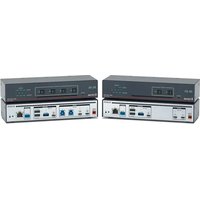
SW USB Pro - USB Switch Extron - Free user manual and instructions
Find the device manual for free SW USB Pro Extron in PDF.


Pick your language and provide your email: we'll send you a specifically translated version.
| Product Type | USB Switcher |
| Brand | Extron |
| Model | SW USB Pro |
| USB Standards | USB 2.0, USB 3.0 |
| Number of Inputs | 4 |
| Number of Outputs | 1 |
| Maximum Data Rate | 5 Gbps (USB 3.0) |
| Power Supply | External 5V DC |
| Power Consumption | 2.5 W |
| Dimensions (W x D x H) | 8.7 x 6.1 x 1.7 inches |
| Weight | 1.5 lbs |
| Enclosure Type | Metal, rack-mountable |
| Switching Method | Front panel buttons, RS-232, contact closure |
| Status Indicators | LED for each input |
| Cable Distance | Up to 15 ft (USB 3.0) |
| Supported OS | Windows, macOS, Linux |
| Compliance | CE, FCC Class A |
| Operating Temperature | 32°F to 122°F (0°C to 50°C) |
| Operating Humidity | 10% to 90% noncondensing |
| Included Accessories | Power supply, rack-mount brackets, user manual |
Frequently Asked Questions - SW USB Pro Extron
How many computers can I connect to the SW USB Pro?
You can connect up to 4 computers (inputs) and share one set of USB peripherals.
Does it support USB 3.0?
Yes, the SW USB Pro supports USB 2.0 and USB 3.0 with data rates up to 5 Gbps.
Can I switch between computers using software?
Switching is done via front panel buttons, RS-232 commands, or contact closure. No software needed.
What is the maximum cable length for USB 3.0?
For USB 3.0, the maximum recommended cable length is 15 feet (4.5 meters).
Is the device rack-mountable?
Yes, it comes with rack-mount brackets suitable for standard 19-inch racks.
Does it require external power?
Yes, it uses an external 5V DC power supply (included).
Can I connect USB hubs to the outputs?
It is recommended to connect directly to the switcher for optimal performance. Hubs may cause compatibility issues.
What types of USB devices are supported?
Most USB devices such as keyboards, mice, flash drives, and printers are supported. Some specialized devices may require additional drivers.
How do I reset the device?
You can perform a factory reset by pressing and holding the front panel button for 10 seconds while powering on.
Is there a warranty?
Extron offers a 3-year limited warranty on the SW USB Pro.
User questions about SW USB Pro Extron
0 question about this device. Answer the ones you know or ask your own.
Ask a new question about this device
No questions yet. Be the first to ask one.
Download the instructions for your USB Switch in PDF format for free! Find your manual SW USB Pro - Extron and take your electronic device back in hand. On this page are published all the documents necessary for the use of your device. SW USB Pro by Extron.
USER MANUAL SW USB Pro Extron
Manual assistant
Powered by Anthropic
Waiting for your message
Product information
Brand : Extron
Model : SW USB Pro
Category : USB Switch