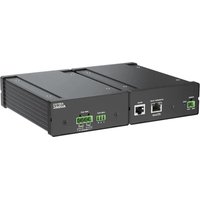
AMP203 - Receiver Audac - Free user manual and instructions
Find the device manual for free AMP203 Audac in PDF.


Pick your language and provide your email: we'll send you a specifically translated version.
| Product Type | Audio/Video Receiver |
| Brand | Audac |
| Model | AMP203 |
| Dimensions (W x H x D) | 430 x 100 x 300 mm |
| Weight | 8.0 kg |
| Power Supply | 230 V AC, 50 Hz |
| Power Consumption | 150 W |
| Output Power | 100 W per channel (8 ohms) |
| Number of Channels | 2 |
| Frequency Response | 20 Hz - 20 kHz |
| Inputs | 3x RCA, 1x Optical, 1x Coaxial |
| Outputs | Speaker terminals, RCA pre-out |
| Supported Audio Formats | MP3, WMA, WAV |
| FM Tuner | Yes, with preset memory |
| Remote Control | Included |
| Cabinet Material | Metal |
| Warranty | 2 years |
| Included Accessories | Power cord, remote control, user manual |
Frequently Asked Questions - AMP203 Audac
How do I connect my speakers to the AMP203?
Connect the speaker wires to the speaker terminals on the back panel. Ensure correct polarity: red to positive (+), black to negative (-). Use speaker wire with appropriate gauge.
Can I use a subwoofer with this receiver?
Yes, if the AMP203 has a subwoofer pre-out or RCA output. Connect the subwoofer's input to that output. Otherwise, use speaker-level inputs on the subwoofer.
How to reset the AMP203 to factory settings?
Press and hold the Power button for 5 seconds while the unit is on. Alternatively, unplug the unit, wait 10 seconds, then plug it back in. Consult the manual for exact steps.
No sound is coming from the speakers. What should I do?
Check that the speaker wires are securely connected and the receiver is powered on. Verify the correct input source is selected. Ensure the volume is not muted or at zero.
How do I adjust the bass and treble?
Use the Bass and Treble knobs on the front panel, or navigate the menu using the remote control. Options may be under Sound Settings.
Does the AMP203 support Bluetooth connectivity?
It depends on the model version. Some versions may have built-in Bluetooth. If not, you can use an external Bluetooth receiver connected to an RCA input.
How to program FM radio stations into presets?
Tune to the desired station, then press and hold a preset number button (0-9) until the display blinks. Release to save. Repeat for other stations.
What speaker impedance is recommended?
The AMP203 is designed for 4-8 ohm speakers. Using speakers with lower impedance may cause overheating or damage.
Can I connect a turntable to this receiver?
If the turntable has a phono preamp, connect to any RCA input. Otherwise, you need an external phono preamp, as the AMP203 may not have a dedicated phono input.
Where can I find the serial number of my AMP203?
The serial number is usually on the back panel or bottom of the unit. It is required for warranty service.
User questions about AMP203 Audac
0 question about this device. Answer the ones you know or ask your own.
Ask a new question about this device
No questions yet. Be the first to ask one.
Download the instructions for your Receiver in PDF format for free! Find your manual AMP203 - Audac and take your electronic device back in hand. On this page are published all the documents necessary for the use of your device. AMP203 by Audac.
USER MANUAL AMP203 Audac

Manual assistant
Powered by Anthropic
Waiting for your message
Product information
Brand : Audac
Model : AMP203
Category : Receiver