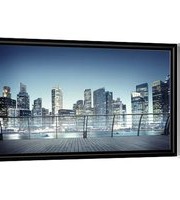
Flex Plex 29535 - Projection screen DA-LITE - Free user manual and instructions
Find the device manual for free Flex Plex 29535 DA-LITE in PDF.


Pick your language and provide your email: we'll send you a specifically translated version.
| Product Type | Portable Projection Screen |
| Brand | Da-Lite |
| Model | Flex Plex 29535 |
| Diagonal Image Size | 100 inches (293 cm) |
| Screen Aspect Ratio | 16:9 |
| Screen Material | Matte White Vinyl |
| Gain | 1.0 |
| Viewing Angle | 160 degrees |
| Frame Type | Flexible, Tensioned |
| Mounting | Floor-standing or Wall-mounted |
| Height Adjustable | Yes |
| Product Dimensions (Unfolded) | 49.2 x 86.6 inches (125 x 220 cm) |
| Product Dimensions (Folded) | 49.2 x 5.5 x 5.5 inches (125 x 14 x 14 cm) |
| Weight | 12.5 lbs (5.7 kg) |
| Power Source | None (Manual Operation) |
| Screen Surface Cleanability | Wipe with dry or slightly damp cloth |
| Operating Temperature | 50°F to 95°F (10°C to 35°C) |
| Storage Temperature | -4°F to 122°F (-20°C to 50°C) |
| Compliance | CE, RoHS |
| Warranty | 2 Years Limited |
Frequently Asked Questions - Flex Plex 29535 DA-LITE
How do I set up the Flex Plex 29535 screen?
Extend the legs fully, then pull the screen up until it locks. Ensure the tension is even across the surface.
Can I mount this screen on a wall?
Yes, the Flex Plex can be wall-mounted using the built-in brackets. Consult the manual for specific instructions.
What is the recommended projection distance?
For a 100-inch diagonal image, position your projector approximately 9-12 feet away, depending on the projector's lens.
How do I clean the screen material?
Use a soft dry cloth to remove dust. For stubborn spots, lightly dampen the cloth with water and wipe gently. Do not use chemicals.
Is the screen compatible with both front and rear projection?
No, this screen is designed for front projection only. The material is not translucent for rear projection.
What is the aspect ratio of the Flex Plex 29535?
The screen has a 16:9 aspect ratio, ideal for home theater and widescreen content.
How do I store the screen when not in use?
First, release the tension handle, then slowly lower the screen. Fold the legs and secure with the strap. Store in a dry, cool place.
Can I replace the screen material if damaged?
Da-Lite does not offer replacement material for this model. The entire unit may need replacement. Check warranty coverage.
What is the weight capacity of the legs?
The legs are designed to support the screen's weight of up to 15 lbs (6.8 kg). Do not apply additional force.
Does the screen have any black borders?
Yes, the screen features a 1-inch black border on all sides to enhance contrast and image focus.
User questions about Flex Plex 29535 DA-LITE
0 question about this device. Answer the ones you know or ask your own.
Ask a new question about this device
No questions yet. Be the first to ask one.
Download the instructions for your Projection screen in PDF format for free! Find your manual Flex Plex 29535 - DA-LITE and take your electronic device back in hand. On this page are published all the documents necessary for the use of your device. Flex Plex 29535 by DA-LITE.
USER MANUAL Flex Plex 29535 DA-LITE
Manual assistant
Powered by Anthropic
Waiting for your message
Product information
Brand : DA-LITE
Model : Flex Plex 29535
Category : Projection screen