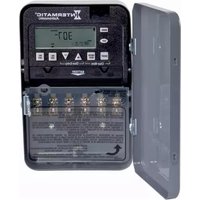
ET8215C - Interrupteur horaire électrique INTERMATIC - Free user manual and instructions
Find the device manual for free ET8215C INTERMATIC in PDF.


Pick your language and provide your email: we'll send you a specifically translated version.
| Type | Electronic Timer |
| Model | ET8215C |
| Brand | Intermatic |
| Voltage Rating | 120 VAC, 60 Hz |
| Current Rating | 15 A (resistive), 10 A (inductive) |
| Wattage Capacity | 1800 W (resistive), 1200 W (inductive) |
| Circuits | 1 SPST (Single Pole Single Throw) |
| Timer Type | 24-Hour |
| Number of On/Off Trippers | 2 (1-On, 1-Off) |
| Minimum On/Off Time | 1 hour |
| Dimensions (H x W x D) | 5.6 x 3.2 x 2.4 in. |
| Weight | 0.5 lb |
| Enclosure Material | Plastic |
| Wiring | Black (Line), White (Neutral), Red (Load), Green (Ground) |
| Application | Indoor lighting, fans, appliances |
| Certifications | UL Listed, CSA Certified |
| Operating Temperature | -10°C to 40°C (14°F to 104°F) |
| Mounting | Fits standard single-gang wall box |
| Warranty | 1 year limited |
| Installation | Hardwired; instructions included |
| Maintenance | Keep dry; clean with soft cloth |
| Repair | No user-serviceable parts; replace unit if defective |
| Safety | Disconnect power before wiring; use with grounded outlets |
Frequently Asked Questions - ET8215C INTERMATIC
How do I set the time on the Intermatic ET8215C timer?
To set the time, rotate the dial clockwise until the current time aligns with the arrow pointer on the timer face. Ensure power is connected.
How do I program the ON and OFF times?
Pull out the trippers (pins) on the dial. Place the ON tripper at the desired time for the device to turn on, and the OFF tripper at the desired time for it to turn off. Push them firmly into place.
What is the maximum load the ET8215C can handle?
It can handle up to 15 amps resistive (1800 watts) or 10 amps inductive (1200 watts) at 120 VAC. Do not exceed these ratings.
Can I use this timer with LED bulbs?
Yes, but ensure the total wattage of the LED bulbs is within the timer's rating. LED bulbs have low wattage, so it's usually fine. However, some LEDs may flicker; try using a rated LED-compatible timer if issues occur.
How do I override the timer manually?
Press the manual switch (usually a lever or button on the top of the timer) to toggle the load ON or OFF regardless of the timer setting. The timer will resume its schedule at the next programmed event.
Why is my timer not turning on at the set time?
Check that the trippers are firmly placed and that the manual override is set to AUTO. Verify the dial is correctly set to the current time. Also ensure that the circuit breaker is on and wiring is correct.
What do the red and black wires connect to?
Black wire: Line (hot) from power source. White wire: Neutral. Red wire: Load (to the device being controlled). Green wire: Ground. Always disconnect power before wiring.
Can I use the ET8215C outdoors?
No, this timer is indoor use only. It is not weatherproof. For outdoor applications, install it inside a weatherproof enclosure.
How do I reset the timer?
To reset, you can rotate the dial one full turn to ensure the trippers are in the correct position. There is no electronic reset; the timer is mechanical.
What should I do if the timer makes a humming noise?
A slight hum can be normal, but if it is loud, the timer may be overloaded or the motor is failing. Reduce the load or replace the timer. Do not attempt to repair it.
User questions about ET8215C INTERMATIC
0 question about this device. Answer the ones you know or ask your own.
Ask a new question about this device
No questions yet. Be the first to ask one.
Download the instructions for your Interrupteur horaire électrique in PDF format for free! Find your manual ET8215C - INTERMATIC and take your electronic device back in hand. On this page are published all the documents necessary for the use of your device. ET8215C by INTERMATIC.
USER MANUAL ET8215C INTERMATIC



Manual assistant
Powered by Anthropic
Waiting for your message
Product information
Brand : INTERMATIC
Model : ET8215C
Category : Interrupteur horaire électrique