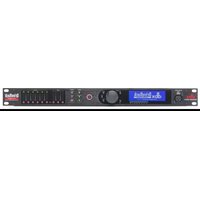
DriveRack VENU360-D - Audio Receiver DBX - Free user manual and instructions
Find the device manual for free DriveRack VENU360-D DBX in PDF.


Pick your language and provide your email: we'll send you a specifically translated version.
| Product Type | Digital Audio Processor / Speaker Management System |
| Brand | DBX |
| Model | DriveRack VENU360-D |
| Form Factor | 1U Rackmount |
| Dimensions (H x W x D) | 1.75 x 19.0 x 6.8 inches |
| Weight | 5.5 lbs (2.5 kg) |
| Power Supply | 100-240V AC, 50/60 Hz |
| Power Consumption | 20W typical |
| Analog Inputs | 3 x XLR (balanced) |
| Analog Outputs | 6 x XLR (balanced) |
| Digital Inputs | 1 x AES3 (optional) |
| Digital Outputs | 1 x AES3 (optional) |
| Sample Rate | 96 kHz |
| Bit Depth | 24-bit |
| Frequency Response | 20 Hz - 20 kHz (±0.1 dB) |
| Dynamic Range | >115 dB |
| THD+N | <0.002% typical |
| Main Features | AutoEQ, Feedback Suppression, Compression, Limiting, Crossover, Delay, Parametric EQ, Speaker Library |
| Control Interface | Front panel LCD, USB, Ethernet (Wi-Fi via dongle) |
| Presets | 50 user + 25 factory |
| Warranty | 2 years (extendable) |
Frequently Asked Questions - DriveRack VENU360-D DBX
How do I reset the DriveRack VENU360-D to factory defaults?
To reset to factory defaults, press and hold the Utility button while powering on the unit. Continue holding until the display shows 'Factory Reset'. Release and confirm with the Enter knob.
Can I control the VENU360-D via Wi-Fi?
Yes, the VENU360-D supports Wi-Fi control using a compatible USB Wi-Fi dongle (e.g., DBX Wi-Fi dongle or approved third-party). Connect the dongle, enable Wi-Fi in the Utilities menu, and use the DriveRack App (iOS/Android) or Ware software.
What is the maximum input level?
The maximum input level before clipping is +22 dBu (balanced) with the input gain set to 0 dB. For higher levels, reduce gain accordingly.
How do I update the firmware?
Download the latest firmware from the DBX website. Connect the unit via USB to a computer, run the DriveRack Update Utility, and follow on-screen instructions. Do not power off during update.
Can I use the VENU360-D as a standalone crossover?
Yes, the VENU360-D can function as a standalone crossover without a computer. Use the front panel to select crossover frequency, slope (up to 48 dB/oct), and output routing.
What type of Ethernet cable is required for control?
Use a standard Cat5e or Cat6 Ethernet cable for wired control. Maximum cable length is 100 meters (328 feet).
How do I perform an AutoEQ calibration?
Connect a measurement microphone (e.g., DBX RTA-M) to the Aux input. Go to AutoEQ in the Wizard menu. Follow prompts to play pink noise and adjust levels. The unit will automatically set EQ filters to flatten the room response.
Is the VENU360-D compatible with 70V/100V systems?
The analog outputs are line-level (balanced). To drive a 70V/100V system, you must connect external amplifiers and step-up transformers. The internal processing supports 70V/100V delay calculations if configured.
Can I lock the front panel to prevent tampering?
Yes, enable Front Panel Lock in the Utilities menu. A password can be set to unlock. The lock prevents changes to settings but allows viewing.
What is the warranty period and how to claim?
The standard warranty is 2 years from the date of purchase. To claim, contact DBX customer support with proof of purchase. Extended warranty plans are available through authorized dealers.
User questions about DriveRack VENU360-D DBX
0 question about this device. Answer the ones you know or ask your own.
Ask a new question about this device
No questions yet. Be the first to ask one.
Download the instructions for your Audio Receiver in PDF format for free! Find your manual DriveRack VENU360-D - DBX and take your electronic device back in hand. On this page are published all the documents necessary for the use of your device. DriveRack VENU360-D by DBX.
USER MANUAL DriveRack VENU360-D DBX
Manual assistant
Powered by Anthropic
Waiting for your message
Product information
Brand : DBX
Model : DriveRack VENU360-D
Category : Audio Receiver