ORA4 - Speaker Kanto - Free user manual and instructions
Find the device manual for free ORA4 Kanto in PDF.


Pick your language and provide your email: we'll send you a specifically translated version.
| Product Type | Powered Bookshelf Speaker |
| Model | ORA4 |
| Brand | Kanto |
| Dimensions (H x W x D) | 24.5 x 15.0 x 19.5 cm |
| Weight (per speaker) | 4.5 kg |
| Power Output (RMS) | 60W per channel |
| Drivers | 1" silk dome tweeter, 4" woofer |
| Frequency Response | 65 Hz - 22 kHz |
| Amplifier Type | Class D |
| Enclosure Type | Bass-reflex (ported) |
| Wireless Connectivity | Bluetooth 5.0 |
| Wired Inputs | 3.5mm AUX, Optical Toslink, USB-C (service) |
| Outputs | Subwoofer out (RCA) |
| Supported Audio Codecs | SBC, AAC, aptX |
| Color Options | Black, Walnut |
| Cleaning Instructions | Wipe with a dry, soft cloth. Do not use any liquids or abrasives. |
| Safety Warnings | Do not expose to water, moisture, or extreme temperatures. Keep away from heat sources. |
| Spare Parts Availability | Contact Kanto support for replacement parts. |
| Repairability | Not user-serviceable. Refer to authorized service center. |
| General Notes | Use only the supplied power cable. Do not block ventilation openings. |
Frequently Asked Questions - ORA4 Kanto
How do I connect my ORA4 speaker to my TV?
Use the optical input (Toslink) or the 3.5mm AUX input. For optical, set your TV's audio output to PCM. You may also use Bluetooth if your TV supports it.
Can I pair two ORA4 speakers for stereo sound?
The ORA4 is sold as a single powered speaker. For stereo, you would need two separate units, but they are not designed to pair wirelessly. Use a wired connection from your source to both speakers via AUX or optical splitter.
How do I reset the speaker to factory settings?
Press and hold the Bluetooth button for about 10 seconds until the LED flashes rapidly. The speaker will power cycle and reset.
What is the maximum volume level?
The volume can be adjusted from 0 to 100. The maximum output depends on the source and content, but the speaker delivers 60W RMS per channel.
Does the ORA4 support aptX?
Yes, it supports aptX, as well as AAC and SBC codecs for high-quality Bluetooth audio.
How to clean the speaker grill?
Use a soft brush or a vacuum with a brush attachment on low suction. Do not remove the grill. Avoid moisture.
Can I use the ORA4 as a center channel in a home theater?
The ORA4 is designed as a stereo speaker. While you can use it as a center channel, it lacks a dedicated center channel input. Use the AUX or optical input with a suitable source.
What is the warranty period for the ORA4?
Kanto typically offers a 2-year warranty for speakers. Check your region's warranty card for exact terms.
How do I update the firmware on the ORA4?
Firmware updates are done via the USB-C port. Download the latest firmware from Kanto's website, copy to a USB drive, and follow the instructions in the manual.
Is the ORA4 compatible with voice assistants like Alexa or Google Assistant?
The ORA4 does not have built-in voice assistant. However, you can connect it to a smart speaker's AUX output or use a Bluetooth-connected device with a voice assistant.
User questions about ORA4 Kanto
0 question about this device. Answer the ones you know or ask your own.
Ask a new question about this device
No questions yet. Be the first to ask one.
Download the instructions for your Speaker in PDF format for free! Find your manual ORA4 - Kanto and take your electronic device back in hand. On this page are published all the documents necessary for the use of your device. ORA4 by Kanto.
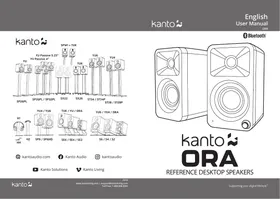
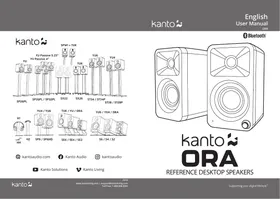
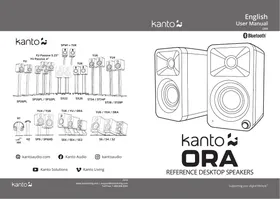
USER MANUAL ORA4 Kanto
Manual assistant
Powered by Anthropic
Waiting for your message
Product information
Brand : Kanto
Model : ORA4
Category : Speaker