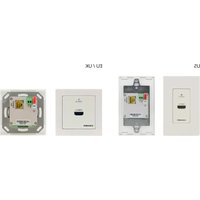
WP-871xr - Audio/video extension Kramer - Free user manual and instructions
Find the device manual for free WP-871xr Kramer in PDF.


Pick your language and provide your email: we'll send you a specifically translated version.
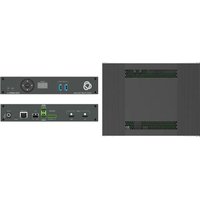
| Product Type | Audio/Video Extender Wall Plate |
| Model | WP-871xr |
| Brand | Kramer |
| Dimensions (W x H x D) | 4.4 in x 2.9 in x 1.2 in (112 mm x 74 mm x 30 mm) |
| Weight | 0.33 lb (0.15 kg) |
| Power Supply | 5V DC, 1A via included adapter or PoE (Power over Ethernet) |
| Power Consumption | 3W max |
| Supported Video Resolutions | Up to 4K@60Hz (4:4:4) |
| HDCP Support | HDCP 2.2 and 1.4 |
| Maximum Extension Range | 100 m (328 ft) over CAT6 cable |
| Input Connectors | 1 x HDMI (female), 1 x RJ-45 (female) |
| Output Connectors | 1 x RJ-45 (female), 1 x HDMI (female) on receiver |
| Audio Support | Up to 7.1 channel PCM, Dolby TrueHD, DTS-HD Master Audio |
| LED Indicators | Power, Link, Signal |
| Operating Temperature | 32°F to 104°F (0°C to 40°C) |
| Storage Temperature | -4°F to 140°F (-20°C to 60°C) |
| Humidity | 10% to 90% non-condensing |
| Included Accessories | Power adapter, mounting screws, quick start guide |
| Maintenance | Clean with dry cloth; avoid liquids and abrasive cleaners |
| Safety Certifications | CE, FCC, RoHS |
| Spare Parts Availability | Contact Kramer support for replacement power adapters and cables |
| Warranty | Limited 3-year warranty |
Frequently Asked Questions - WP-871xr Kramer
What is the maximum video resolution supported by the WP-871xr?
The WP-871xr supports up to 4K@60Hz (4:4:4) resolution, providing ultra-high-definition video quality.
Does the WP-871xr require an external power supply?
Yes, it can be powered via the included 5V DC adapter or through PoE (Power over Ethernet) if connected to a PoE switch.
What cable type and length are recommended for optimal performance?
For best results, use a CAT6 or higher cable with a maximum length of 100 meters (328 feet) between the transmitter and receiver.
Is the WP-871xr compatible with HDCP 2.2?
Yes, it supports both HDCP 2.2 and HDCP 1.4, ensuring compatibility with most modern source and display devices.
How do I install the wall plate?
The WP-871xr is designed for standard wall box mounting. Use the included screws to secure it to the wall, then connect HDMI and Ethernet cables accordingly.
What audio formats does the WP-871xr support?
It supports up to 7.1 channel PCM, Dolby TrueHD, and DTS-HD Master Audio for immersive sound.
Can I use the WP-871xr with a non-PoE switch?
Yes, if your switch does not support PoE, you must use the included 5V DC power adapter to power the extender.
What do the LED indicators mean?
The Power LED indicates unit is on, Link LED shows Ethernet connection, and Signal LED confirms active video signal transmission.
How do I clean the device?
Use a soft, dry cloth to gently wipe the exterior. Avoid using liquids, sprays, or abrasive cleaners that may damage the finish.
What should I do if I experience signal loss?
Check all cable connections, ensure the power supply is adequate, verify HDCP compatibility, and test with a shorter cable to isolate the issue. Contact Kramer support if problem persists.
User questions about WP-871xr Kramer
0 question about this device. Answer the ones you know or ask your own.
Ask a new question about this device
No questions yet. Be the first to ask one.
Download the instructions for your Audio/video extension in PDF format for free! Find your manual WP-871xr - Kramer and take your electronic device back in hand. On this page are published all the documents necessary for the use of your device. WP-871xr by Kramer.
USER MANUAL WP-871xr Kramer

Manual assistant
Powered by Anthropic
Waiting for your message
Product information
Brand : Kramer
Model : WP-871xr
Category : Audio/video extension