
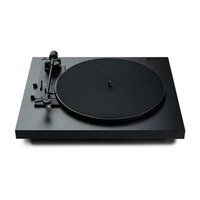
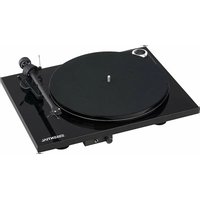
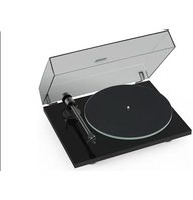
Debut III BT SB Phono - Turntable PRO-JECT - Free user manual and instructions
Find the device manual for free Debut III BT SB Phono PRO-JECT in PDF.


Pick your language and provide your email: we'll send you a specifically translated version.
| Product Type | Turntable |
| Brand | Pro-Ject |
| Model | Debut III BT SB Phono |
| Drive | Belt drive |
| Speeds | 33 1/3, 45 RPM (electronic speed change) |
| Platter | 300 mm MDF with felt mat |
| Tonearm | 8.6" aluminium alloy |
| Cartridge | Ortofon OM 5E (pre-installed) |
| Phono Preamp | Built-in (switchable on/off) |
| Bluetooth | aptX codec, wireless streaming |
| Outputs | RCA pair (for phono or line) |
| Dimensions (W x D x H) | 415 x 320 x 120 mm |
| Weight | 5.5 kg (approx.) |
| Power Supply | 15V DC, 300 mA (external adapter) |
| Wow & Flutter | ±0.14% (33 RPM) |
| Rumble | -68 dB |
| Included Accessories | Dust cover, felt mat, 45 RPM adapter, power supply, RCA cable |
| Maintenance | Clean stylus regularly; replace belt every 2-3 years |
| Safety | Read manual before use; keep away from moisture |
| Spare Parts | Belt, cartridge, stylus, felt mat available |
Frequently Asked Questions - Debut III BT SB Phono PRO-JECT
How do I set up the turntable?
Place the turntable on a level, stable surface. Remove the packing materials, install the platter and belt, fit the counterweight, set tracking force, and connect the RCA cables to your amplifier or speakers.
How do I pair the turntable via Bluetooth?
Switch the built-in phono preamp to 'Line' mode (if needed). Press the Bluetooth button on the turntable to enter pairing mode. On your Bluetooth speaker/headphones, select 'Pro-Ject Debut III' from the list.
How do I change speed from 33 to 45 RPM?
The Debut III BT SB Phono has an electronic speed change. Simply press the 'Speed' button on the chassis to toggle between 33 and 45 RPM.
How do I replace the cartridge or stylus?
To replace the stylus, gently pull it off the cartridge body. For a full cartridge replacement, loosen the screws on the headshell, install the new cartridge, and adjust alignment and tracking force following the manual.
How do I level the turntable?
Use the adjustable feet (or use shims) and a spirit level. Place the level on the platter or chassis and adjust until the bubble is centered.
How do I adjust anti-skate?
The anti-skate control is typically a dial near the tonearm base. Set it to the same number as the tracking force (e.g., if tracking force is 1.8g, set anti-skate to 1.8).
How do I set the tracking force?
Rotate the counterweight on the tonearm until the arm balances horizontally. Then turn the numbered dial to the recommended tracking force (e.g., 1.8g for Ortofon OM 5E). Use a stylus force gauge for accuracy.
How do I clean the turntable and stylus?
Dust the turntable with an anti-static brush. For the stylus, use a stylus cleaning brush or gel, gently wiping from back to front. Do not use liquid cleaners directly on the stylus.
Why is there a humming noise?
Hum can be due to a ground loop. Ensure the turntable's ground wire (if present) is connected to your amplifier's ground terminal. Also, keep the turntable away from speakers and power sources.
Can I use the turntable with speakers without a phono preamp?
Yes, the 'SB Phono' model has a built-in switchable phono preamp. Set the switch to 'Line' and connect directly to any line-level input (e.g., AUX) on powered speakers or an amplifier.
User questions about Debut III BT SB Phono PRO-JECT
0 question about this device. Answer the ones you know or ask your own.
Ask a new question about this device
No questions yet. Be the first to ask one.
Download the instructions for your Turntable in PDF format for free! Find your manual Debut III BT SB Phono - PRO-JECT and take your electronic device back in hand. On this page are published all the documents necessary for the use of your device. Debut III BT SB Phono by PRO-JECT.
USER MANUAL Debut III BT SB Phono PRO-JECT


Manual assistant
Powered by Anthropic
Waiting for your message
Product information
Brand : PRO-JECT
Model : Debut III BT SB Phono
Category : Turntable