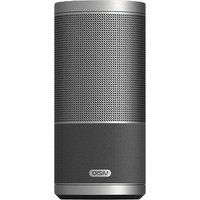
SP50-D5 - Audio/video converter VIZIO - Free user manual and instructions
Find the device manual for free SP50-D5 VIZIO in PDF.


Pick your language and provide your email: we'll send you a specifically translated version.
| Product Type | Audio/Video Converter |
| Brand | VIZIO |
| Model | SP50-D5 |
| Color | Black |
| HDMI Input | 1 x HDMI (Type A, Female) |
| HDMI Output | 1 x HDMI (Type A, Female) |
| Supported Resolutions | Up to 4K@30Hz, 1080p@60Hz |
| Audio Support | PCM, Dolby Digital, DTS; up to 5.1 channels |
| Power Supply | DC 5V / 1A (USB powered) |
| Power Consumption | 2.5W (max) |
| Dimensions (L x W x H) | 10.5 x 6.0 x 2.0 cm |
| Weight | 50 g |
| Operating Temperature | 0°C to 40°C |
| Storage Temperature | -10°C to 60°C |
| Housing Material | Aluminum alloy |
| LED Indicator | Blue (power on) |
| Plug and Play | Yes, no driver needed |
| Box Contents | Converter, USB power cable, user manual |
| Cleaning Instructions | Wipe with a dry, soft cloth. Do not use liquids or abrasives. |
| Safety Instructions | Do not expose to moisture, heat, or direct sunlight. |
| Repairability / Spare Parts | No user-serviceable parts; contact VIZIO support for issues. |
| Warranty | 1 year limited warranty |
Frequently Asked Questions - SP50-D5 VIZIO
How do I connect the VIZIO SP50-D5 converter?
Connect the HDMI input to your source device (e.g., Blu-ray player) and the HDMI output to your display. Then plug the USB power cable into a 5V USB port.
Does the SP50-D5 support 4K video?
Yes, it supports resolutions up to 4K@30Hz. For 4K@60Hz, check your source and display compatibility.
What audio formats are supported?
It supports PCM, Dolby Digital, and DTS up to 5.1 channels.
Do I need to install drivers?
No, the converter is plug-and-play and requires no additional drivers.
Why is there no video output?
Check all cable connections, ensure the power LED is blue, and verify your source device is outputting a compatible resolution.
Can I use the converter with a game console?
Yes, it works with consoles like PS4, Xbox One, and Nintendo Switch, as long as they output HDMI.
How do I clean the device?
Use a dry, soft cloth to wipe the surface. Do not use any liquids or abrasive cleaners.
Is the converter compatible with all HDMI cables?
It works with standard HDMI 1.4 and 2.0 cables. For best 4K performance, use a high-speed HDMI cable.
What should I do if the device is not recognized?
Power cycle the converter by unplugging the USB cable for 10 seconds, then reconnect. Also try different HDMI ports.
Where can I find the user manual?
The manual is available for free download from the VIZIO support website or the product page.
User questions about SP50-D5 VIZIO
0 question about this device. Answer the ones you know or ask your own.
Ask a new question about this device
No questions yet. Be the first to ask one.
Download the instructions for your Audio/video converter in PDF format for free! Find your manual SP50-D5 - VIZIO and take your electronic device back in hand. On this page are published all the documents necessary for the use of your device. SP50-D5 by VIZIO.
USER MANUAL SP50-D5 VIZIO
Manual assistant
Powered by Anthropic
Waiting for your message
Product information
Brand : VIZIO
Model : SP50-D5
Category : Audio/video converter