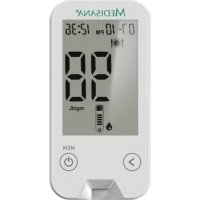
MediTouch 2 Connect Dual - Glucometer MEDISANA - Free user manual and instructions
Find the device manual for free MediTouch 2 Connect Dual MEDISANA in PDF.


Pick your language and provide your email: we'll send you a specifically translated version.
| Product type | Blood glucose meter |
| Model | MediTouch 2 Connect Dual |
| Brand | Medisana |
| Dimensions | Approx. 85 x 55 x 20 mm |
| Weight | Approx. 40 g with batteries |
| Power supply | 2 x AAA batteries (1.5 V) |
| Battery life | Approx. 1000 measurements |
| Display | LCD with large digits |
| Memory | 500 measurements with date/time |
| Connectivity | Bluetooth 4.0 for data transfer to app |
| Measurement range | 20 - 600 mg/dL (1.1 - 33.3 mmol/L) |
| Sample size | 0.5 µL |
| Measurement time | 5 seconds |
| Test strip type | Medisana MediTouch test strips (code-free) |
| Lancing device | Included, with adjustable depth |
| Data storage | Separate for user 1 and user 2 (dual mode) |
| Hypo/hyper warning | Yes, customizable thresholds |
| Automatic coding | No coding required (CodeFree technology) |
| Cleaning | Wipe with a soft, slightly damp cloth; do not immerse |
| Safety | For single patient use only; keep out of reach of children |
| Spare parts | Test strips, lancets, batteries, lancing device |
| Certification | CE 0123, ISO 15197:2013 |
Frequently Asked Questions - MediTouch 2 Connect Dual MEDISANA
How do I connect the MediTouch 2 Connect Dual to my smartphone?
Download the free Medisana MediTouch app from your app store. Turn on Bluetooth on your phone. On the meter, press and hold the button on the side until the Bluetooth symbol flashes. Open the app and follow the pairing instructions.
What should I do if the meter shows 'Err 1'?
Error 1 typically indicates that the test strip was removed during measurement. Repeat the test with a new strip, making sure to keep the strip inserted until the result is displayed. If the error persists, check the battery and ensure the strip is properly inserted.
How do I switch between user 1 and user 2?
The meter stores results separately for two users. To switch, turn off the meter. Press and hold the main button for 3 seconds until the user icon (1 or 2) appears. Release the button to toggle. The selected user will be saved for subsequent tests.
Can I use any standard test strip?
No, you must use Medisana MediTouch test strips specifically designed for this meter. Using other strips may cause inaccurate readings or damage the device.
How do I clean the glucometer?
Clean the exterior with a soft, slightly damp cloth. Do not use solvents, abrasives, or immerse the meter in liquid. For the test strip slot, gently blow out any dust or use a dry cotton swab.
What is the normal blood glucose range displayed?
Normal fasting glucose levels are typically between 70 and 100 mg/dL (3.9 to 5.6 mmol/L). After meals, levels may rise but should not exceed 140 mg/dL (7.8 mmol/L). Always consult your doctor for your target range.
How can I set the hypo/hyper alarm?
In the settings menu of the app, you can define custom low (hypo) and high (hyper) glucose thresholds. The meter will then beep and display a warning when results fall outside those limits.
Why is my measurement result much higher than usual?
Possible reasons: incorrect coding (though strip is code-free), expired test strips, insufficient blood sample, dirty meter, or improper storage of strips. Ensure strips are in original vial with cap closed and not past expiration date.
What batteries does the device use?
The MediTouch 2 Connect Dual uses two AAA alkaline batteries (1.5 V). To replace, slide off the battery cover on the back, remove old batteries, and insert new ones with correct polarity.
Is the meter waterproof?
No, the meter is not waterproof. Protect it from moisture, rain, and high humidity. Do not use it near water or clean it with wet cloth aggressively. If it gets wet, dry it immediately.
User questions about MediTouch 2 Connect Dual MEDISANA
0 question about this device. Answer the ones you know or ask your own.
Ask a new question about this device
No questions yet. Be the first to ask one.
Download the instructions for your Glucometer in PDF format for free! Find your manual MediTouch 2 Connect Dual - MEDISANA and take your electronic device back in hand. On this page are published all the documents necessary for the use of your device. MediTouch 2 Connect Dual by MEDISANA.
USER MANUAL MediTouch 2 Connect Dual MEDISANA

Manual assistant
Powered by Anthropic
Waiting for your message
Product information
Brand : MEDISANA
Model : MediTouch 2 Connect Dual
Category : Glucometer