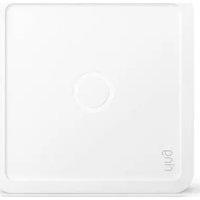
Power Pack - Surveillance Camera RING - Free user manual and instructions
Find the device manual for free Power Pack RING in PDF.


| Product Type | Rechargeable Battery Pack for Ring Cameras |
| Brand | Ring |
| Model | Power Pack |
| Battery Capacity | 6700 mAh |
| Output Voltage | 5V DC, 2.4A |
| Input Voltage | 5V DC, 2.0A (USB-C) |
| Charging Time | Approximately 4 hours |
| Weather Resistance | IP65 (Weather-resistant) |
| Dimensions | 4.5 × 2.5 × 1.2 in (114 × 64 × 30 mm) |
| Weight | 0.55 lb (250 g) |
| Color | White or Black |
| Compatibility | Ring Video Doorbell (2nd Gen), Ring Stick Up Cam, Ring Spotlight Cam, Ring Floodlight Cam |
| Installation | Quick-release bracket, no wiring required |
| LED Indicators | Green (charged), Amber (charging), Red (low battery) |
| Overcharge Protection | Built-in protection circuit |
| Operating Temperature | -20°C to 45°C (-4°F to 113°F) |
| Certifications | UL, FCC, CE |
| Warranty | 1 year limited warranty |
| Maintenance | Clean with soft dry cloth; do not immerse in water |
Frequently Asked Questions - Power Pack RING
User questions about Power Pack RING
0 question about this device. Answer the ones you know or ask your own.
Ask a new question about this device
Download the instructions for your Surveillance Camera in PDF format for free! Find your manual Power Pack - RING and take your electronic device back in hand. On this page are published all the documents necessary for the use of your device. Power Pack by RING.
USER MANUAL Power Pack RING
The first time you use your Ring Power Pack, you need to plug it directly into an electrical outlet to charge it.
Note: The Power Pack does not come with its own power adapter. Use the Alarm Pro USB-C power adapter.

Installation instructions
- Plug the power adapter from your Ring Alarm Pro into the Power Pack's orange Power In port.
- Wait a few seconds for the Power Pack LED light to turn green. Solid green means it's charging. When it's fully charged, the LED turns off.
- Connect the Power Pack to your Alarm Pro using the short, double-sided USB-C cable. Match the blue and orange connector ends to the correct Power In (orange) and Power Out (blue) ports. The Power Pack will finish charging while it's connected to your Alarm Pro.
You can check on the Power Pack battery status using the Ring app. Tap on the Alarm Pro Base Station device page, then tap on the Battery Health tile to see all connected Power Packs.
Powers eero wifi 6 Extenders
You can use these same steps to add a Ring Power Pack to an eero wifi 6 Extender (sold separately).
Battery backup
Link multiple Power Packs to your Alarm Pro for extended battery backup during a power outage.

natural_image
Diagram of a multi-tiered rack-mounted device with attached ports and cables (no text or symbols)Need more information? Visit ring.com/alarm-pro To download this manual, visit ring.com/alarm-manual
© 2021 Ring LLC or its affiliates. Ring and all related marks are trademarks of Ring LLC or its affiliates. 22-003417
Important Product Information
ring

IMPORTANT PRODUCT INFORMATION SAFETY INFORMATION
Use Responsibly. Read all instructions and safety information before use.
FAILURE TO FOLLOW THESE SAFETY INSTRUCTIONS COULD RESULT IN FIRE, ELECTRIC SHOCK, OR OTHER INJURY OR DAMAGE.
WARNING: Ring Power Pack is suitable for use with Ring Alarm Pro (sold separately) or an eero 6 Wi-Fi extender (sold separately) only. The Ring Power Pack is designed to be charged with either the Ring Alarm Pro Power Adaptor, or an eero 6 Extender Power Adaptor. Other charge methods should not be used and are not supported.
Do not expose your device or adapter to liquids. If your device or adapter gets wet, carefully unplug all cables without getting your hands wet and wait for the device and adapter to dry completely before plugging them in again. Do not attempt to dry your device or adapter with an external heat source, such as a microwave oven or a hair dryer. If the device or adapter appear damaged, discontinue use immediately. Use only accessories supplied with the device to power your device. To avoid risk of electric shock, do not touch your device or any wires connected to your device during a lightning storm.
Your Ring Power Pack may get hot during normal use. To reduce the effect of the warming, place your Ring Power Pack on a heat resistant surface. If you find the device has become hot to the touch, unplug power and let it cool down for a few minutes before handling.

BATTERY SAFETY
HANDLE WITH CARE. Your device contains a rechargeable lithium-ion battery and should be replaced only by a qualified service provider. Do not disassemble, open, crush, bend, deform, puncture, shred or attempt to access the battery in your device. Do not modify or remanufacture the battery, attempt to insert foreign objects into the battery, or immerse or expose it to water or other liquids, expose to fire, explosion or other hazard. Only use the battery for the system for which it is specified. Use of an unqualified battery or charger may present a risk of fire, explosion, leakage or other hazard. Do not short-circuit a battery or allow metallic conductive objects to come into contact with battery terminals. Avoid dropping the device or battery. If the device or battery is dropped, especially on a hard surface, and the user suspects damage, do not attempt repair. Contact Ring Customer Service for assistance.
Maintaining Your Ring Power Pack
Use of third-party accessories may impact your devices' performance. In limited circumstances, use of third party accessories may void your devices' limited warranty. In addition, use of incompatible third-party accessories may lead to damage to device or the accessory. Read all safety instructions for any accessories before using with your Ring Power Pack.
Other Safety Considerations
Your device is shipped with a special USB-C cable interconnection cable. This cable is designed only to be used between a Ring Power Pack and Ring Alarm Pro or Ring Power Pack and eero 6 Extender. Do not use for any other purpose. If the USB-C connector or cable appear damaged, discontinue use immediately. Replacement USB-C interconnection cables are available from ring.com.
PRODUCT SPECIFICATIONS
Device Name: Ring Power Pack
Model Number: 5C28S2
Electrical Rating: 12V DC, 3A
Temperature Rating: 32°F to 104°F (0°C to 40°C)
RECYCLING YOUR DEVICE PROPERLY
In some areas, the disposal of certain electronic devices is regulated. Make sure you dispose of, or recycle, your device in accordance with your local laws and regulations. For information about recycling your device, go to amazon.com/devicesupport.
TERMS OF SERVICE
By purchasing or using the product, you agree to the Terms of Service found at ring.com/terms. For information on our warranty and Ring Protect Plans, visit ring.com/legal.
LIMITED WARRANTY
Your new or Certified Refurbished Ring alarm device is covered by a one-year Limited Warranty. Details are available at ring.com/warranty.
ADDITIONAL INFORMATION
You can find the Terms of Use, Limited Warranty, instructions for using the device, Customer Service contact information, and other applicable terms and device information at Ring.com.
Supplier's Declaration of Conformity – Compliance Information Statement
Responsible Party and Party issuing Supplier's Declaration of Conformity:
Ring LLC, 1523 26th Street, Santa Monica, CA 90404 U.S.A
www.ring.com / legal@ring.com
This device complies with part 15 of the FCC Rules. Operation is subject to the following two conditions: (1) This device may not cause harmful interference, and (2) this device must accept any interference received, including interference that may cause undesired operation.
CAN ICES-3 (B)/NMB-3(B)

US LISTED
I.T.E. E364109
Ring LLC 1523 26th St. Santa Monica, CA 90404
© 2021 Ring LLC or its affiliates. Ring and all related marks are trademarks of Ring LLC or its affiliates.
22-003418

- Installation instructions
- Powers eero wifi 6 Extenders
- Battery backup
- IMPORTANT PRODUCT INFORMATION SAFETY INFORMATION
- BATTERY SAFETY
- Maintaining Your Ring Power Pack
- Other Safety Considerations
- PRODUCT SPECIFICATIONS
- RECYCLING YOUR DEVICE PROPERLY
- TERMS OF SERVICE
- LIMITED WARRANTY
- ADDITIONAL INFORMATION
Brand : RING
Model : Power Pack
Category : Surveillance Camera