
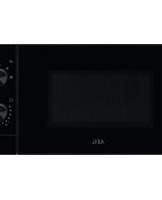
BFB5000WM - Microwave AEG - Free user manual and instructions
Find the device manual for free BFB5000WM AEG in PDF.


| Product Type | Microwave Oven |
| Brand | AEG |
| Model | BFB5000WM |
| Installation Type | Built-in |
| Appliance Placement | Under counter or in cabinet |
| Capacity | 25 L |
| Microwave Power | 900 W |
| Power Consumption | 1450 W |
| Voltage | 220-240 V |
| Frequency | 50 Hz |
| Product Dimensions (HxWxD) | 390 x 595 x 400 mm |
| Net Weight | 18 kg |
| Control Type | Touch Control |
| Display Type | LED |
| Number of Power Levels | 10 |
| Defrost Function | Yes, by weight and time |
| Grill Function | Yes, 1100 W |
| Convection Function | No |
| Inverter Technology | Yes |
| Child Lock | Yes |
| Interior Light | Yes, LED |
| Turntable | Yes, diameter 315 mm |
| Number of Auto Programs | 10 |
| Keep Warm Function | Yes |
| Quick Start | Yes, 30 seconds |
| Cleaning | Stainless steel interior, easy to wipe |
| Spare Parts Availability | Glass turntable, roller ring, bulb, filters |
| Repairability Index | 7.5 / 10 |
Frequently Asked Questions - BFB5000WM AEG
User questions about BFB5000WM AEG
0 question about this device. Answer the ones you know or ask your own.
Ask a new question about this device
Download the instructions for your Microwave in PDF format for free! Find your manual BFB5000WM - AEG and take your electronic device back in hand. On this page are published all the documents necessary for the use of your device. BFB5000WM by AEG.
USER MANUAL BFB5000WM AEG
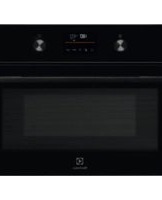
Microwave combi-oven
USER
MANUAL

FOR PERFECT RESULTS
Thank you for choosing this AEG product. We have created it to give you impeccable performance for many years, with innovative technologies that help make life simpler – features you might not find on ordinary appliances. Please spend a few minutes reading to get the very best from it.
Visit our website to:

Get usage advice, brochures, trouble shooter, service and repair information:
www.aeg.com/support

Register your product for better service:
www.registeraeg.com

Buy Accessories, Consumables and Original spare parts for your appliance:
www.aeg.com/shop
CUSTOMER CARE AND SERVICE
Always use original spare parts.
When contacting our Authorised Service Centre, ensure that you have the following data available: Model, PNC, Serial Number.
The information can be found on the rating plate.

Warning / Caution - Safety information

General information and tips

Environmental information
Subject to change without notice.
1. SAFETY INFORMATION......5
1.1 Children and vulnerable people safety.... 5 1.2 General Safety....5
2. SAFETY INSTRUCTIONS......8
2.1 Installation....8 2.2 Electrical connection....8 2.3 Use....9 2.4 Care and cleaning....10 2.5 Internal lighting.... 10 2.6 Service....10 2.7 Disposal....11
3. PRODUCT DESCRIPTION....12
3.1 General overview....12
4. CONTROL PANEL.... 13
4.1 Retractable knobs....13 4.2 Sensor fields / Buttons....13 4.3 Display....13
5. BEFORE FIRST USE.... 14
5.1 Initial Cleaning 14
6. DAILY USE......15
6.1 Setting function: Microwave....15 6.2 How to set: Microwave Combi.... 16 6.3 Heating functions.... 16
7. CLOCK FUNCTIONS.... 18
7.1 Clock functions table....18 7.2 How to set: Time of day.... 18 7.3 How to set function: Duration....18 7.4 How to set function: End Time....19 7.5 How to set function: Time Delay.... 19 7.6 How to set function: Minute Minder.... 20
8. USING THE ACCESSORIES.... 21
8.1 Inserting accessories....21
9. ADDITIONAL FUNCTIONS....22
9.1 How to use: Child lock.... 22 9.2 How to use: function lock....22 9.3 Cooling fan....22
10. HINTS AND TIPS.... 23
10.1 Cooking recommendations....23 10.2 Microwave recommendations ...... 23 10.3 Microwave suitable cookware and materials 24 10.4 Grill.... 25 10.5 Microwave cooking.... 26 10.6 Recommended power settings for different kinds of food....30 10.7 Information for test institutes....30
11. CARE AND CLEANING.... 32
11.1 Notes on cleaning....32
12. TROUBLESHOOTING.... 33
12.1 What to do if....33 12.2 Service data....33
13. ENERGY EFFICIENCY.... 35
13.1 Energy saving....35
14. IT'S EASY!......36
1. ⚠ SAFETY INFORMATION
Before the installation and use of the appliance, carefully read the supplied instructions. The manufacturer is not responsible for any injuries or damage that are the result of incorrect installation or usage. Always keep the instructions in a safe and accessible location for future reference.
1.1 Children and vulnerable people safety
- Do not let children play with the appliance.
- Keep all packaging away from children and dispose of it appropriately.
- WARNING: Keep children and pets away from the appliance when it operates or when it cools down. Accessible parts become hot during use.
- If the appliance has a child safety device, it should be activated.
- Children shall not carry out cleaning and user maintenance of the appliance without supervision.
1.2 General Safety
- Only a qualified person must install this appliance and replace the cable.
- WARNING: The appliance and its accessible parts become hot during use. Care should be taken to avoid touching heating elements. • Always use oven gloves to remove or put in accessories or ovenware.
- Before carrying out any maintenance, disconnect the appliance from the power supply.
- WARNING: Ensure that the appliance is switched off before replacing the lamp to avoid the possibility of electric shock.
- Do not use the appliance before installing it in the built-in structure.
- Do not use a steam cleaner to clean the appliance.
- Do not use harsh abrasive cleaners or sharp metal scrapers to clean the glass door since they can scratch the surface, which may result in shattering of the glass.
- If the mains power supply cable is damaged, it must be replaced by the manufacturer, its Authorised Service Centre or similarly qualified persons to avoid an electrical hazard.
- Do not activate the appliance when it is empty. Metal parts inside the cavity can create electric arcing.
- Metallic containers for food and beverages are not allowed during microwave cooking. This requirement is not applicable if the manufacturer specifies size and shape of metallic containers suitable for microwave cooking.
- The means for disconnection must be incorporated in the fixed wiring in accordance with the wiring rules.
- Use only the turntable and the turntable support designed for this appliance.
- WARNING: If the door or door seals are damaged, the appliance must not be operated until it has been repaired by a qualified person.
- WARNING: Only a qualified person can carry out any service or repair operation that involves the removal of a cover which gives protection against exposure to microwave energy.
- WARNING: Do not heat liquids and other foods in sealed containers. They are liable to explode.
- Use only utensils that are suitable for use in microwave ovens.
- When heating food in plastic or paper containers, observe the appliance due to the possibility of ignition.
- The appliance is intended for heating food and beverages. Drying of food or clothing and heating of warming pads, slippers, sponges, damp cloth and similar may lead to risk of injury, ignition or fire.
- If smoke is emitted, switch off or unplug the appliance and keep the door closed in order to stifle any flames.
- Microwave heating of beverages can result in delayed eruptive boiling. Care must be taken when handling the container.
- The contents of feeding bottles and baby food jars shall be stirred or shaken and the temperature checked before consumption, in order to avoid burns.
- Eggs in their shell and whole hard-boiled eggs should not be heated in the appliance since they may explode, even after microwave heating has ended.
- The appliance should be cleaned regularly and any food deposits removed.
- Failure to maintain the appliance in a clean condition could lead to deterioration of the surface that could adversely affect the life of the appliance and possibly result in a hazardous situation.
2. SAFETY INSTRUCTIONS
2.1 Installation

WARNING!
Only a qualified person must install this appliance.
- Remove all the packaging.
- Do not install or use a damaged appliance.
- Follow the installation instructions supplied with the appliance. • Always take care when moving the appliance as it is heavy. Always use safety gloves and enclosed footwear.
- Do not pull the appliance by the handle. • Install the appliance in a safe and suitable place that meets installation requirements.
- Keep the minimum distance from other appliances and units.
- Before mounting the appliance, check if the oven door opens without restraint.
- The appliance is equipped with an electric cooling system. It must be operated with the electric power supply.
| Cabinet minimum height (Cabinet under the work-top minimum height) | 444 (460) mm |
| Cabinet width 560 mm | |
| Cabinet depth 550 (550) mm | |
| Height of the front of the appliance 455 mm | |
| Height of the back of the appliance 440 mm | |
| Width of the front of the appliance 595 mm | |
| Width of the back of the appliance 559 mm | |
| Depth of the appliance 567 mm | |
| Built in depth of the appliance 546 mm | |
| Depth with open door 882 mm | |
| Ventilation opening minimum size. Opening placed on the bottom rear side | 560x20 mm |
| Mounting screws 3.5x25 mm |
2.2 Electrical connection

WARNING!
Risk of fire and electric shock.
- All electrical connections should be made by a qualified electrician. • The appliance must be earthed.
- Make sure that the parameters on the rating plate are compatible with the electrical ratings of the mains power supply.
- Always use a correctly installed shockproof socket.
- Do not use multi-plug adapters and extension cables.
- Make sure not to cause damage to the mains plug and to the mains cable. Should the mains cable need to be replaced, this must be carried out by our Authorised Service Centre.
- Do not let mains cables touch or come near the appliance door or the niche below the appliance, especially when it operates or the door is hot.
- The shock protection of live and insulated parts must be fastened in such a way that it cannot be removed without tools.
- Connect the mains plug to the mains socket only at the end of the installation. Make sure that there is access to the mains plug after the installation.
- If the mains socket is loose, do not connect the mains plug.
- Do not pull the mains cable to disconnect the appliance. Always pull the mains plug.
- Use only correct isolation devices: line protecting cut-outs, fuses (screw type fuses removed from the holder), earth leakage trips and contactors.
- The electrical installation must have an isolation device which lets you disconnect the appliance from the mains at all poles. The isolation device must have a contact opening width of minimum 3 mm.
- This appliance is supplied without a main plug and a main cable.
2.3 Use

WARNING!
Risk of injury, burns and electric shock or explosion.
• This appliance is for household use only. - Do not change the specification of this appliance. - Make sure that the ventilation openings are not blocked. - Do not let the appliance stay unattended during operation. - Deactivate the appliance after each use. - Be careful when you open the appliance door while the appliance is in operation. Hot air can release. - Do not operate the appliance with wet hands or when it has contact with water. - Do not apply pressure on the open door. - Do not use the appliance as a work surface or as a storage surface. - Open the appliance door carefully. The use of ingredients with alcohol can cause a mixture of alcohol and air. - Do not let sparks or open flames to come in contact with the appliance when you open the door. - Do not put flammable products or items that are wet with flammable products in, near or on the appliance. - Do not use microwave function to preheat the oven.

WARNING!
Risk of damage to the appliance.
- To prevent damage or discoloration to the enamel:
- do not put aluminium foil directly on the bottom of cavity of the appliance. – do not put water directly into the hot appliance. – do not keep moist dishes and food in the appliance after you finish the cooking.
- be careful when you remove or install the accessories.
- Discoloration of the enamel or stainless steel has no effect on the performance of the appliance.
- This appliance is for cooking purposes only. It must not be used for other purposes, for example room heating. • Always cook with the oven door closed.
- If the appliance is installed behind a furniture panel (e.g. a door) make sure the door is never closed when the appliance operates. Heat and moisture can build up behind a closed furniture panel and cause subsequent damage to the appliance, the housing unit or the floor. Do not close the furniture panel until the appliance has cooled down completely after use.
2.4 Care and cleaning

WARNING!
Risk of injury, fire, or damage to the appliance.
- Before maintenance, deactivate the appliance and disconnect the mains plug from the mains socket.
- Make sure the appliance is cold. There is the risk that the glass panels can break.
- Replace immediately the door glass panels when they are damaged. Contact the Authorised Service Centre.
- Make sure the cavity, the turntable and the door are wiped dry after each use. Steam produced during the operation of the appliance condensates on cavity walls and can cause corrosion.
- Clean regularly the appliance to prevent the deterioration of the surface material.
- Fat and food remaining in the appliance can cause fire and electric arcing when the microwave function operates.
- Clean the appliance with a moist soft cloth. Use only neutral detergents. Do not use abrasive products, abrasive cleaning pads, solvents or metal objects.
- If you use an oven spray, follow the safety instructions on its packaging.
2.5 Internal lighting

WARNING!
Risk of electric shock.
- Concerning the lamp(s) inside this product and spare part lamps sold separately: These lamps are intended to withstand extreme physical conditions in household appliances, such as temperature, vibration, humidity, or are intended to signal information about the operational status of the appliance. They are not intended to be used in other applications and are not suitable for household room illumination.
- Use only lamps with the same specifications.
2.6 Service
• To repair the appliance contact the Authorised Service Centre. - Use original spare parts only.
2.7 Disposal

WARNING!
Risk of injury or suffocation.
- Disconnect the appliance from the mains supply.
- Cut off the mains electrical cable close to the appliance and dispose of it.
- Remove the door catch to prevent children or pets from becoming trapped in the appliance.
3. PRODUCT DESCRIPTION
3.1 General overview

1 Control panel 2 Knob for the heating functions 3 Display 4 Control knob 5 Heating element 6 Microwave generator 7 Lamp 8 Turntable shaft
4. CONTROL PANEL
4.1 Retractable knobs
To use the appliance, press the knob. The knob comes out.
4.2 Sensor fields / Buttons
| ≡ | To set the clock functions and microwave power. Use only while a heating function works. |
| START | To start a heating function. Press to extend a microwave function duration for 30 sec. |
| OK | To confirm. |
4.3 Display

A. Timer / Microwave power B. Hours / minutes C. Demo Mode D. Clock functions
5. BEFORE FIRST USE

WARNING!
Refer to Safety chapters.
Set the time before you use the oven.
5.1 Initial Cleaning
 |  |  |
| Step 1 Step 2 Step 3 | ||
| Remove all accessories from the oven. | Clean the oven and the accessories with a soft cloth, warm water and a mild detergent. | Place the accessories in the oven. |

WARNING!
Refer to Safety chapters.
6.1 Setting function: Microwave
| How to start cooking with the default settings: | |
| Step 1 Turn the knob for the heating functions.First, the display shows the default setting for microwave power and then the default setting for: Duration. | |
| Step 2 | To start with the default settings press: $STARTThe signal sounds and the oven stops when cooking time ends. |
| Step 3 Turn the knob for the heating functions to the off position. | |
| How to change the settings: | |
| Step 1 Turn the knob for the heating functions.First, the display shows the default setting for microwave power and then the default setting for: Duration. | |
| Step 2 Turn the control knob to change the microwave power. The power setting changes in 100 W steps. | |
| Step 3 | ≡- press and then turn the control knob to change: Duration. ≡press again and again to switch between the settings for: Duration, microwave power. Turn the control knob to set the value. To confirm press: OK |
| Step 4 | Press: $STARTThe signal sounds and the oven stops when cooking time ends. |
| Step 5 Turn the knob for the heating functions to the off position. | |
When you open the oven door, the oven stops. To start it again, close the door and press: START.
| The maximum time of microwave functions depends on microwave power you set: | |
| MICROWAVE POWER MAXIMUM TIME | |
| 100 - 600 W 90 minutes | |
| More than 600 W 7 minutes | |
6.2 How to set: Microwave Combi
The oven can make noises when using the function: Microwave Combi. They are normal for this function.
| Step 1 Insert the low grill rack. | ||
| Step 2 | Turn the knob for the heating functions to select the function: [IMAGE]The display shows the default microwave power. | |
| Step 3 | Turn the control knob to change the microwave power. Press: [IMAGE]The display shows: Lo. | |
| Step 4 Turn the control knob to select the grill intensity level. | ||
| Function Grill intensity level | ||
| Lo Low | ||
| Hi High | ||
| Step 5 | Press: START | |
| Step 6 Turn the knob for the heating functions to the off position. | ||
Microwave power is limited to 500 W when you use the function: Microwave Combi.
6.3 Heating functions
| Heating function Application | |
 Off position Off position | The oven is off. |
 Light Light | To turn on the lamp. |
 Microwave Microwave | To heat and cook food. The microwave power range is from 100 - 1000 W. |
 Grill + MW Grill + MW | To cook food in a short time and to brown it. You can set 2 levels of grill intensity: low and high. |
 Grill Grill | To grill thin pieces of food and to toast bread. |
 Liquids Liquids | To heat drinks and soups. Power range is 800 - 1000 W. |
 Reheating Reheating | To heat pre-prepared meals and delicate food. Power range is 300 - 700 W. |
 Defrost Defrost | To defrost meat, fish, fruit, cakes, bread and butter. Power range is 100 - 200 W. |
 Melting Melting | To melt chocolate and butter. Power range is 100 - 400 W. |
 Popcorn Popcorn | To prepare popcorn. Power range is 700 - 1000 W. |
7. CLOCK FUNCTIONS
7.1 Clock functions table
| Clock function Application | |
 Time of Day Time of Day | To show or change the time of day. You can change the time of day only when the oven is off. |
| [S2X3]Duration | To set the length of cooking. Use only when a heating function is set. |
| [S24C]End Time | To set the oven turn-off time. Use only when a heating function is set. |
 Time Delay Time Delay | Combination of functions: Duration, End Time. |
 Minute Minder Minute Minder | To set a countdown time. This function has no effect on the operation of the oven.Minute Minder - can be set at any time, also if the oven is off. |
7.2 How to set: Time of day
After the first connection to the mains, wait until the display shows: hr, 12:00. 12 - flashes.
| Step 1 Turn the control knob to set the hour. | |
| Step 2 | ≡- press to confirm.The display shows the set hour and: min. 00 - flashes. |
| Step 3 Turn the control knob to set the minutes. | |
| Step 4 | OK- press to confirm.The display shows the set time. |
| ≡- press repeatedly to change the time of day. ⏻flashes in the display. | |
7.3 How to set function: Duration
| Step 1 | Set a heating function. Press: $START |
| Step 2 | ≡- press repeatedly. |→|starts to flash. |
| Step 3 | Turn the control knob to set the minutes. press to confirm. |
| Step 4 | Turn the control knob to set the hours. Press: OKWhen the set time ends the signal sounds for 2 min. Time setting flash in the display.The oven turns off automatically. |
| Step 5 Press any button to stop the signal. | |
| Step 6 Turn the knobs to the off position. | |
| This function is not available for microwave functions. | |
7.4 How to set function: End Time
| Step 1 Set a heating function. | |
| Step 2 | ≡- press repeatedly. →starts to flash. |
| Step 3 | Turn the control knob to set the hour.≡- press to confirm. |
| Step 4 | Turn the control knob to set the minutes. →press to confirm.At the set end time the signal sounds for 2 min. The time setting flashes in the display.The oven turns off automatically. |
| Step 5 Press any button to stop the signal. | |
| Step 6 Turn the knobs to the off position. | |
| This function is available only for: Grill | |
7.5 How to set function: Time Delay
| Step 1 | Set a heating function. Press: $START |
| Step 2 | ≡ - press repeatedly. |→| starts to flash. |
| Step 3 Turn the control knob to set the minutes for the function: Duration.Press: ≡ | |
| Step 4 Turn the control knob to set the hour for the function: Duration.Press:≡The display shows:→| | |
| Step 5 Turn the control knob to set the hour for the function: End Time.Press:≡ | |
| Step 6 Turn the control knob to set the minutes for the function: End Time.Press:START | |
| The display shows: |→| →|Oven turns on automatically later on, works for the set Duration time and stops at the set End Time.At the set End Time the signal sounds for 2 min. The time setting flash in the display. The oven turns off. | |
| Step 7 Press any button to stop the signal. | |
| Step 8 Turn the knobs to the off position. | |
| You can change the heating function after you set the function: Time Delay.Turn the knobs to the off positions to stop the function: Time Delay.This function is available only for: Grill | |
7.6 How to set function: Minute Minder
Minute minder can be both set when the oven is turned on and off.
| Step 1 | ≡- press repeatedly. 🔒00 - flash. |
| Step 2 Turn the control knob to set the seconds and than the minutes. | |
| Step 3 | ≡- press to confirm.Minute Minder - starts automatically after 5 sec.After 90% of the set time the signal sounds. |
| Step 4 | When the set time ends the signal sounds for 2 min. 00:00, 🔒flash. Press any button to stop the signal. |
8. USING THE ACCESSORIES

WARNING!
Refer to Safety chapters.
8.1 Inserting accessories
Use only suitable cookware and material. Refer to "Hints and tips" chapter, Microwave suitable cookware and materials.
Turntable set:
Always cook food on the turntable set.
Place the roller guide around the turntable shaft. Place the turntable glass on the roller guide.
Use only the turntable set supplied with the oven.

Grill rack set:
Place the grill rack with the silicon caps down on the turntable set.

9. ADDITIONAL FUNCTIONS
9.1 How to use: Child lock
When the function is on the oven cannot be turned on accidentally.
| Step 1 Ensure the knob for the heating functions is in the off position. | |
| Step 2 | START, OK press and hold at the same time for 2 sec. |
| To turn off the Child Lock, repeat the step 2. | |
9.2 How to use: function lock
You can turn on the function only when the oven works. When the function is on the temperature and time settings cannot be changed accidentally.
| Step 1 Set an oven function. | |
| Step 2 | START, OK press and hold at the same time for 2 sec.The signal sounds. Loc appears on the display for 5 sec. |
| To turn off the Function Lock, repeat step 2. | |
Loc appears on the display when you turn the control knob or press any button when the Function lock is on. When you turn the knob for the oven functions, the oven stops. When you turn off the oven while the Function Lock is on, the Function Lock switches automatically to the Child Lock. Refer to "Additional functions" chapter, Using the Child Lock.
9.3 Cooling fan
When the oven operates, the cooling fan turns on automatically to keep the surfaces of the oven cool. If you turn off the oven, the cooling fan can continue to operate until the oven cools down.
10. HINTS AND TIPS
i
Refer to Safety chapters.
10.1 Cooking recommendations
i
The temperature and cooking times in the tables are guidelines only. They depend on the recipes and the quality and quantity of the ingredients used.
Your oven may cook differently to the oven you had before. The tables below show recommended heating functions and settings for cooking time for specific types of the food.
If you cannot find the settings for a special recipe, look for the similar one.
10.2 Microwave recommendations
i
Let's cook!
Do not place the food directly on the turntable. Always use the microwave suitable cookware.
Place the cookware in the middle of the turntable.
Make sure that the food and cookware placed on the turntable is at room temperature. Contact with too hot or too cold items can break the turntable.
Turn or stir the food halfway through the defrosting and cooking time.
Stir liquid dishes from time to time.
Stir the food before serving.
Cover the food for cooking and reheating.
Put the spoon to the bottle or glass when heating drinks to ensure better heat distribution.
Put the food into the oven without packaging. The packaged ready meals can be put into the oven only when the packaging is microwave safe (check information on the packaging).

Microwave cooking
Cook food covered. If you want to keep a crust cook food without a cover.
Do not overcook the dishes by setting the power and time too high. The food can dry out, burn or cause fire.
Do not use the oven to cook eggs or snails in their shells, because they can burst. Pierce the yolk of fried egg before reheating it.
Pierce food with skin or peel several times before cooking.
Cut vegetables into similar-sized pieces.
After you turn off the oven, take the food out and let it stand for a few minutes.

Microwave defrosting
Put the frozen, unwrapped food on a small up-turned plate with a container below it, or on a defrosting rack or plastic sieve so that the defrosting liquid can leak out.
Remove defrosted pieces subsequently.
To cook fruit and vegetables without defrosting them first, you can use a higher microwave power.
10.3 Microwave suitable cookware and materials
For the microwave use only suitable cookware and materials. Use the table below as a reference. Check the cookware / material specification before use.
| Cookware / Material |  |  |  |  |
| Ovenproof glass and porcelain with no metal components, e.g. heat-proof glass | √ | √ | √ | √ |
| Non-ovenproof glass and porcelain without any silver, gold, platinum or other metal decorations | √ | XXX | ||
| Glass and glass ceramic made of ovenproof / frost-proof material | √ | √ | √ | √ |
| Ceramic and earthenware without any quartz or metal components and glazes which contain metal | √ | √ | X | X |
| Ceramic, porcelain and earth-enware with unglazed bottom or with small holes, e.g. on handles | XXXX | |||
| Heat-resistant plastic up to 200 °C | √ | √ | X | X |
| Cardboard, paper XXX | √ | |||
| Clingfilm XXX | √ | |||
| Roasting film with microwave safe closure | √ | √ | X | X |
| Roasting dishes made of metal, e.g. enamel, cast iron | XXX | √ | ||
| Baking tins, black lacquer or silicon-coated | XXX | √ | ||
| Cookware for microwave use, e.g. crisp pan | XXX | √ | ||
| Grill rack set XX | √ | √ |
10.4 Grill
Grill only thin pieces of meat or fish.
Preheat the empty oven before cooking.
Place the food on the high grill rack.
Use the function: Grill.
 GRILL GRILL |  (min) (min) (min) (min) |  |
| 1st side 2nd side | ||
| Whole fish, 0.4 - 0.45 kg 10 - 20 10 - 20 | ||
| Fish cutlet 10 - 20 5 - 10 | ||
| Toast with topping, 4 pieces 10 - 20 - | ||
| Baked cheese 5 - 15 5 - 15 | ||
| Fish fingers, chilled 10 - 20 5 - 15 | ||
| Chicken breast 10 - 20 10 - 20 | ||
| Salmon fillets, 0.15 kg | 10 - 20 5 - 10 | |
| Toast | 5 - 10 - |
10.5 Microwave cooking
| Tips for Microwave | ||
| Cooking / Defrosting results Possible cause Remedy | ||
| The food is too dry. Power was too high.Cooking time was too long. | Set lower power or/and short-er cooking time. | |
| The food is not defrosted, cold or underdone after cooking time ends. | Cooking time was too short. Set longer cooking time. Do not increase microwave pow-er. | |
| The food is overheated at the edges, but underdone in the middle. | Microwave power was too high. | Set lower power and longer cooking time. |
PEEROSTING Place the food container at the bottom of the cavity.
| MEAT / FISHSet power for 100 W unless specified otherwise. |  (kg) (kg) |  (min) Standing (min) Standing |  time (min) time (min) |
| Steak 0.2 6 - 8 5 - 10 | |||
| Minced meat, set 200 W 0.5 5 - 8 5 - 10 | |||
| Chicken 1 20 - 25 20 - 30 | |||
| Chicken breast 0.15 5 - 7 10 - 15 | |||
| Chicken legs 0.25 6 - 8 5 - 10 | |||
| Chicken wings | 0.2 3 - 4 5 - 10 | ||
| Whole fish | 0.5 10 - 15 10 - 15 | ||
| Fish fillet | 0.5 8 -12 | 5 - 10 | |
 DAIRY PRODUCTSSet power for 100 W. DAIRY PRODUCTSSet power for 100 W. |  (kg) (kg) |  (min) Standing (min) Standing |  time (min) time (min) |
| Butter 0.25 3 - 4 5 - 10 | |||
| Grated cheese 0.2 1 - 2 10 - 15 |
 CAKES AND BREADSet power for 200 W unless specified otherwise. CAKES AND BREADSet power for 200 W unless specified otherwise. |  |  (min) Standing (min) Standing |  time (min) time (min) |
| Yeast cake, set 100 W 1 piece 2 - 3 5 - 15 | |||
| Cheesecake, set 100 W 1 piece 3 - 5 15 - 20 | |||
| Dry cake, set 100 W 1 piece 1 - 2 - | |||
| Bread 1 kg 8 - 10 10 - 15 | |||
| Sliced bread 0.2 kg 1 - 2 5 - 10 | |||
| Bread rolls | 4 pieces | 1 - 2 5 - 10 |
 FRUIT FRUIT |  (kg) (kg) |  (W) (W) |  (min) (min) |  Standing time (min) Standing time (min) |
| Fruit | 0.3 | 100 | 5 - 10 | 5 - 10 |
 REHEATING REHEATING |  |  (W) (W) |  (min) (min) |  Standing time (min) Standing time (min) |
| Sauce | 200 ml | 700 | 2 - 3 | - |
| Soup | 300 ml | 700 | 4 - 5 | - |
 REHEATING REHEATING |  |  (W) (min) Standing (W) (min) Standing |  |  time (min) time (min) |
| Ready frozen meals 0.4 kg 600 10 - 15 2 - 5 | ||||
| Convenience food 0.4 kg 600 6 - 9 2 - 5 |
 MELTING MELTING |  (kg) (kg) |  (W) (min) Standing (W) (min) Standing |  |  time (min) time (min) |
| Chocolate / Chocolate icing 0.1 300 2 - 3 1 - 2 | ||||
| Butter 0.1 300 1 - 2 - |
 LIQUIDS LIQUIDS |  (ml) (ml) |  (W) (min) (W) (min) |  | ||
| Milk 200 | 1000 | 1 - 1:30 | |||
| Water | 200 | 1000 | 1:30 - 2 | ||
| Put the bag with popcorn on the turntable. Prepare one bag at the time. When popping slows down (1 - 2 sec between pops), stop the oven manually. | |||
 POPCORN POPCORN |  (kg) (kg) |  (W) (W) |  (min) (min) |
| Popcorn | 0.9 - 0.10 | 1000 | 1:30 - 2:30 |
 MICROWAVE MICROWAVE | ||||
 |  |  (W) (min) (W) (min) |  Standing Standing |  time (min) time (min) |
| Whole fish 0.5 kg 500 5 - 7 2 - 5 | ||||
| Fish fillet 0.5 kg 400 3 - 4 2 - 5 | ||||
| Vegetables, fresh 0.5 kg + 50 ml of water | 600 6 - 10 - | |||
| Vegetables, frozen 0.5 kg + 50 ml of water | 600 10 - 15 - | |||
| Jacket potatoes 0.5 kg 600 7 - 10 - | ||||
| Rice 0.2 kg + 400 mlof water | 600 12 - 16 - | |||
| Baby food in jars 0.2 kg 200 1 - 2 - | ||||
| Baby milk, put a spoon into the bottle | 180 ml 600 0:20 - 0:40 - | |||
Microwave Combi function
Set the function: Grill + MW.
Place the food on the low grill rack.
Turn the food halfway through the cooking time.
The standing time is 2 - 5 min.
 |  |  (W) Grill intensity level (W) Grill intensity level |  |  (min) (min) |
| Chicken, half | 2 x 0.6 kg | 400 | high | 30 - 35 |
| Chicken | 1.1 kg 300 | high 30 - 35 | ||
| Potato gratin | 1.1 kg 300 | low | 30 - 35 | |
| Lasagne | - | 400 | low | 25 - 35 |
10.6 Recommended power settings for different kinds of food
The data in the table is for guidance only.
| 800 - 1000 W | |
 |  |
| Searing at the start of the cooking process Heating liquids | |
| 500 - 700 W | |||||
 Cooking veg-etables Cooking veg-etables |  Cooking egg dishes Cooking egg dishes | 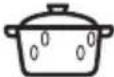 Simmering stews Simmering stews |  Simmering rice Simmering rice |  Heating one-plate meals Heating one-plate meals |  Defrosting and heating frozen meals Defrosting and heating frozen meals |
| 300 - 400 W | ||
 Melting cheese, chocolate, butter Melting cheese, chocolate, butter |  Cooking / Heating delicate food Cooking / Heating delicate food |  Continuing cooking Continuing cooking |
| 100 - 200 W | ||||
| [AXXID]Heating baby food |  Defrosting bread Defrosting bread |  Defrosting fruit and cakes Defrosting fruit and cakes |  Defrosting cheese, cream, butter Defrosting cheese, cream, butter |  Defrosting meat, fish Defrosting meat, fish |
10.7 Information for test institutes
Tests according to IEC 60705.
| MICROWAVE FUNCTION |  (W) (W) |  (kg) (kg) |  |  (min) (min) |  |
| Sponge cake 600 0.475 Turntable | set | 5 - 7 - | |||
| Meatloaf 500 0.9 Turntable | set | 18 - 20 - | |||
| Egg custard 500 1 Turntable | set | 15 - 17 - | |||
| Meat defrosting 200 0.5 Turntable | set | 8 - 9 - |
| Use the function: Grill + MW Use the low grill rack. | ||||
| MICROWAVE COMBI FUNCTION |  (W) Grill intensity level (W) Grill intensity level |  |  (min) (min) |  |
| Potato gratin, 1.1 kg 300 low 30 - 35 - | ||||
| Chicken, 1.1 kg 300 high 30 - 35 Put the meat in | round glass container. | |||
11. CARE AND CLEANING
11.1 Notes on cleaning
Cleaning Agents
Clean the front of the oven with a soft cloth with warm water and a mild detergent.
Use a cleaning solution to clean metal surfaces.
Clean stains with a mild detergent.
Everyday Use
Clean the cavity after each use. Fat accumulation or other residue may cause fire.
Clean the oven ceiling carefully from residue and fat.
Do not store the food in the oven for longer than 20 minutes. Dry the cavity with a soft cloth after each use.
Accessories
Clean all accessories after each use and let them dry. Before cleaning, wait until the turntable is cold. There is a risk that the turntable can break. Use a soft cloth with warm water and a mild detergent. Do not clean the accessories in a dishwasher.
Do not clean the non-stick accessories using abrasive cleaner or sharp-edged objects.
12. TROUBLESHOOTING
12.1 What to do if...
In any cases not included in this table please contact with an Authorised Service Centre.
 The oven does not turn on or does not heat up The oven does not turn on or does not heat up | |
| Problem Check if... | |
| You cannot activate or operate the oven. The oven is correctly connected to an electrical supply. | |
| The oven does not heat up. The automatic switch-off is deactivated. | |
| The oven does not heat up. The fuse is blown. | |
| The oven does not heat up. The Child Lock is off. | |
| [xxzw]Components | |
| Problem Check if... | |
| The lamp does not work. The lamp is burnt out. | Contact an Authorised Service Centre. |
| The turntable set makes noise. There is food residue below the turntable set. | |
 Error codes Error codes | |
| The display shows... Check if... | |
| 12:00 There was a power cut. Set the time of day. | |
| If the display shows an error code that is not in this table turn the house fuse off and on to restart the oven. If the error code recurs contact an Authorised Service Centre. | |
12.2 Service data
If you cannot find a solution to the problem yourself, contact your dealer or an Authorised Service Centre.
The necessary data for the service centre is on the rating plate. The rating plate is on the front frame of the oven cavity. Do not remove the rating plate from the oven cavity.
| We recommend that you write the data here: | |
| Model (MOD.) | |
| Product number (PNC) | |
| Serial number (S.N.) | |
13. ENERGY EFFICIENCY
13.1 Energy saving

The oven has features which help you save energy during everyday cooking.
Make sure that the oven door is closed when the oven operates. Do not open the oven door too often during cooking. Keep the door gasket clean and make sure it is well fixed in its position.
When possible, do not preheat the oven before cooking.
Keep breaks between baking as short as possible when you prepare a few dishes at one time.
14. IT'S EASY!
| Familiarize yourself with the icons on the control panel | Familiarize yourself with the symbols from the Quick Guide | ||
| ≡ | To set the clock functions, microwave power. |  Knob for the heating functions Knob for the heating functions |  Control knob Control knob |
| START | To start a heating function, extend microwave function duration for 30 seconds. | ||
| OK | To confirm. | ||
 |  |  |  |
| heating / cooking100 - 1000 W | cooking / browningintensity: low / high | cooking / browning | heating liquids800 - 1000 W |
 |  |  |  |
| reheating300 - 700 W | defrosting100 - 200 W | melting100 - 400 W | preparing popcorn700 - 1000 W |
| Settings of the microwave Microwave tips | |
| Microwave power: Maximum time: | |
| 100 - 600 W 90 min | |
| >600 W 7 min | |
| Each step on the knob = 100 W | |
| Setting heating function | ||
 |  | START |
| Setting function: Microwave | |||
 |  |  | START |
| Setting function: Microwave Combi | ||||
 |  |  |  | START |
| Setting and changing the time | |||
 hr min hr min |  |  |  |
| |→| Setting the duration | |||
| Press repeatedly:≡- starts to flash on the display. | |||
 |→| hr min |→| hr min |  |  |→| hr min |→| hr min |  |
Setting the Minute Minder:
Press repeatedly: the symbol starts to flash on the display.
| Setting the Minute Minder: | |||
| ≡ |  hr min hr min |  | OK |
15. ENVIRONMENTAL CONCERNS
Recycle materials with the symbol. Put the packaging in relevant containers to recycle it. Help protect the environment and human health by recycling waste of electrical and electronic appliances. Do not dispose of appliances marked with the symbol with the household waste. Return the product to your local recycling facility or contact your municipal office.
www.aeg.com/shop

CE
- USER
- MANUAL
- FOR PERFECT RESULTS
- CUSTOMER CARE AND SERVICE
- SAFETY INFORMATION
- SAFETY INSTRUCTIONS
- PRODUCT DESCRIPTION
- CONTROL PANEL
- BEFORE FIRST USE
- DAILY USE
- CLOCK FUNCTIONS
- USING THE ACCESSORIES
- ADDITIONAL FUNCTIONS
- HINTS AND TIPS
- CARE AND CLEANING
- TROUBLESHOOTING
- ENERGY EFFICIENCY
- IT'S EASY
- ⚠ SAFETY INFORMATION
- CHILDREN AND VULNERABLE PEOPLE SAFETY
- GENERAL SAFETY
- INSTALLATION
- WARNING
- ELECTRICAL CONNECTION
- USE
- INTERNAL LIGHTING
- SERVICE
- DISPOSAL
- GENERAL OVERVIEW
- RETRACTABLE KNOBS
- SENSOR FIELDS / BUTTONS
- DISPLAY
- INITIAL CLEANING
- SETTING FUNCTION: MICROWAVE
- HOW TO SET: MICROWAVE COMBI
- HEATING FUNCTIONS
- CLOCK FUNCTIONS TABLE
- HOW TO SET: TIME OF DAY
- HOW TO SET FUNCTION: DURATION
- HOW TO SET FUNCTION: END TIME
- HOW TO SET FUNCTION: TIME DELAY
- HOW TO SET FUNCTION: MINUTE MINDER
- INSERTING ACCESSORIES
- TURNTABLE SET
- GRILL RACK SET
- HOW TO USE: CHILD LOCK
- HOW TO USE: FUNCTION LOCK
- COOLING FAN
- COOKING RECOMMENDATIONS
- MICROWAVE RECOMMENDATIONS
- MICROWAVE COOKING
- MICROWAVE DEFROSTING
- MICROWAVE SUITABLE COOKWARE AND MATERIALS
- GRILL
- MICROWAVE COMBI FUNCTION
- RECOMMENDED POWER SETTINGS FOR DIFFERENT KINDS OF FOOD
- INFORMATION FOR TEST INSTITUTES
- NOTES ON CLEANING
- WHAT TO DO IF
- SERVICE DATA
- ENERGY SAVING
- ENVIRONMENTAL CONCERNS
Brand : AEG
Model : BFB5000WM
Category : Microwave