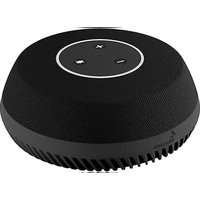
Table - Video conferencing system Stem - Free user manual and instructions
Find the device manual for free Table Stem in PDF.


| Product Type | Video Conferencing System |
| Brand | Stem |
| Model | Table |
| Dimensions (approx.) | 10 x 10 x 3 inches |
| Weight (approx.) | 2.5 lbs |
| Power Supply | USB-C (5V/3A) or AC adapter (included) |
| Primary Functions | Audio and video conferencing, 360° microphone, speaker, built-in camera |
| Connectivity | Bluetooth, Wi-Fi, USB-C |
| Camera Resolution | 1080p |
| Microphone Type | Omnidirectional beamforming |
| Speaker Output | 10W |
| Control | Touch buttons, remote control (included), app |
| Compatibility | Windows, macOS, iOS, Android |
| Maintenance & Cleaning | Wipe with a soft, dry cloth; do not use liquids or abrasives |
| Safety & Care | Keep away from water, avoid extreme temperatures, use only approved power supply |
| Spare Parts & Repairability | Battery and charging port replaceable by qualified technician; see manual for details |
| Warranty | 1-year limited warranty |
Frequently Asked Questions - Table Stem
User questions about Table Stem
0 question about this device. Answer the ones you know or ask your own.
Ask a new question about this device
Download the instructions for your Video conferencing system in PDF format for free! Find your manual Table - Stem and take your electronic device back in hand. On this page are published all the documents necessary for the use of your device. Table by Stem.
USER MANUAL Table Stem
Overview
Optimized for tabletops and flat surfaces, the Stem Table is a high-quality conference speakerphone that turns any environment into a professional conference room. Equipped with nine microphones that perform real beamforming and an innovative downward-facing speaker for amplified performance, Table takes the quality of your meetings to the next level.

Setting Up
All Stem endpoints can be used as solo standalone devices or in unison with other devices within the Stem ecosystem. If you plan on using this device as an individual unit, then follow the standalone setup instructions. If you plan on using multiple Stem devices in your room, then skip ahead to the multiple device setup instructions.

Standalone Setup (option 1)
- Place the device in the desired location in the room.
- Using an Ethernet cable, connect the device to a network that supports PoE+. This connection provides the device with power, data, and other IoT and SIP capabilities.
Note: If your network doesn't support PoE+, you should purchase a separate PoE+ injector or PoE+ enabled switch.
-
If you need video conferencing capabilities, use the USB type B cable provided and connect the device to your PC.
-
Lastly, we recommend you complete setting up your room via the Stem ecosystem platform. For more information on setting up your room, you can visit
stemaudio.com/manuals or stemaudio.com/videos
Note: The ecosystem platform is available on the Stem Control or in iOS, Windows, and Android apps. You can also access the platform through your web browser by typing in the product's IP address. If you need help finding your IP address press and hold down the Vol+ and Vol- for 5 seconds and the IP address will be read out.
- That's it! Table is all set up to work as a standalone device.
Multi-Device Setup (option 2)
- Place the device in the desired location in the room.
- Using an Ethernet cable, connect the device to a network that supports PoE+. This connection provides the device with power, data, and other IoT and SIP capabilities.
Note: If your network doesn't support PoE+, you should purchase a separate PoE+ injector or PoE+ enabled switch.
- When setting up multiple Stem devices in a room, make sure you have a Hub. All communications between the device and the far-end will be done through the Hub, so no USB connection is needed.
- You must complete setting up your room via the Stem ecosystem platform. For more information on setting up your room, you can visit stemaudio.com/manuals or stemaudio.com/videos
Note: The ecosystem platform is available on the Stem Control or in iOS, Windows, and Android apps. You can also access the platform through your web browser by typing in the product's IP address. If you need help finding your IP address press and hold down the Vol+ and Vol- for 5 seconds and the IP address will be read out.
- That's it! Table is all set up to work within the Stem ecosystem.
Using Table
The Directional Array
During a call, Table uses proprietary beamforming technology to locate a legitimate voice source and to steer an array towards it. This allows Table to focus on the speaker in the room and cancel out all other noise. The beamforming process is dynamic as it adjusts the direction of the array when the source of sound changes or moves. In a call, when a voice is detected in the room, one or multiple blue lights located in the light ring will indicate which direction Table's audio beam is focusing on. This is the direction that will be heard best by the far-end of the call (the person you are talking to).
Volume Control
Speaker
Change the speaker volume by using + to increase, or - to decrease the volume.
Mute
To mute Table's microphones during a call, press located on the top of the device. When muted, the light ring on the device will slowly pulse red. To unmute, just press again.

Light Ring Guide
| Light Ring Activity | Device Status |
| Slow red pulsing | Device is muted |
| Rapid red pulsing (approx. two seconds) | Device is being pinged |
| Solid red ring | Device error |
| Single blue light circulating counterclockwise | Device is booting up |
| Full blue ring turning off clockwise | Device is restarting |
| Partial blue ring shifting | Device is adapting & testing the environment |
| Directional blue light | Direction of voice pickup in progress |
Product Specs
Connectors
- USB: USB Type B
- Ethernet: RJ45 connector (requires PoE+)
Specs
• Frequency response: 50Hz – 16KHz
- Broadcast level (peak): 90dB SPL @ 1Khz from 1m (5 watts RMS)
- Noise cancellation: > 15dB (without pumping noise)
- 100% full duplex – no attenuation (in either direction) during full duplex
• High-end performance conforms to ITU-T G.167
• Acoustic echo cancellation: > 40dB with conversion speed of 40dB/sec
- Residual echo is suppressed to the environment noise level, preventing artificial ducking of signal
- Nine high-quality beamforming microphones
• One speaker: 4 watts (RMS)
• Direction-finding algorithm (determines the presence and direction of a speaker)
- Beamforming algorithm (forms and directs audio beams towards a defined direction)
• Automatic voice-level adjustment (AGC)
• Weight: 2.5 lbs. (1.1 kg)
• Dimensions: Diameter: 7.75 in. (19.7 cm) Height: 3 in. (7.6 cm)
• Power Consumption: PoE+ 802.3 at Type 2
- Operating Systems: Windows 98 and up / Linux / MacOS.
Complies with:
• AS/NZS CISPR 32:2015
• EN 55032:2012/AC:2013
• VCCI 32-1
• FCC 15.109:2019
• FCC 15.109(g):2019
• ICES-003:2016 updated April 2017
Warranty
The following warranty statement is effective for all Stem Audio products as of May 1st, 2019. Stem Audio warrants that this product is free of defects in both materials and workmanship. Should any part of this product be defective, the Manufacturer agrees, at its option, to repair or replace with a like-new replacement any defective part(s) free of charge (except transportation charges) for a period of two years for all products. This warranty period begins on the date the end-user is invoiced for the product, provided the end-user provides proof of purchase that the product is still within the warranty period and returns the product within the warranty period to Stem Audio or an authorized Stem Audio dealer according to the Product Return and Repair Policy listed below. All inbound shipping costs are the responsibility of the end-user, Stem Audio will be responsible for all outbound shipping costs.
Product Return and Repair Policy
-
Return to seller if purchased through an authorized dealer Proof of purchase date from reseller within the warranty period must be provided by the end-user Seller may, at its discretion, provide an immediate exchange or repair or may return the unit to the manufacturer for repair
-
Return to Manufacturer
a. An RMA (return merchandise authorization) number must be obtained by the end user from Stem Audio
b. The end-user must return the product to Stem Audio with proof of purchase (showing purchase date) for a warranty claim, and display the RMA number on the outside of the shipping package.
THIS WARRANTY IS VOID IF:
The product has been damaged by negligence, accident, act of God, or mishandling, or has not been operated in accordance with the procedures described in the operating and technical instructions; or; The product has been altered or repaired by other than the manufacturer or an authorized service representative of the Manufacturer; or; Adaptations or accessories other than those manufactured or provided by the Manufacturer have been made or attached to the product which, in the determination of the Manufacturer, shall have affected the performance, safety or reliability of the product; or; The product's original serial number has been modified or removed.
NO OTHER WARRANTY, EXPRESS OR IMPLIED, INCLUDING WARRANTIES OF MERCHANTABILITY OR FITNESS FOR ANY PARTICULAR USE, APPLIES TO THE PRODUCT. MANUFACTURER'S MAXIMUM LIABILITY HEREUNDER SHALL BE THE AMOUNT PAID BY THE END USER FOR THE PRODUCT.
The manufacturer shall not be liable for punitive, consequential, or incidental damages, expenses, or loss of revenue or property, inconvenience, or interruption in operation experienced by the end-user due to a malfunction in the purchased product. No warranty service performed on any product shall extend the applicable warranty period. This warranty extends only to the original end-user and is not assignable or transferable. This warranty is governed by the laws of the State of California. For more information or technical support please refer to our website www.stemaudio.com, email us at customerservice@stemaudio.com, or call (949) 877-7836.
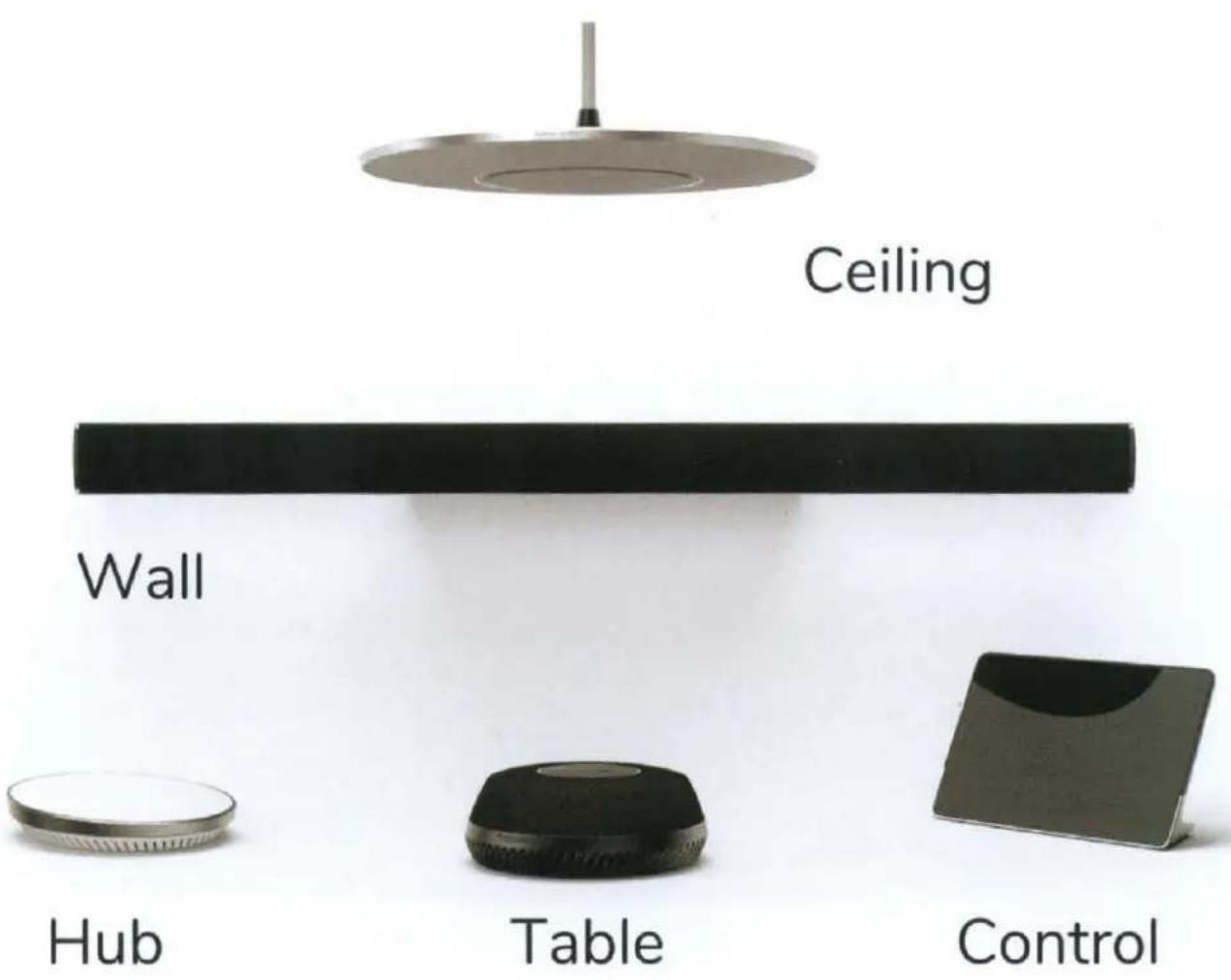
The Ecosystem
Need Some Help?
Website: stemaudio.com
Email: customerservice@stemaudio.com
Telephone: (949) 877-STEM (7836)
Product Quickstart Guides:
stemaudio.com/manuals
Product Setup Videos:
stemaudio.com/videos


STEM TABLE
TABLETOP AUDIO REINVENTED
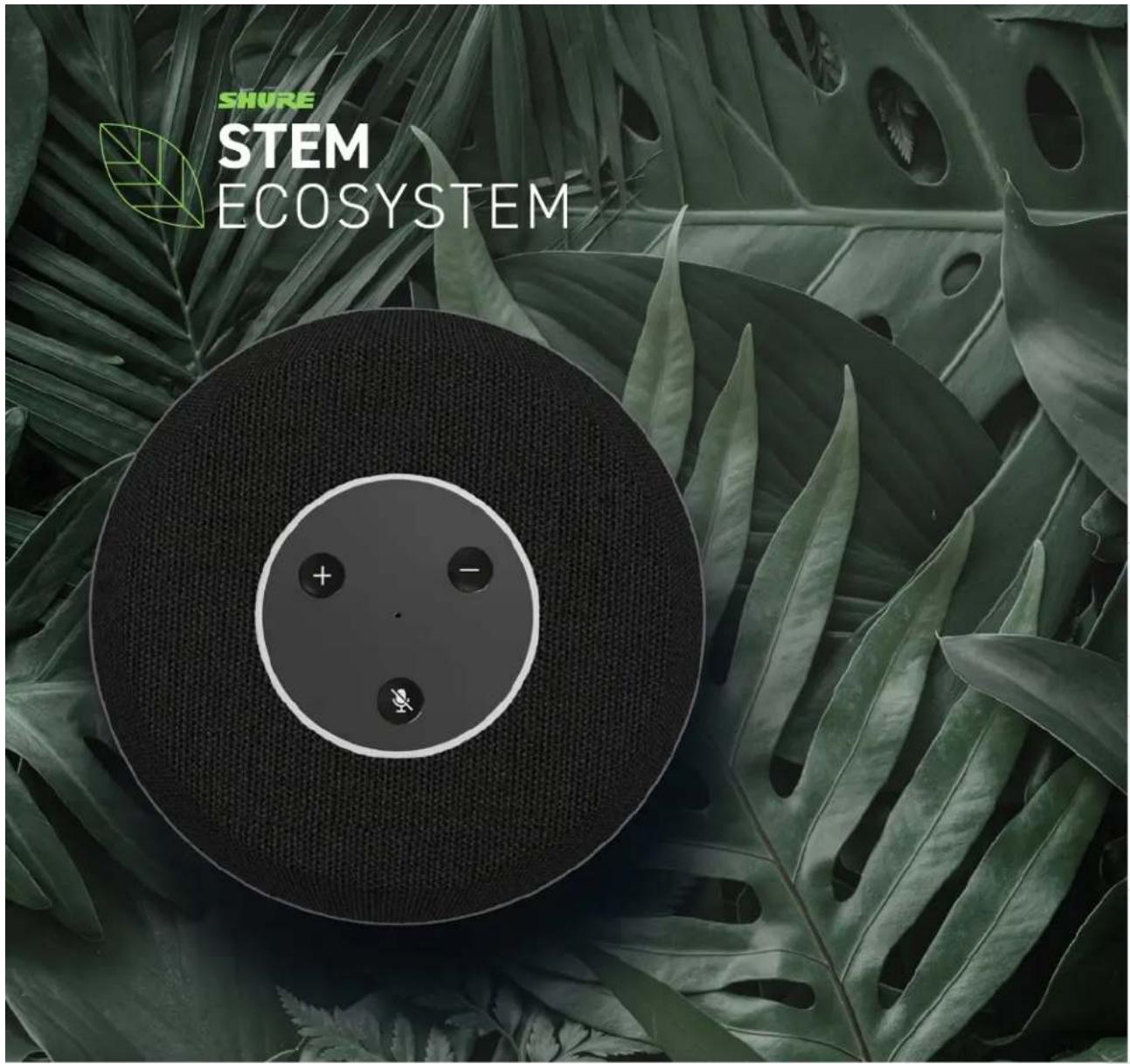
Table Array Speakerphone — This is not your typical tabletop speaker-phone. Stem Table combines beamforming microphone arrays with an innovative loudspeaker to take the quality of your meetings to the next level.


DIRECTIONAL ARRAY
9 built-in microphones circle the perimeter to pick up your voice and a segmented LED light ring highlights the direction of the speaker. A mute button on the device provides added control during your call.

MICROPHONE AND SPEAKER SEPARATION
A full-range speaker with volume controls at your fingertip. The downward-facing driver separates the speaker from the microphones for enhanced audio performance.

BUILT-IN SIGNAL PROCESSING
State-of-the-art AEC, AGC, noise cancellation, and de-reverberation algorithms enable full duplex communication and enhance the conferencing experience for all participants.

INSTALLATION
Power over Ethernet (PoE+) and networked setup eliminate complicated cabling and make installation effortless.

EASILY EXPAND AUDIO COVERAGE
Place multiple Stem Tables on your conference table, or pair with other Stem Ecosystem devices to cover your room's audio needs.

VIDEO CONFERENCING SIMPLIFIED
Compatible with your favorite video conferencing platforms. Directly connect a standalone Stem Table to your PC via USB or use Stem Control to integrate your Stem Ecosystem for video conferencing.

MOUNTING OPTIONS
Tabletops and flat surfaces
DIMENSIONS
Diameter: 7.75 in. (19.7 cm) Height: 3 in. (7.6 cm)
CONNECTIONS
RJ45 Ethernet and USB Type B

APPLICATIONS
Need more coverage? Mix and match with other Stem Ecosystem devices for a customized audio solution to perfect the pick-up in your rooms. The reference designs below are just a few examples of how you can create countless combinations of Stem Ecosystem devices to meet the needs of any meeting room environment.
See more examples at www.stemaudio.com/reference-room-designs

HUDDLE ROOM
1 Stem Table | 1 Stem Control

MEDIUM CONFERENCE ROOM
1 Stem Ceiling | 1 Stem Table | 1 Stem Hub | 1 Stem Control

LARGE CONFERENCE ROOM
2 Stem Tables | 1 Stem Wall | 1 Stem Hub | 1 Stem Control

U-SHAPED CONFERENCE ROOM
3 Stem Tables | 1 Stem Hub | 1 Stem Control

STEM ECOSYSTEM PLATFORM
Stem devices are backed by a robust platform full of tools designed to make the process of adopting new technology effortless for anyone. You can access the Stem Ecosystem platform via Stem Control, iOS or Android app, or via HTML web browser.
RoomDesign
Virtually recreate your room so you know exactly what audio devices you need before you buy. Choose your favorite combination of devices, place them in your desired location, and even check the estimated coverage ranges.
RoomAdapt
No manual configuration or tuning needed. At the press of a button, Stem devices will listen to and automatically adjust and optimize device settings specific to the acoustic signature of your room.
RoomCheck
By listening to your voice, the noise in the room, and measuring the reverberation that your room acoustics produce, RoomCheck generates a heatmap highlighting the expected audio quality for different areas in the room.
Remote Management
See what's happening across your organization at any given moment. Learn from data-rich statistics about room usage and performance, or schedule automatic device updates, all in one place.

STEM TABLE
TABLE ARRAY SPEAKERPHONE
OVERVIEW
Stem Table Array Speakerphone combines beamforming microphone arrays with an innovative loudspeaker and convenient on-device controls. Optimized for tabletops and fl at surfaces, Stem Table takes the quality of meetings to the next level.
FEATURES
• 9 built-in microphones pick up voices from 360 degrees.
• Downward-facing driver separates the speaker from the microphones for enhanced audio performance.
• Built-in digital signal processing includes state-of-the-art acoustic echo cancellation, automatic gain control, noise cancellation, and de-reverberation algorithms.
• Automatic configuration and control with Stem Ecosystem platform.
• LED lights indicate voice direction and device status.
• Controls on the device include Volume Up, Down, and Mute.
• Compatible with leading video conferencing platforms.
- Directly connect the standalone device to a PC via USB or use Stem Control Touch Controller to integrate a Stem Ecosystem room solution for video conferencing.
• Power over Ethernet (PoE+).
• Kensington lock equipped.
SPECIFICATIONS (subject to change)
GENERAL
| Connector Type RJ45 and USB Type B | |
| Power Requirements Power over Ethernet Plus (PoE+) 802.3 at Type 2 | |
| Control Application Stem Ecosystem Platform | |
| Weight 2.5 lbs (1.1 kg) | |
| Product Dimensions 7.75 x 3 in (19.7 x 7.6 cm) D x H | |
| Operating Temperature Range -6.7°C (20°F) to 40°C (104°F) | |
| Storage Temperature Range -29°C (-20°F) to 74°C (165°F) |
AUDIO
| Coverage Angle 360 degrees | |
| Frequency Response | 50 Hz to 16 kHz |
| Built-in DSP | Automatic Voice-Level Adjustment (AGC);100% Full Duplex, no attenuation in either direction |
| Noise Cancellation | >15dB (without pumping noise) |
| Acoustic Echo Cancellation | >40dB with conversion speed of 40dB/sec; residual echo is suppressed to the environment noise level, preventing artif cial ducking of signal; High-end performance conforms to ITU-T G.169 |
| Speaker Power Handling | 1 Speaker: 4 watts (RMS) |

STEM TABLE Table Array

STEM TABLE Connectivity
ACCESSORIES (included in the box)
CAT & Ethernet Cable: 15 ft. (4.6 m)
USB Type A to USB Type B Cable: 12 ft. (3.7 m)
Stem Audio User Agreement
This Stem Audio Software and Product End User Agreement (this "Agreement") is a binding agreement between STEM AUDIO, a California corporation (the "Company"), and you ("your" or "you") for the Stem Audio products that you purchased from Stem Audio or one of its authorized distributors (the "Products") and the software included with the Products and made available to you as an owner of the Products (the "Software"). By using or accessing the Products and the Software, you agree to this Agreement. If you are using the Software and Services on behalf of a company, then you represent and warrant that you have the authority do so on behalf of your company.
-
License Grant and Scope. Subject to and conditioned upon your strict compliance with all terms and conditions set forth in this Agreement, the Company hereby grants to you a non-exclusive limited license to use, the Software, as incorporated into, or used in conjunction with, the Products and the documentation provided by the Company (the "Documentation") with the Software and the Products, subject to all conditions and limitations set forth in this Agreement.
-
Use Restrictions. You shall not directly or indirectly: (a) use the Software or the Documentation beyond the scope of the license granted under Section 1; (b) modify, translate, adapt, or otherwise create derivative works of the Software or the Documentation; or (c) reverse engineer, disassemble, decompile, decode, or otherwise attempt to derive or gain access to the source code of the Software or any part thereof;
-
Collection and Use of Information By Company.
(a) You acknowledge that the Company collects the following data relating to your Products, which are provided by the Company to you to provide product support to you and to further development of current and future Products by the Company (collectively, "Data"):
(i) data from tests performed by you using the Products (e.g., Room Check, Room Adapt, and Room Test). This data will include, without limitation, the audio recordings from the sounds tests that you perform as well as information relating to the microphone sensitivities, and reverberance levels captured by the speakers (note:audio will be recorded to capture the "test tones" (and other background noise) during these tests);
(ii) network performance of your Products, such as the number of lost packets and the network bandwidth of the system in which the Products are being operated;
(iii) error logs identifying system errors with respect to the Product and the Software (e.g., the loss of connection with respect to a unit or room or a failure of Software test with respect to the Product). The error information collected will consist of the MAC address of the Product, the time the error occurred, and the type of error event;
(iv) information relating to room pairings and how units work as part of a unit or room. The information collected will consist of the MAC address of the Products, the existence of a pairing, the time the pairings occurred, and the units paired;
(v) setup and configurations of Products using the Software. The information collected consists of how many units are in a room setup and the type of units in a room setup. Identifying information relating to the actual room where the Products are setup will not be collected.
(b) You further agree that the Company may use the foregoing information collected to measure the performance of the Products and Software and to develop updates, upgrades, and improved Products and Software.
- Information Not Collected By the Company. Data collected and stored will be identified only by the unique MAC address of the units to which the Data relates. The Company will not store or use the Data with information relating to a particular user, organization, or location, unless the Company is researching a particular inquiry by you, in which case you will need to provide the Company with the unique MAC address for the Product so that Company can identify your device to investigate your inquiry. Repair and maintenance logs will be kept separate from any Data (as defined in this Agreement).
The Company's repair and maintenance logs that are associated with your account will be utilized only for servicing your account (de-identified general repair and maintenance history for Products and Software may be maintained by the Company to track general Product and Software performance).
-
DISCLAIMER OF WARRANTIES. Except as expressly provided by the Company in a written Company warranty provided by the Company to you, the Software and Products are provided "AS-IS". To the maximum extent permitted by law, the Company disclaims all warranties express or implied, including the implied warranty of non-infringement, merchantability, and fitness for a particular purpose.
-
Limitation of Liability, TO THE FULLEST EXTENT PERMITTED UNDER APPLICABLE LAW:
(a) IN NO EVENT WILL COMPANY OR ITS AFFILIATES, OR ANY OF ITS OR THEIR RESPECTIVE COMPANIES OR SERVICE PROVIDERS, BE LIABLE TO YOU OR ANY THIRD PARTY FOR ANY USE, INTERRUPTION, DELAY, OR INABILITY TO USE THE SOFTWARE; LOST REVENUES OR PROFITS; DELAYS, INTERRUPTION, OR LOSS OF SERVICES, BUSINESS, OR GOODWILL; LOSS OR CORRUPTION OF DATA; LOSS RESULTING FROM SYSTEM OR SYSTEM SERVICE FAILURE, MALFUNCTION, OR SHUTDOWN; FAILURE TO ACCURATELY TRANSFER, READ, OR TRANSMIT INFORMATION; FAILURE TO UPDATE OR PROVIDE CORRECT INFORMATION; SYSTEM INCOMPATIBILITY OR PROVISION OF INCORRECT COMPATIBILITY INFORMATION; OR BREACHES IN SYSTEM SECURITY; OR FOR ANY CONSEQUENTIAL, INCIDENTAL, INDIRECT, EXEMPLARY, SPECIAL, OR PUNITIVE DAMAGES, WHETHER ARISING OUT OF OR IN CONNECTION WITH THIS AGREEMENT, BREACH OF CONTRACT, TORT (INCLUDING NEGLIGENCE), OR OTHERWISE, REGARDLESS OF WHETHER SUCH DAMAGES WERE FORESEEABLE AND WHETHER OR NOT THE COMPANY WAS ADVISED OF THE POSSIBILITY OF SUCH DAMAGES.
(b) IN NO EVENT WILL COMPANY AND ITS AFFILIATES', INCLUDING ANY OF ITS OR THEIR RESPECTIVE COMPANYS' AND SERVICE PROVIDERS', COLLECTIVE AGGREGATE LIABILITY UNDER OR IN CONNECTION WITH THIS AGREEMENTOR ITS SUBJECT MATTER, UNDER ANY LEGAL OR EQUITABLE THEORY, INCLUDING BREACH OF CONTRACT, TORT (INCLUDING NEGLIGENCE), STRICT LIABILITY, AND OTHERWISE, EXCEED THE TOTAL AMOUNT PAID TO THE COMPANY PURSUANT TO THIS AGREEMENT FOR THE PARTICULAR PRODUCTS AND SOFTWARE TO WHICH SUCH LIABILITY RELATES.
-
Governing Law. This Agreement shall be interpreted and construed in accordance with the laws of California. Any and all claims, controversies and causes of action arising out of or relating to this Agreement, whether sounding in contract, tort or statute, shall be governed by the laws of the California, including its statutes of limitations, without giving effect to any conflict-of-laws rule that would result in the application of the laws of a different jurisdiction. Any action arising out of this agreement shall be brought exclusively in a court of competent jurisdiction located in Orange County, California.
-
Entire Agreement: Amendments: Severability: Counterparts. This Agreement constitutes the entire agreement and understanding of the parties, and supersedes any and all previous agreements and understandings, whether oral or written, between the parties with respect to the matters set forth in this Agreement. No provision of this Agreement may be amended, modified or waived, except in a writing signed by the parties. The invalidity or unenforceability of any provision of this Agreement shall not affect the validity or enforceability of any other provision, and if any restriction in this Agreement is found by a court to be unreasonable or unenforceable, then such court may amend or modify the restriction so it can be enforced to the fullest extent permitted by law. The section headings in this Agreement have been inserted as a matter of convenience of reference and are not a part of this Agreement.

stem audio
QUALITY CERTIFICATE
Tested by: nae043
Date: May 24, 2021
Hardware Version: 6.6
Firmware Version: 2.2.2.0
Model: TABLE
MAC Address: D8:34:EE:20:10:5D
Serial: 020521004189
USB Port: PASSED
Ethernet Port: PASSED
Lights (blue): PASSED
Lights(red): PASSED
Lights (white): PASSED
Buttons (Vol-): PASSED
Buttons (Vol+): PASSED
Buttons (Mute): PASSED
Internal Microphones: PASSED
Internal Speaker: PASSED
- OVERVIEW
- SETTING UP
- STANDALONE SETUP (OPTION 1)
- MULTI-DEVICE SETUP (OPTION 2)
- USING TABLE
- THE DIRECTIONAL ARRAY
- VOLUME CONTROL
- SPEAKER
- MUTE
- PRODUCT SPECS
- CONNECTORS
- SPECS
- COMPLIES WITH
- WARRANTY
- PRODUCT RETURN AND REPAIR POLICY
- THIS WARRANTY IS VOID IF
- THE ECOSYSTEM
- NEED SOME HELP
- STEM TABLE
- TABLETOP AUDIO REINVENTED
- DIRECTIONAL ARRAY
- MICROPHONE AND SPEAKER SEPARATION
- BUILT-IN SIGNAL PROCESSING
- INSTALLATION
- EASILY EXPAND AUDIO COVERAGE
- VIDEO CONFERENCING SIMPLIFIED
- MOUNTING OPTIONS
- DIMENSIONS
- CONNECTIONS
- APPLICATIONS
- HUDDLE ROOM
- MEDIUM CONFERENCE ROOM
- LARGE CONFERENCE ROOM
- U-SHAPED CONFERENCE ROOM
- STEM ECOSYSTEM PLATFORM
- ROOMDESIGN
- ROOMADAPT
- ROOMCHECK
- REMOTE MANAGEMENT
- TABLE ARRAY SPEAKERPHONE
- FEATURES
- SPECIFICATIONS (SUBJECT TO CHANGE)
- ACCESSORIES (INCLUDED IN THE BOX)
- STEM AUDIO USER AGREEMENT
- STEM AUDIO
- QUALITY CERTIFICATE
Brand : Stem
Model : Table
Category : Video conferencing system