
DA-90384 - Office Digitus - Free user manual and instructions
Find the device manual for free DA-90384 Digitus in PDF.


| Product Type | Monitor Arm |
| Brand | Digitus |
| Model | DA-90384 |
| Category | Office |
| Dimensions (approx.) | 600 × 200 × 100 mm |
| Weight (approx.) | 3 kg |
| Material | Aluminum alloy, steel |
| VESA Compatibility | 75×75 mm, 100×100 mm |
| Load Capacity | Up to 8 kg |
| Tilt Range | +15° / -15° |
| Swivel Range | 180° |
| Rotation | 360° |
| Height Adjustment | Gas spring, 250 mm range |
| Mounting Options | Clamp (desk thickness up to 80 mm) or grommet |
| Cable Management | Integrated cable clips |
| Power Supply | None required (manual) |
| Warranty | 2 years |
| Cleaning Instructions | Wipe with a dry, soft cloth; avoid solvents |
| Certifications | CE, TÜV |
Frequently Asked Questions - DA-90384 Digitus
User questions about DA-90384 Digitus
0 question about this device. Answer the ones you know or ask your own.
Ask a new question about this device
Download the instructions for your Office in PDF format for free! Find your manual DA-90384 - Digitus and take your electronic device back in hand. On this page are published all the documents necessary for the use of your device. DA-90384 by Digitus.
USER MANUAL DA-90384 Digitus
A. Operating Control Panel

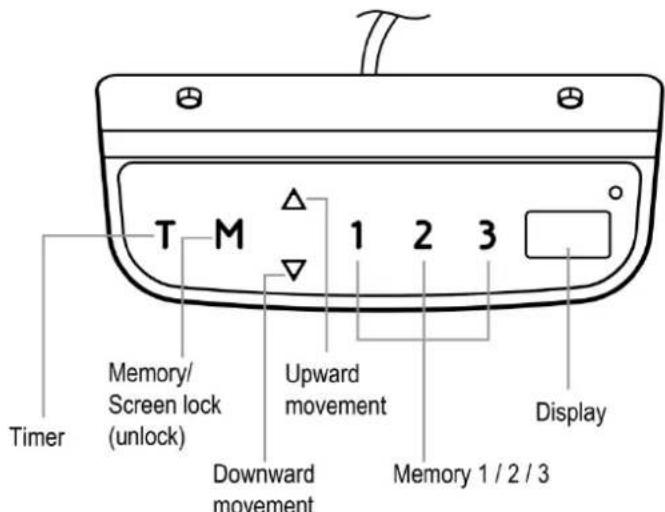
| EN | EN |
| Timer | Timer |
| Memory/Screen lock (unlock) Memory/Screen lock (unlock) | |
| Downward movement Downward movement | |
| Upward movement Upward movement | |
| Memory 1/2/3 Memory 1/2/3 | |
| Display | Display |
Operation Instruction:
- When the system is powered on, you will hear a beep and the existing desktop height will be displayed on the controller.
2. Upward movement
Downward movement
Touch the “△or” and do not release until the desk reaches the desired height. If the motor continuously operates for a relatively long period of time, the overheat protection will activate. The control panel will work normally again after approximately 20 minutes.
3. Memory Mode
To store a certain height in the controller's memory, first touch "M" The letter "Swill be displayed. Now touch "1", "2", or "3" within five seconds to store the current height in memory. The "1", "2", or "3" buttons can each store a different height. Once in memory, you can select any of the 3 height settings found in the controller's memory by pressing the corresponding button. Touching any buttons (except for "T") will stop the automatic adjustment.
4. Reset Mode
While the unit is powered on, press the “▼button until the desk moves into a fully lowered position, “63.0” or “73.0” is displayed on the controller. Again, press the “▼button until “RST” is displayed on the controller. Once the display shows “62.0” or “72.5”, release the “▼button-the desk will move upward for approximately 10mm or 5mm and automatically come to a stop. After finishing the reset, the controller should display “63.0” or “73.0” which is the current height.
5. Time Reminder
To set the time reminder, press “T” found on the controller. The display will flash “0.5h” which means 0.5 hour. Press the “T” repetitively to increase 0.5 hours at a time. The maximum timer setting is two hours. The timer is set when the digit stops flashing and the light in the top right corner of the controller is on. When the timer has reached the set time, the buzzer beeps, reminding the user to adjust his/her working position. Once a timer setting has expired, the unit’s timer is cancelled. To de-activate the timer, press the “T” five times until the current height is displayed and the light found in the upper right side of the controller is off.
6. Protective Standby Mode (60 Second)
If you want to prevent accidental operation, long press "M" button for 3s to activate standby mode. The protective standby mode activates when the display shows “---”. The protective standby mode will also activate when there is no operation over 60s. To turn off the standby mode, long press the "M" button for 3s.
7. Power-saving Mode (10 Minutes)
When no actions are made for over 10 minutes, the system will enter power-saving mode. Touch any button to enter operation mode.
8. Switch measurement between cm and inch
The preset measurement shown on the display is cm. If you would like to change cm to inch, please restart the system and press the button "T for 8 seconds. After the buzzer beeps twice, the measurement is successfully reset. If you would like to switch inch back to cm, please restart the system and press the button "T for 8 seconds. After the buzzer beeps once, the system is successfully switched to cm measurement again.
Trouble Shooting
Below are the possible error codes that may be displayed on the control panel.
Error Code Description
| ER1 | Overload in downwards direction has occurred and needs to be restart power. |
| ER2 | Over-heating in the controller has occurred and needs to cool. |
| ER3 | Motor cable connection fault and needs to be reset. |
| ER4 | Both legs have different heights and need to be reset. |
| ER5 | Motor fault |
Note:
- Self-protection function: the unit will enter protective mode if the system operate in excess of two minutes with "HOT" on the controller display. The system will reset and return to normal operation after approximately 18 minutes.
- Overload protection mode: while operating, if the load on the desk is over weight capacity, the system will enter into an overload protection mode. This will protect the system from damages caused by exceeding weight. When this happens, the desk will move downward approximately 30mm and come to a stop with the current height displayed.
- Attention: NEVER remove or turn off the power in order to reset the unit when it is in a protective mode or "HOT" state.
- Please reset in case two legs are different in height.
B. Repair Guide
In Front

This repair guide intents to help you identify and solve the minor problems caused by unusual operation of the electric system of our sit-stand desk. The simple procedures in this manual are easy to follow and capable of solving the most problems happened in everyday use.
Errors
1. Display Shows ER1
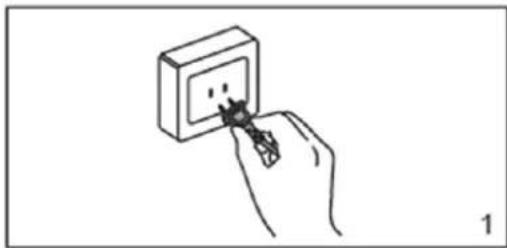
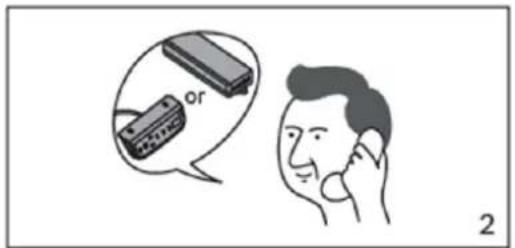
When ER1 is shown on the control panel, please check if the load is over weight capacity. If not, please reconnect the desk to power, and restart the system. If ER1 is still shown on the panel, please contact your point of purchase for service or repair to your unit.
2. Display Shows ER2
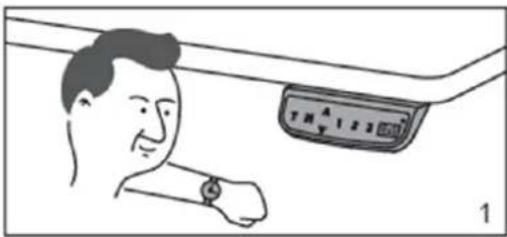
Your desk is in thermal protection mode should ER2 appear on the control panel. This is normally nothing to worry about, and usually is an indication that the system has experienced above -normal operating temperature due to a number possibilities including environment, desktop weight, or activity that is above rated specifications. Allow your desk to cool down and remain idle for approximately 20 minutes and the ER2 continue to be displayed on the control panel after the allotted time, please contact your point of purchase for service or repair to your unit.

3. Display Shows ER3/ER4/ER5
When ER3/ER4/ER5 appears on the control panel, please reconnect the motor cords to the control unit. Then, reconnect the desk to power, and press down button to reset the system. If ER3/ER4/ER5 still appears, please contact your point of purchase for service or repair to your unit.

4. Display Shows Control Panel Problems
If the control panel has no response or can't adjust the desk, please contact your point of purchase to replace the control panel after confirming the desk is properly connected to power. If the new control panel works, please contact us to replace the original control panel. If the desk still doesn't work, please contact your point of purchase for service or repair to your unit.
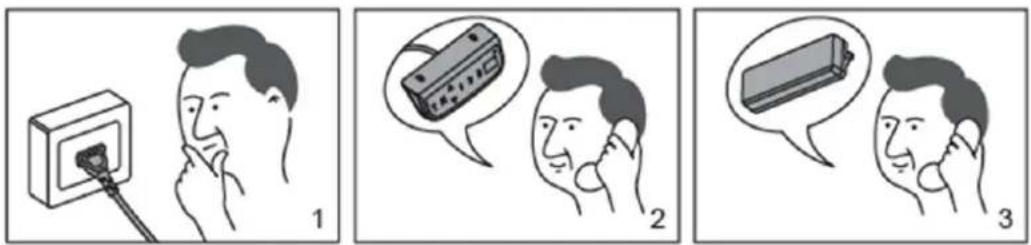
5. Can't Operate
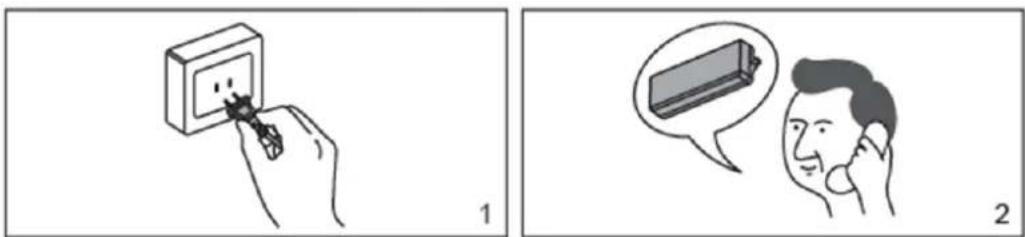
If the desk doesn't work, after confirming the control panel works properly, please turn the power off, and restart the system. If it still doesn't work, please contact your point of purchase for service or repair to your unit.




- OPERATING CONTROL PANEL
- OPERATION INSTRUCTION
- UPWARD MOVEMENT
- DOWNWARD MOVEMENT
- MEMORY MODE
- RESET MODE
- TIME REMINDER
- PROTECTIVE STANDBY MODE (60 SECOND)
- POWER-SAVING MODE (10 MINUTES)
- SWITCH MEASUREMENT BETWEEN CM AND INCH
- TROUBLE SHOOTING
- NOTE
- REPAIR GUIDE
- IN FRONT
- ERRORS
- DISPLAY SHOWS ER1
- DISPLAY SHOWS ER2
- DISPLAY SHOWS ER3/ER4/ER5
- DISPLAY SHOWS CONTROL PANEL PROBLEMS
- CAN'T OPERATE
Brand : Digitus
Model : DA-90384
Category : Office