
DMR-BWT720 - Blu-ray player PANASONIC - Free user manual and instructions
Find the device manual for free DMR-BWT720 PANASONIC in PDF.


Pick your language and provide your email: we'll send you a specifically translated version.
| Product Type | Blu-ray Disc Recorder / Player |
| Model Number | DMR-BWT720 |
| Brand | Panasonic |
| Dimensions (W x H x D) | 430 x 59 x 249 mm |
| Weight | Approx. 2.9 kg |
| Power Supply | AC 220-240 V, 50/60 Hz |
| Power Consumption | 28 W (approx.) |
| Standby Power Consumption | 0.2 W (approx.) |
| Recording Media | BD-R/RE, DVD-R/RW, CD-R/RW |
| Playable Discs | Blu-ray (BD-ROM, BD-R/RE), DVD (DVD-ROM, DVD-R/RW, DVD+R/RW), CD (CD-DA, CD-R/RW) |
| Hard Disk Capacity | 500 GB |
| Video Output | HDMI (x1), Composite (x1) |
| Audio Output | HDMI, Optical digital, Analog 2ch |
| Network Connectivity | Ethernet (10/100), Wi-Fi built-in |
| USB Ports | 2 x USB 2.0 (front and rear) |
| TV Tuner | Twin DVB-T2/HEVC tuner |
| Main Functions | Playback, recording, timeshift, network streaming, DLNA, VIERA Link |
| Maintenance & Cleaning | Wipe exterior with a soft, dry cloth. Clean disc lens with lens cleaner. |
| Safety Notes | Do not place near heat sources. Ensure proper ventilation. Do not disassemble. |
| Spare Parts & Repairability | Contact Panasonic service center for genuine parts. Some parts may be user-replaceable (e.g., power cord). |
Frequently Asked Questions - DMR-BWT720 PANASONIC
Can the Panasonic DMR-BWT720 play 4K Ultra HD Blu-ray discs?
No, the DMR-BWT720 is a Full HD 1080p model and does not support 4K UHD playback. It can upscale standard content to 4K though.
How do I connect the DMR-BWT720 to the internet?
You can connect via Ethernet cable to your router or use the built-in Wi-Fi. Go to Setup > Network for configuration.
What types of discs can I record on?
You can record on BD-R/RE, DVD-R/RW, and CD-R/RW discs. The internal 500GB HDD is also available for recording.
Can I pause live TV?
Yes, the DMR-BWT720 features a built-in TV tuner and allows you to pause live TV with the Time Slip function, recording to the HDD.
How do I perform a factory reset?
Press the HOME button, go to Setup > Other Settings > Factory Default. This will reset all settings to factory defaults.
Is the DMR-BWT720 compatible with DLNA?
Yes, it supports DLNA for streaming media from a PC or NAS. Ensure devices are on the same network.
How long does it take to format a Blu-ray disc?
Formatting a BD-RE disc typically takes about 30 seconds. BD-R discs do not need formatting.
What is the maximum recording time on the HDD?
With the 500GB HDD, you can record up to 370 hours in HEVC (high efficiency) mode or 125 hours in DR (normal) mode.
Can I play videos from a USB drive?
Yes, connect a USB drive and select the USB input. Supported formats include AVCHD, MP4, MKV, and others.
How do I update the firmware?
Firmware updates can be done via internet: Menu > Setup > System Update > Update via Network. Alternatively, download from Panasonic's website to USB.
User questions about DMR-BWT720 PANASONIC
0 question about this device. Answer the ones you know or ask your own.
Ask a new question about this device
No questions yet. Be the first to ask one.
Download the instructions for your Blu-ray player in PDF format for free! Find your manual DMR-BWT720 - PANASONIC and take your electronic device back in hand. On this page are published all the documents necessary for the use of your device. DMR-BWT720 by PANASONIC.
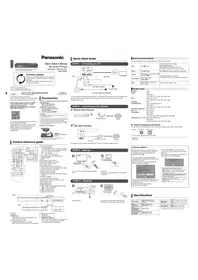
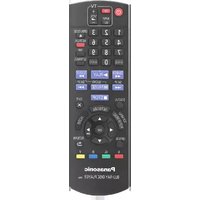
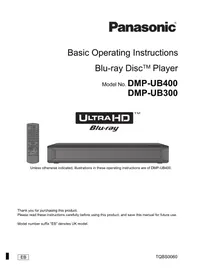
USER MANUAL DMR-BWT720 PANASONIC

Manual assistant
Powered by Anthropic
Waiting for your message
Product information
Brand : PANASONIC
Model : DMR-BWT720
Category : Blu-ray player